Hello friends,
I’m new to Make.com and automations.
I’d like to create a scenario with 3 steps:
- use the Google Drive connection to watch for new .mp4 files created in a Google Drive folder named Meet Recordings.
- use the Google Drive connection to run the Download a File module.
- convert the file to .mp3 with the Cloudconvert connection.
- save the new .mp3 file in a sub-folder named mp3.
I tried to create this, but in the first step I cannot specify to look for .mp4 files, so the later steps don’t run.
Can someone please suggest how I should setup this automation?
Hi @mjeshurun and welcome to the Make Community!
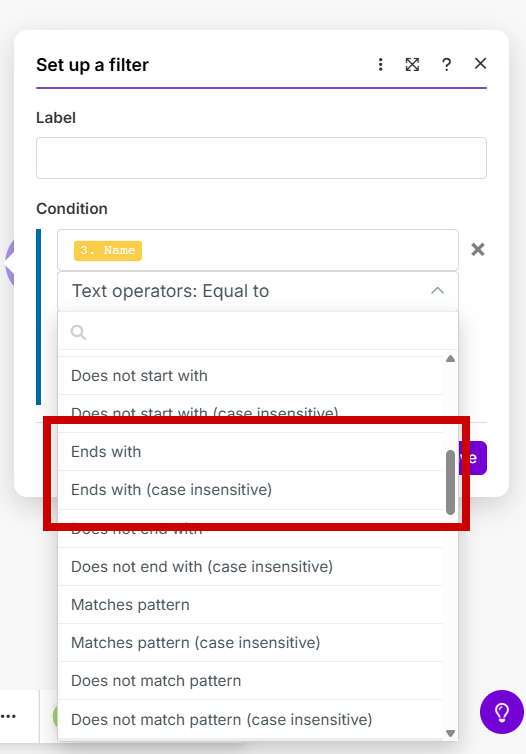
The easiest way is simply to watch for files and put a filter before the next module that filters files ending in “.mp4.”
L
1 Like
Thank you for you suggestion @L_Duperval . I didn’t know about the filter option.
OK, I added the filter, but now when I test the scenario, I don’t see a green checkmark on the second step (Download file).
This is what I have so far.
I guess my settings for the Google Drive Download a File are wrong.
This is what I tried:
Can you please suggest what I should do in this step?
Hi,
Well, ideally, I would look at the basics of creating a scenario. There are great classes in the Make Academy. They will get you going pretty quickly with a good understanding of how Make works.
That said, in this particular case, if it doesn’t pass the filter, either the filter is incorrect or there are no MP4 files in the folder you’re watching. That explains the fact that nothing reaches the second module.
In the configuration of the module, the FileID should be in the result of the Watch module for google drive. Map that in the File ID field.
L
Thanks again for the tip.
I’ll try to learn more using the Make Academy.