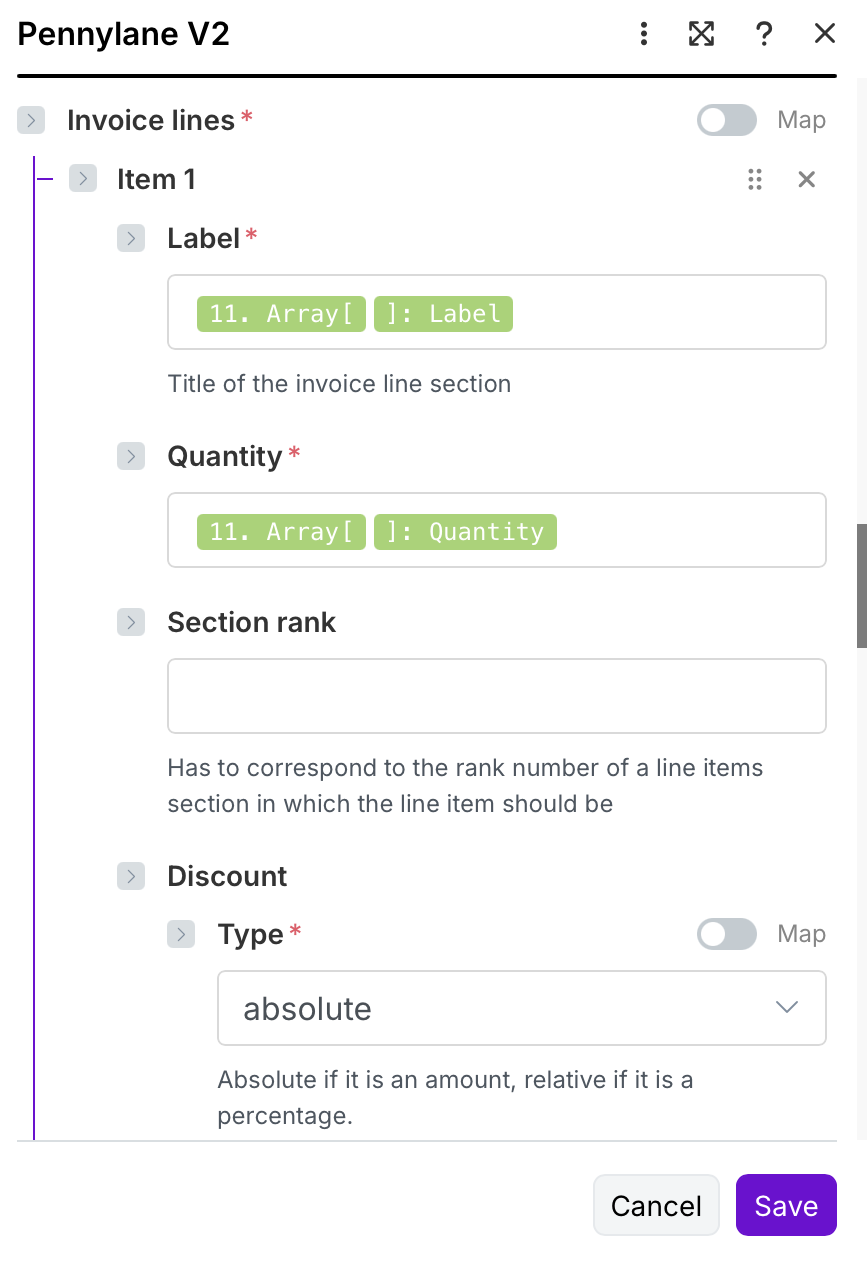
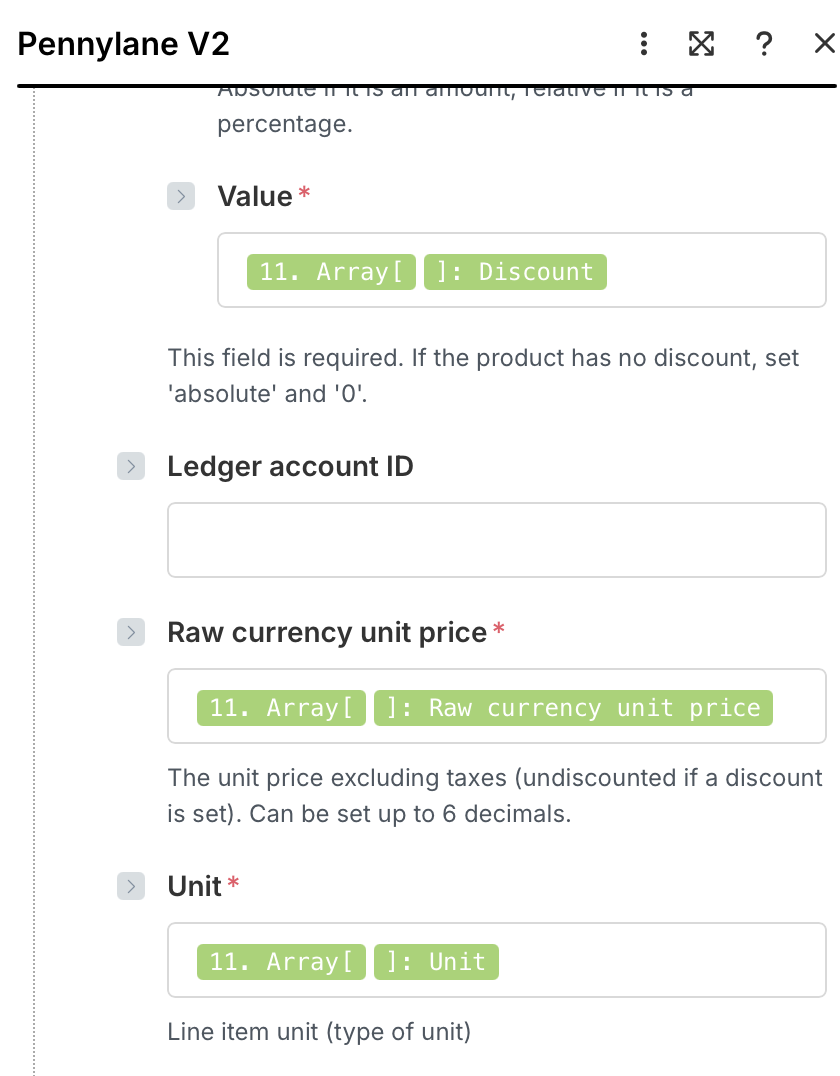
Hello!
I am trying to get line-item data from WooCommerce orders (when customer buys different kinds of products in one transaction).
Before I added the iterator and aggregator, it was working (but only showing 1 item).
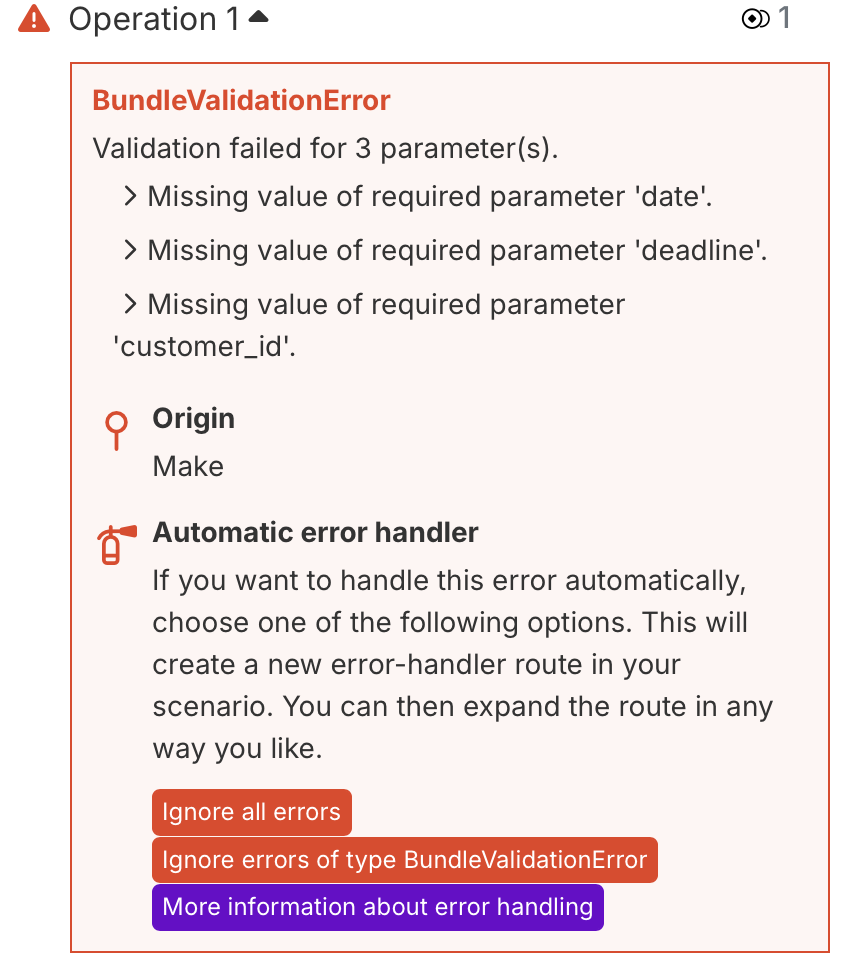
After I added the iterator and aggregator, I get the error shown in the attached pic. Those variables were working before I added the I&A module.
Any suggestions on how to get this working?
Maybe my mapping is off?
Grateful for any help - I have spent hours trying to fix this!
Best,
Matt
Hi Matt
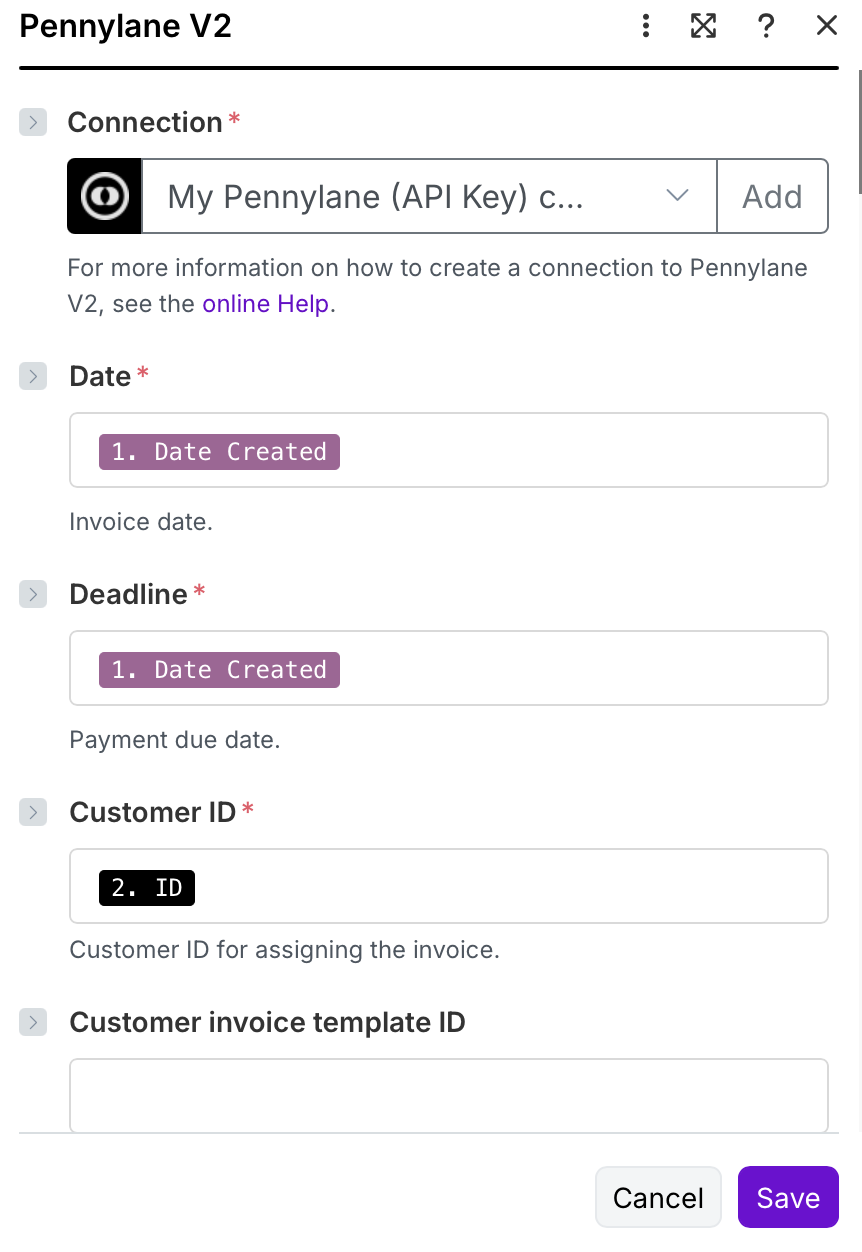
The incorrect fields are from the invoice body (not the line items), right? You get customer_id from module 2, date and deadline (presumably) from module 1 (or calculated). Do you have values in these fields in the output of these two modules 1 and 2?
Best, Stephan
Yes!
I have contacted Pennylane - their AI chatbot is telling me I need to add an HTTP request. I have also been told by Gemini that I need to define the variables before the iterator…still lost!
Hey there!
I can see exactly what’s happening here. The issue is with variable mapping after you add the Iterator. When you introduce an Iterator, the data structure changes, and you need to remap your variables.
The Problem: Before the Iterator, you were mapping directly from the WooCommerce module. After adding the Iterator, those original mappings break because the data is now coming from the Iterator’s output, not the WooCommerce module.
Here’s how to fix it:
1. Inside modules AFTER the Iterator (before Aggregator):
- Click on each field that’s showing errors
- Instead of mapping from “WooCommerce > Watch Orders”, you need to map from the Iterator module output
- The Iterator breaks down your line items array into individual bundles
2. Correct mapping flow:
WooCommerce → Iterator → [Your modules here] → Aggregator
3. Variable mapping:
- Before Iterator: Map from
WooCommerce.line_items[]
- After Iterator: Map from
Iterator output (the Iterator automatically processes each line item individually)
4. In the Aggregator:
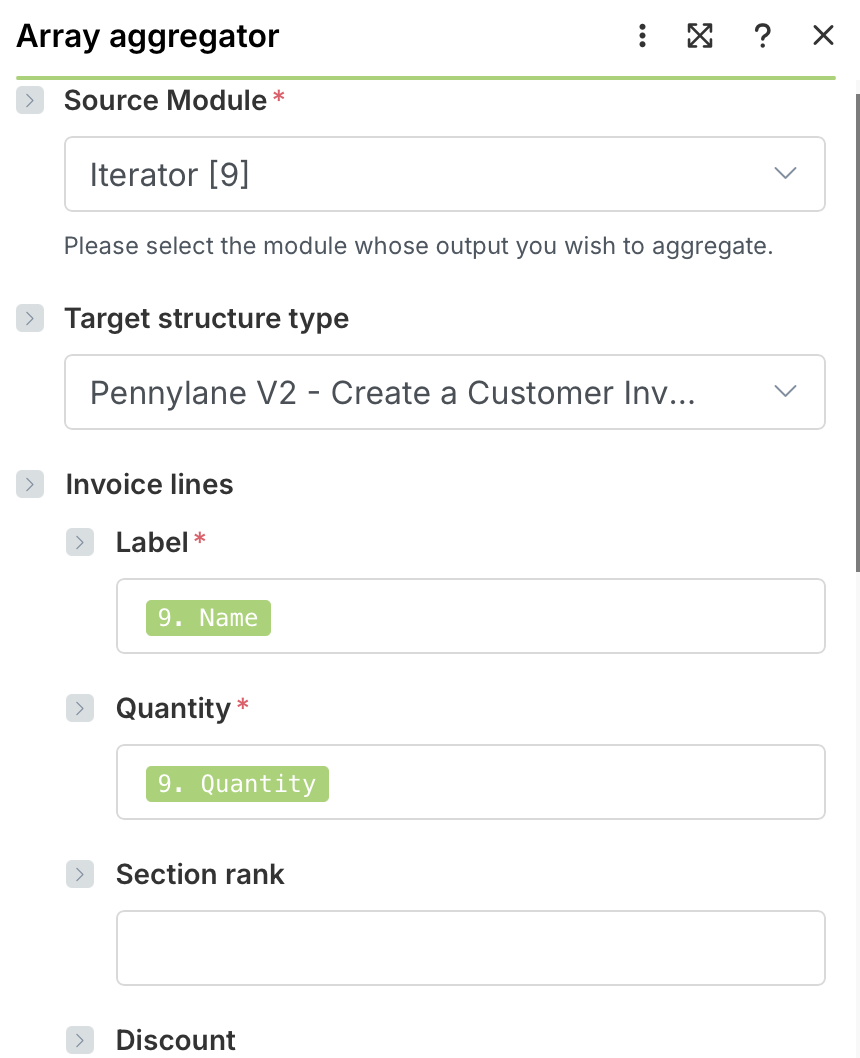
- Set the Source Module to the last module before the Aggregator (not the Iterator)
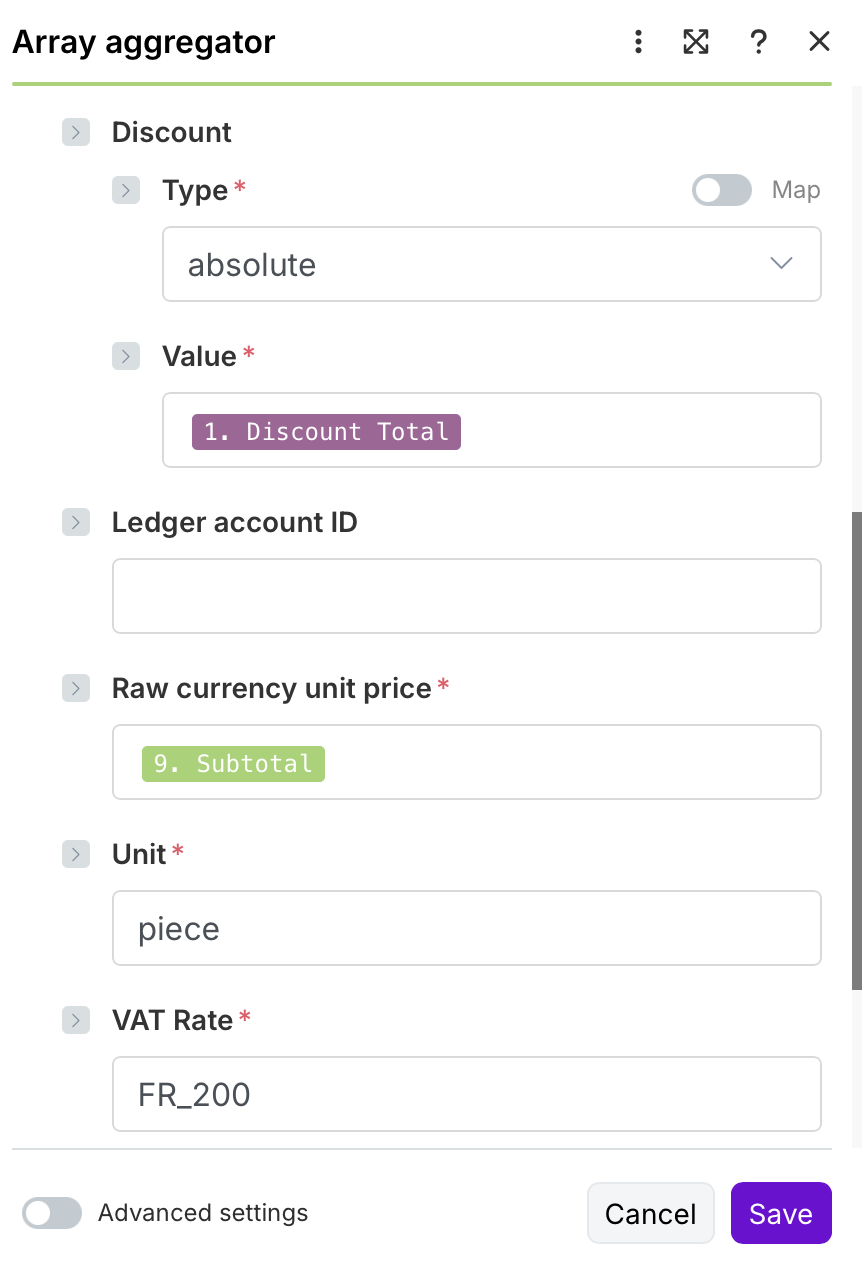
- Map the fields you want to aggregate from that module
5. After Aggregator:
- Your data will be in an array again that you can use:
Aggregator.array[]
Quick fix steps:
- Go to each module between the Iterator and Aggregator
- Click the mapped fields showing errors
- Delete them and remap by selecting fields from the Iterator module output (not WooCommerce)
- Test run one order to verify
Ignore the Pennylane AI and Gemini suggestions - you don’t need HTTP requests or to define variables beforehand. This is purely a mapping issue that happens to everyone when they first add an Iterator!
Let me know which specific fields are giving you trouble and I can help you map them correctly.
Sam @ Flow Digital
Here is the updated alignment and inputs. It is listing two products on the invoice now, BUT it is the same product!
Any advice is greatly appreciated!
Thank you…