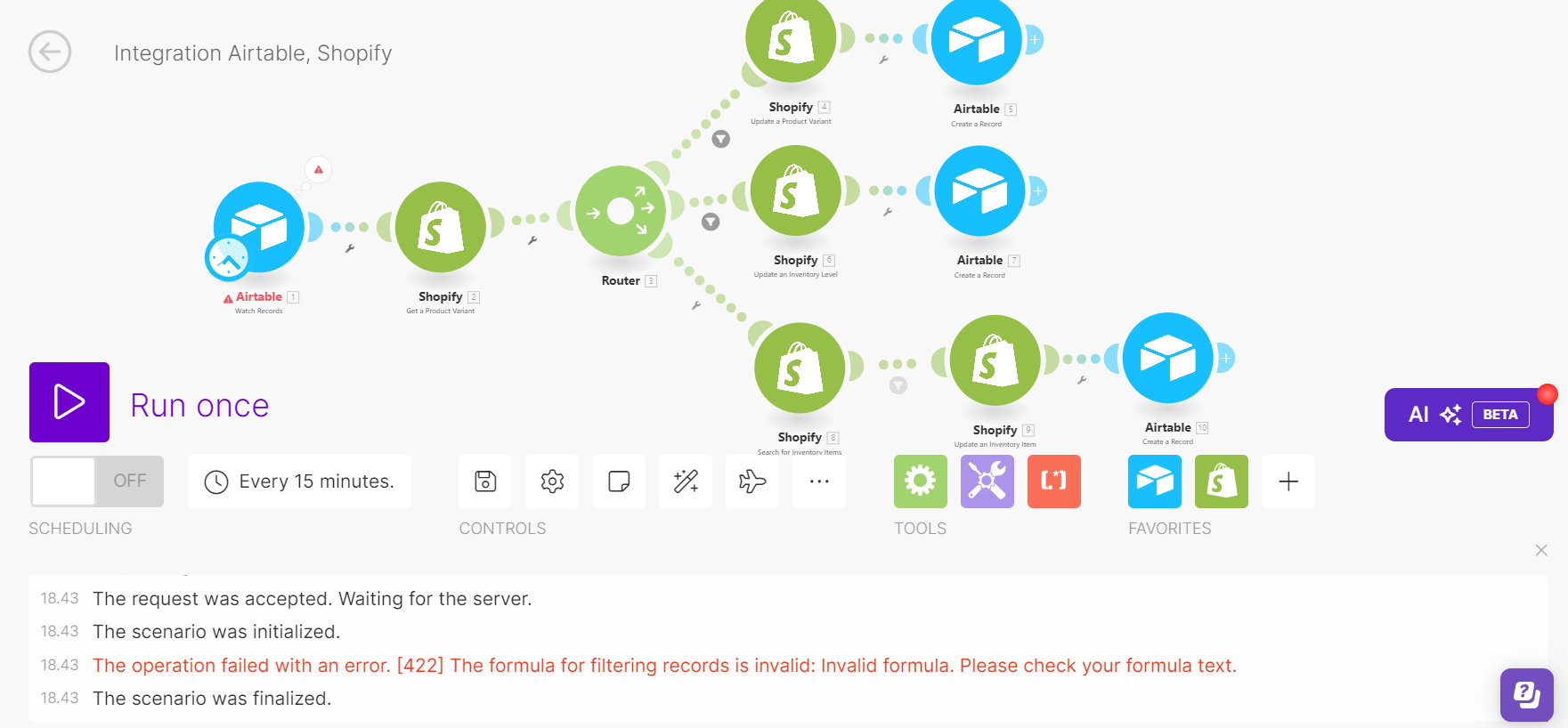
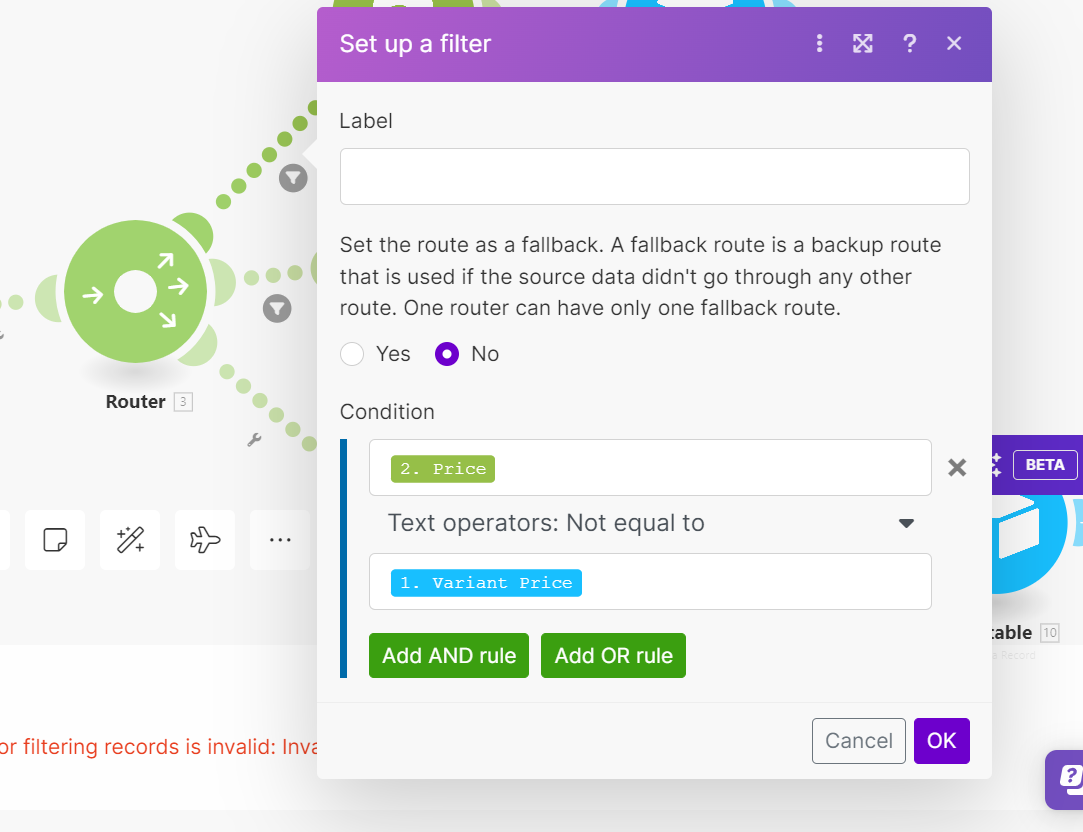
For example, Product A has a “variant price” of $50.00 in Airtable and $50.00 in Shopify, and a “cost per item” of $20.00 in Airtable and $20.00 in Shopify. I want to update Shopify data based on Airtable. Ideally, if I filter to only detect differing values, Product A should not be detected. However, it is still being detected. After checking the results from the Airtable Watch Record, the “variant price” and “cost per item” values are read as $50 and $20, respectively. Consequently, Make reads that the “variant price” and “cost per item” for Product A in Airtable are different from those in Shopify.
How can I ensure that Airtable values are read consistently? I have tried using the formula {{formatNumber({Variant Price}; 2)}} and {{formatNumber({Cost per item}; 2)}}, but it results in an error: “The formula for filtering records is invalid: Invalid formula. Please check your formula text.” What formula or solution would be appropriate for this case? Should I consider adding modules or filters in another module? Any assistance would be greatly appreciated