Hey guys,
I am not able to see the output from module
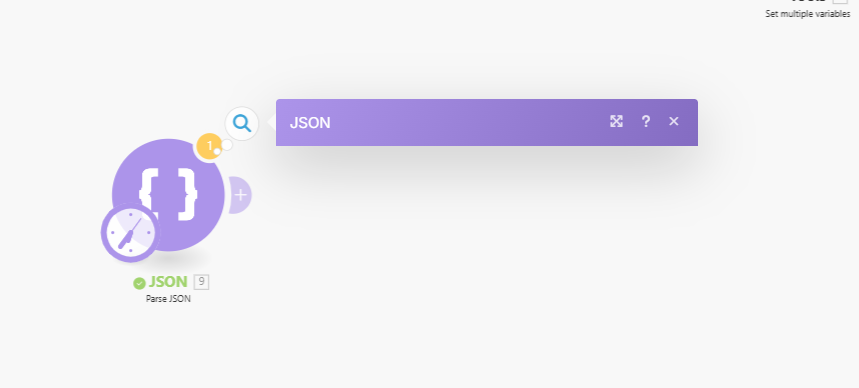
It works on other modules and triggers, tried re opening the editor as well. but still doesn’t work.
Anyone else facing such issues in json parse module?
Can you provide the scenario blueprint export?
Here you go :
Json parsing.blueprint.json (2.2 KB)
That’s because your JSON needs to contain:
OR
Currently, your JSON only contains a simple array (array of primitive type, in this case strings).
[
  "Aarav Sharma",
  "Meera Kapoor",
  "Rohan Mehta",
  "Ishita Verma",
  "Devansh Rao",
  "Sneha Nair",
  "Kabir Joshi",
  "Anaya Desai",
  "Yash Malhotra",
  "Tanya Singh"
]
You can simply amend your input to specify an object containing an array variable, like this:
{ "array": [
  "Aarav Sharma",
  "Meera Kapoor",
  "Rohan Mehta",
  "Ishita Verma",
  "Devansh Rao",
  "Sneha Nair",
  "Kabir Joshi",
  "Anaya Desai",
  "Yash Malhotra",
  "Tanya Singh"
]}
Hope this helps! Let me know if there are any further questions or issues.
— @samliew
Any way i can generate object array from primitive array within parsing module?
Yes, just do as I have suggested above.
Hope this helps! Let me know if there are any further questions or issues.
— @samliew
My concern is, Why does that shows complete blank while it actually shows the output bubble but not the output window or popup!? isn’t it strange or a bug may be!?
If you’re expecting an error message, then yes that’s a bug.
Like I said, your string is invalid JSON.
You cannot have a top-level array of strings represented in JSON. You can read the technical specification here: https://tools.ietf.org/rfc/rfc7159.txt
A valid JSON text needs to contain:
OR
You can report the bug of missing error message to Make support. Either way, you should still modify your variable to encapsulate the array in an object, as I have suggested, instead of relying on an error message.
Hope this helps! Let me know if there are any further questions or issues.
— @samliew