Seems what you found is about as good as it gets.
Here’s the best I could come up with so far, not sure if it would help yours or anyone else’s situations.
Here’s an example of my source text, the stuff I want plugged in to the template.

The tag list is a list of tags that should always be in my template document.
The Fixed Text is the text I wish to split up and put into my final document. Each line corresponds to each tag in the list, in order. Consecutive new lines count as a single new line so Fixed Text is effectively 4 lines.
Dynamic Text is multi-line and the number of lines may vary, but same thing, it’s effectively 4 lines.
My template file looks like this:
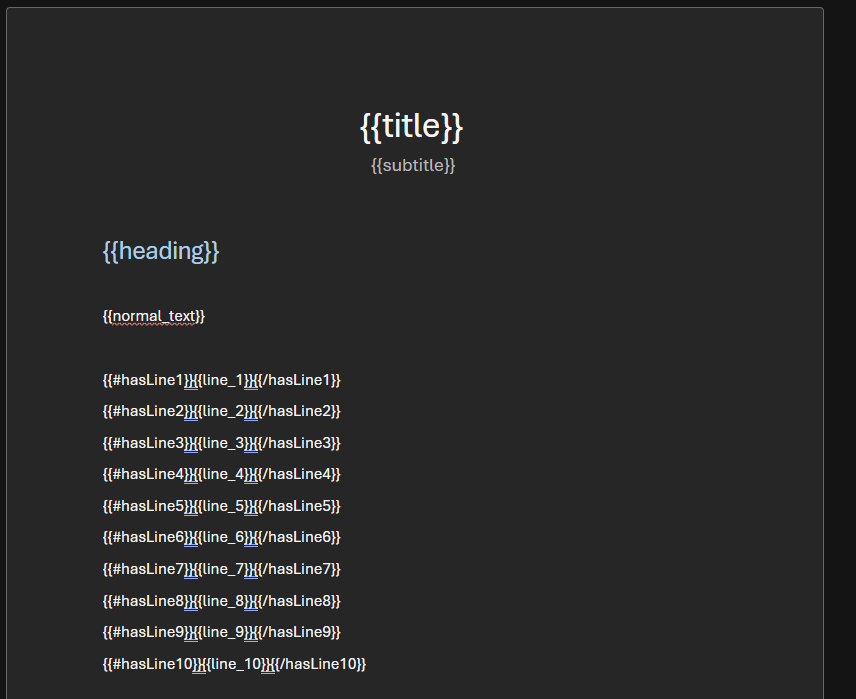
Final document looks like this:
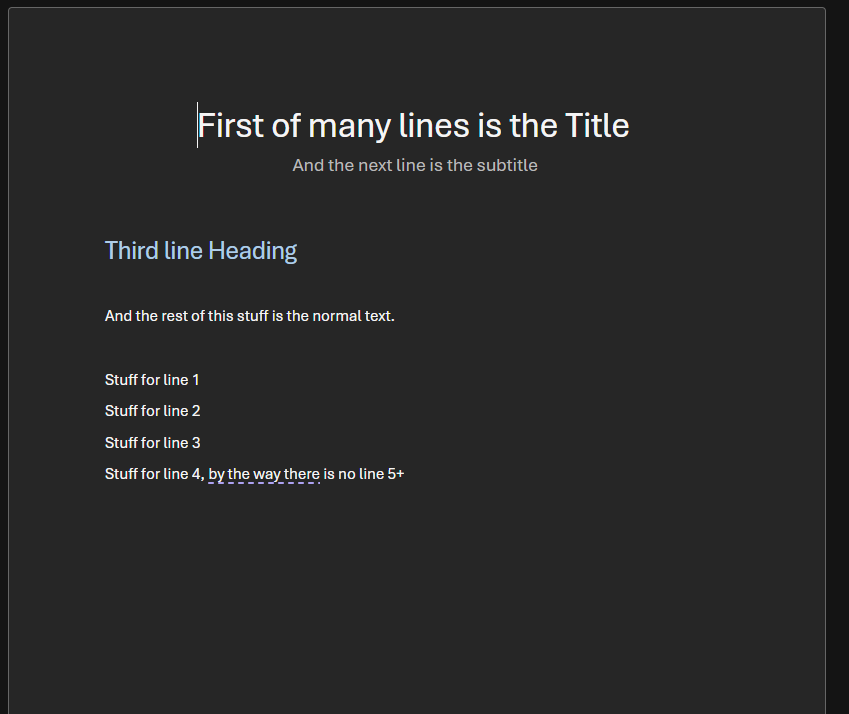
You can see that since I only had effectively 4 lines of dynamic body text, only those 4 lines shows up in the document.
This only works if you have access to modify the template.
You’d have to place line break between multiple conditional tags.
To make it easier, they need to be named such that only a sequential number can make them unique (#hasLine1, #hasLine2, etc…)
The other caveat is that the lines that did not get filled show up as blank lines in the document, so basically just the conditional placeholders were replaced with nothing, but the newline remains in place.