 What is your goal?
My goal is to use AppSheet as the main database for my application and read/write data from Make using the native AppSheet modules, instead of using Google Sheets.
I have tables such as:
- Prenotazioni (Bookings)
- Serrature (Locks)
- Log
and I would like Make to read bookings, process automations, and update records directly in AppSheet Database.
⸻
 What is the problem & what have you tried?
What is the problem?
The AppSheet connection in Make is created successfully and I can select my AppSheet application and tables.
However, when I use the Search Records module on a table that contains data, the module always returns:
{
“IMTLENGTH”: 0
}
The records are visible in AppSheet under Data → View Data, there are no Security Filters configured, and the table uses AppSheet Database (not Google Sheets).
I’m trying to understand whether:
- The Make AppSheet module fully supports AppSheet Database tables.
- There is a specific configuration required.
- Or if AppSheet Database access through Make is limited to Enterprise / Enterprise Plus plans.
 Error messages or input/output bundles
There is no actual error message. The scenario runs successfully, but the output bundle is empty.
Example input:
[
{
“limit”: 1000,
“selector”: “TRUE”,
“tableName”: “Prenotazioni”
}
]
Output:
[
{
“IMTLENGTH”: 0
}
]
So the module does not fail, but it returns zero records even though the table contains visible records in AppSheet.
 Screenshots (scenario flow, module settings, errors)
Welcome to the Make community!
It looks like your post has omitted how your scenario and modules are set up. We’d love to help, however, we require more information that demonstrates the problem to help us reproduce the scenario and any issues.
To allow others to assist you, please click here and provide the requested information.
A. All Relevant Screenshots
We need to see what you’re working with to give you the best advice. Screenshots are important because Make is a visual editor — a picture provides us with more context.
It would help us identify the issue by having screenshots of:
- the full scenario, and the zoomed in parts of the scenario that you are referring to (if your scenario is huge),
- a full scenario run/execution from the history (showing output “speech” bubbles),
- relevant module fields (showing how you’ve used any built-in functions, and how you’ve mapped the variables),
- relevant filters between modules (showing which operators and any built-in functions you’ve used, and how you’ve mapped the variables),
- relevant module input/output bubbles,
- if applicable, any error messages,
- and if applicable, any external services (spreadsheet headers/ sample data/ regex101.com/ etc. to show the item/ record exists, and is set up correctly).
Expand Instructions ◀
Please directly upload screenshots into the post editor. Using the forum’s image hosting allows for zooming in when clicked, and avoids third-party cookies or tracking.
Taking Screenshots
- Microsoft Windows: Take screenshots using the “Windows Snipping Tool”, by pressing either PrtSc or WinShiftS keys on your keyboard.
- MacOS: Take screenshots by pressing CommandShift4 keys on your keyboard.
Uploading Images
- Drag image files directly into the rich-text editor, or
- Click on the upload button in the editor toolbar to select files:

B. Scenario Blueprint
Providing your scenario will allow others to quickly recreate and see how you have set up the mappings in each module, and also allows us take screenshots or provide module exports of any solutions we have for you in return. This would benefit you in implementing our suggestions as you can view screenshots of the changes or paste corrected modules back into your scenario.
Expand Instructions ◀
A. Export Blueprint
In the scenario editor, click the three dots at the top-right, then select “Export blueprint”.

B. Create Public Share Link
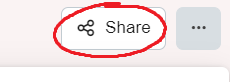
In the scenario editor, click on the Share button:
Read more about the scenario sharing feature in the Help Centre.
Sharing these details will help you get better answers, faster.
— @samliew
P.S.: investing some effort into the tutorials in the Make Academy will save you lots of time and frustration using Make!
