Hi, I’m trying to get Todoist to move a task from inbox to a specific project and a section in that project. I’m using the Todoist API module but I keep getting a 400 error. For the purposes of troubleshooting I’ve removed reference to my projectID and sectionID variables and added the IDs directly of the project and section I want to move the task to. I have triple-checked that these are correct. I’ve attached a screenshot of my setup. Please help, this is driving me crazy
Hi @Rachel_Mackay, welcome to the Make Community 
Just a heads-up: the screenshot you wanted to include is not showing. Could you please try to re-upload? Thanks a lot 
Thanks for the heads up @Michaela Take 2, hopefully this works better

Did you get anwhere with this please? I’ve reached the same point you have - 400 error - trying to do something similar to move a task to a different section in Todoist
Hi, no I still haven’t figured it out. It’s so frustrating! I’ve tried using the todoist api module and the general api module. Please let me know if you figure it out.
Hello both,
Be aware that recently, Todoist consolidated both their REST API and Sync API into one universal API. (they call this new API version, ‘v1’, not confusing at all!). This new API version has a different ID format for items, and Todoist now returns both ID versions in the payload.
So look for the v2_id params to map in the Make an API call:
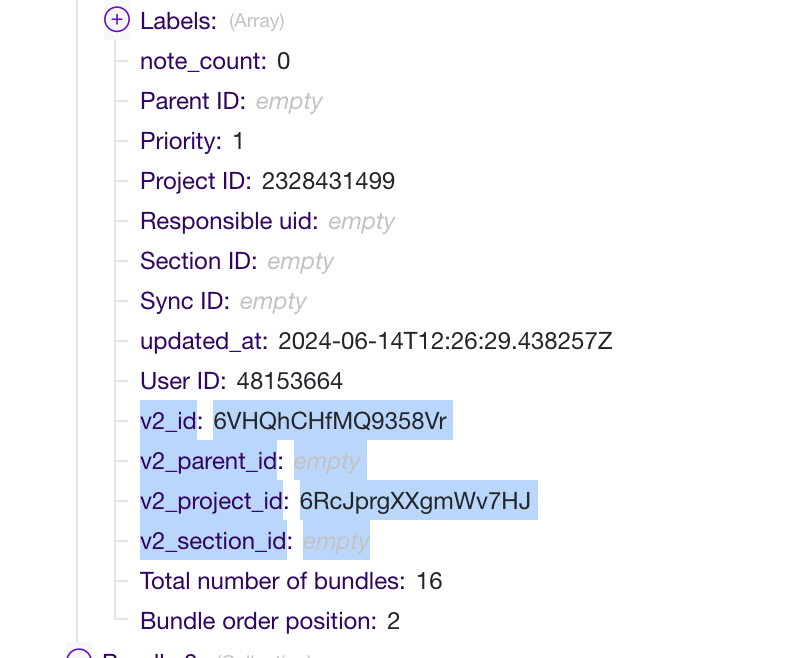
Yes, it is confusing that in Make there is a v2_ prefix, but using these ID’s should help you get rid of the 400 error. If you feel the need, you can also convert the old ID to the new ID via the Todoist API: Todoist API
Cheers,
Henk
Kia ora Henk, thank you for this, I did try both ID and v2_id and still didn’t manage to get it to work. I used the same format as my screenshot above but the v2 project and section ids.
Rachel
Can you share your setup of the scenario via screenshots, recording or sharing the blueprint?
Sure, I’ve used a separate test scenario to get the Project and Section ID of a test project that I want to move tasks to (eventually I will use dynamic fields to move tasks to the right section, but since that wasn’t working I wanted to eliminate as many variables as possible to try and troubleshoot). Here are the ID’s of the project and section that I want to move a task to.

Here’s the setup of my test scenario
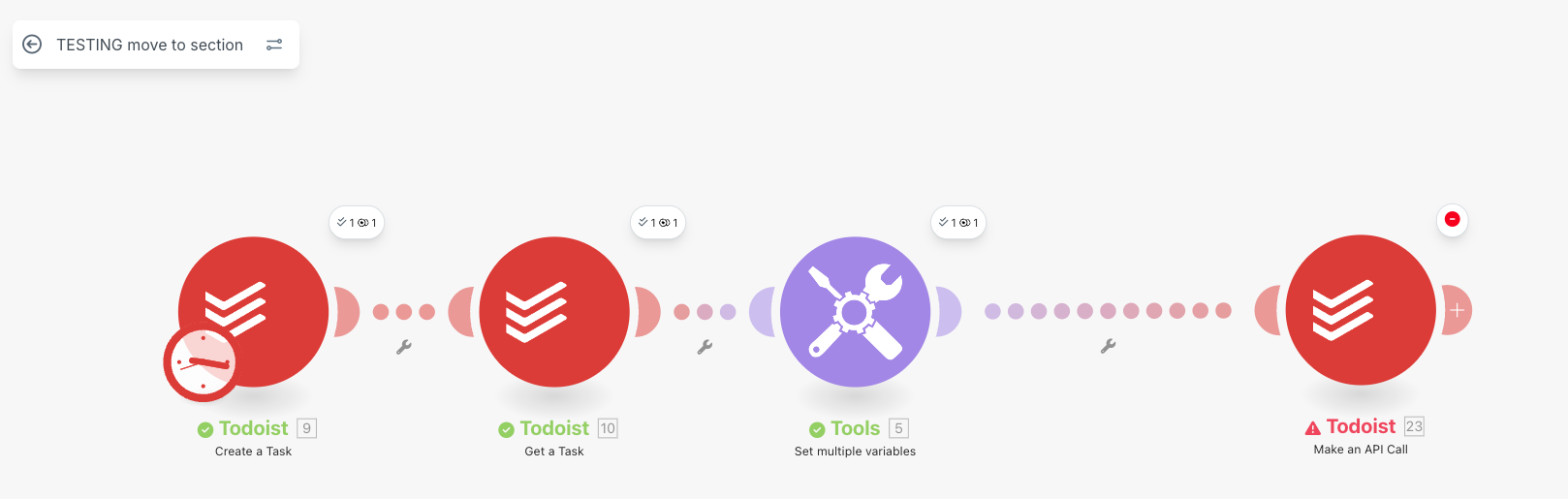
I’ve set up variables to the IDs that I found in my earlier step:
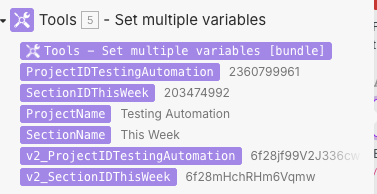
I’ve also tried putting these values directly into the API module rather than using variables
Here are the two setups that I’ve tried in the API module, both result in a 400 error


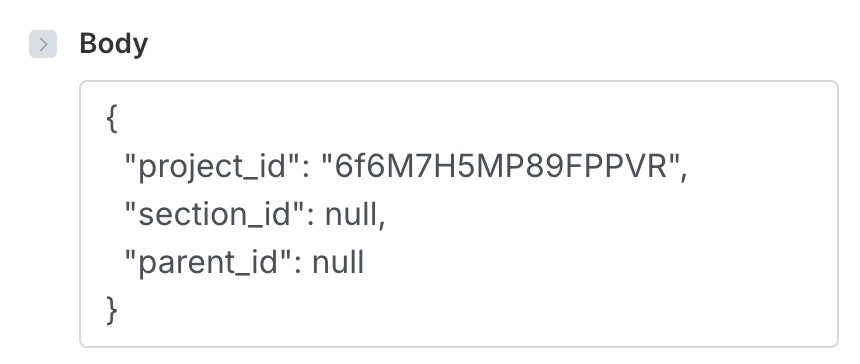
Hi, check out the solution from Henk, hope it helps 