Webhook to Google Sheets

What are you trying to achieve?

I have a custom webhook receiving a simple inventory report from my inventory software, and I would like that data to get added to google sheets. Currently I can only get it to work adding 1 row of data. The report has many rows of data. How can I get the full report to get added to google sheets?? Please help!

Steps taken so far

I have already set up a custom webhook, I have that linked to google sheets, and when I click “run once” one row of data is entered to google sheets. I also tried to use an array aggregator but I could not get that to work.
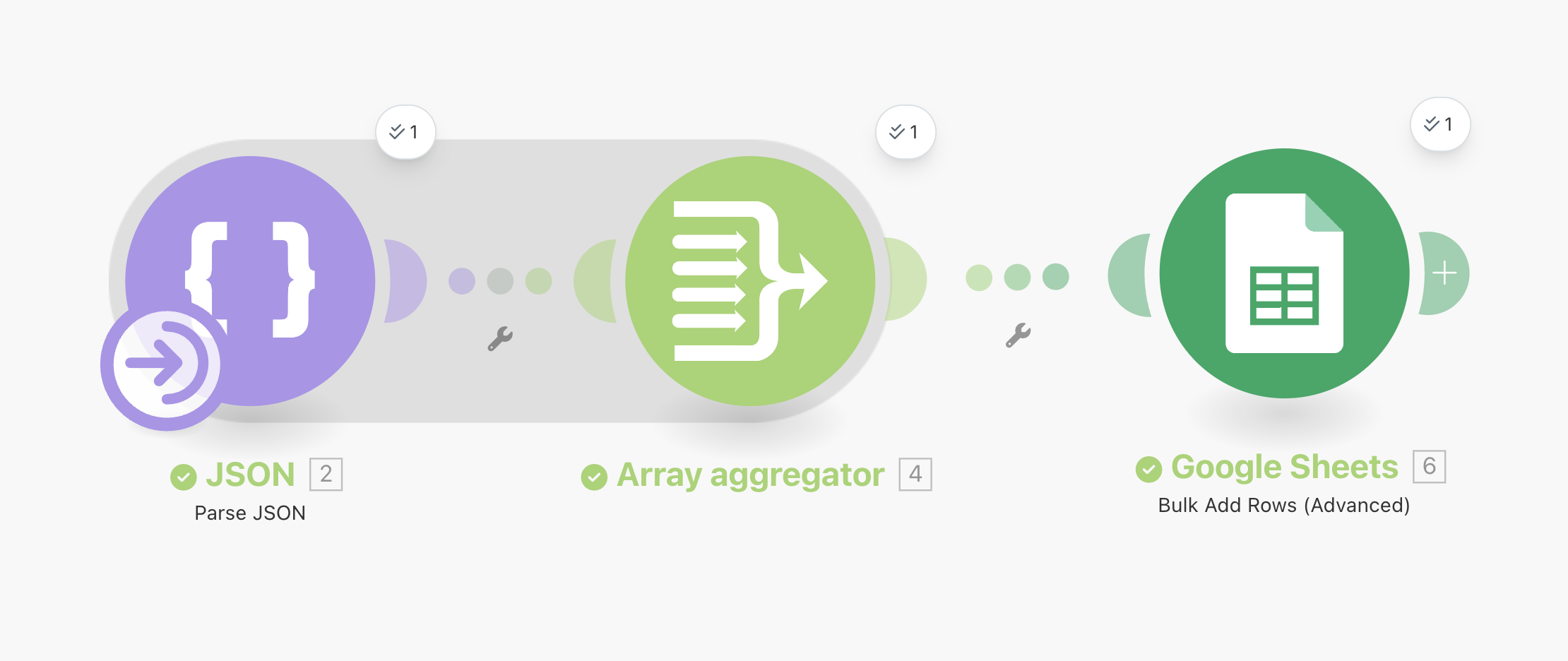
Hi @Matt_Groves ,

Welcome to the community!

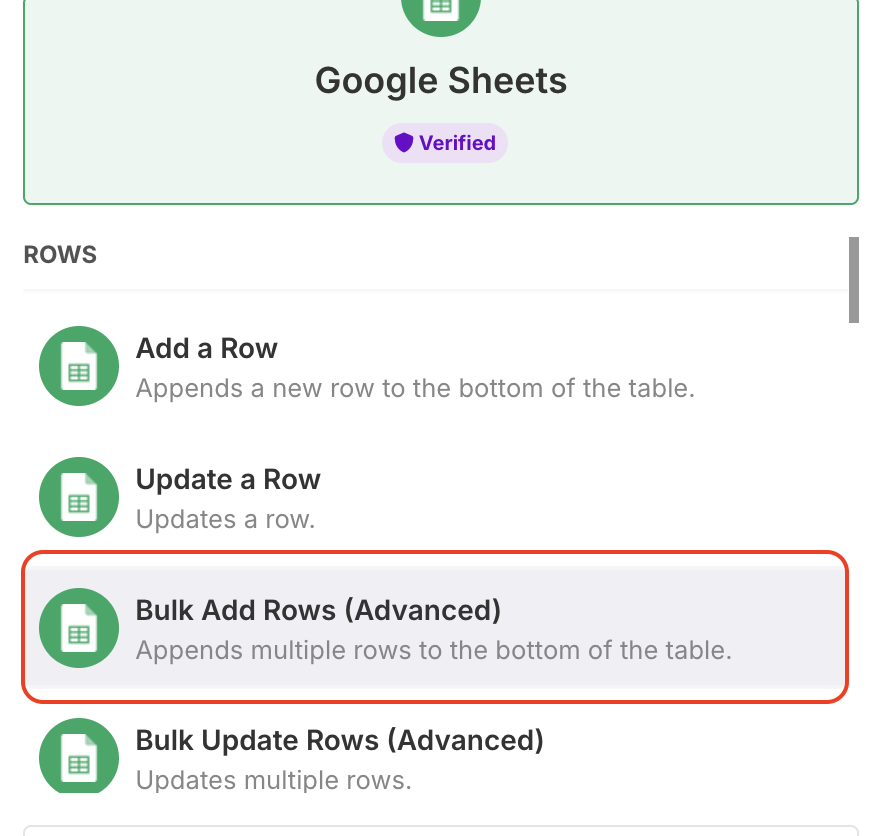
You can try the following module:

In this example I’m using a json and we also need an aggregator.

The json has 3 items, and they all can be pushed into a Google sheet at once:

[
{
“num”: “1”,
“item_id”: “378465”,
“desc”: “red book”,
“qty”: “5”,
“tag”: “fiction”
},
{
“num”: “2”,
“item_id”: “456890”,
“desc”: “blue book”,
“qty”: “3”,
“tag”: “art”
},
{
“num”: “3”,
“item_id”: “123645”,
“desc”: “green book”,
“qty”: “12”,
“tag”: “poems”
}
]

For the aggregator you basically select the source and the fields.

Next - prepare your Google spreadsheet, add column names:

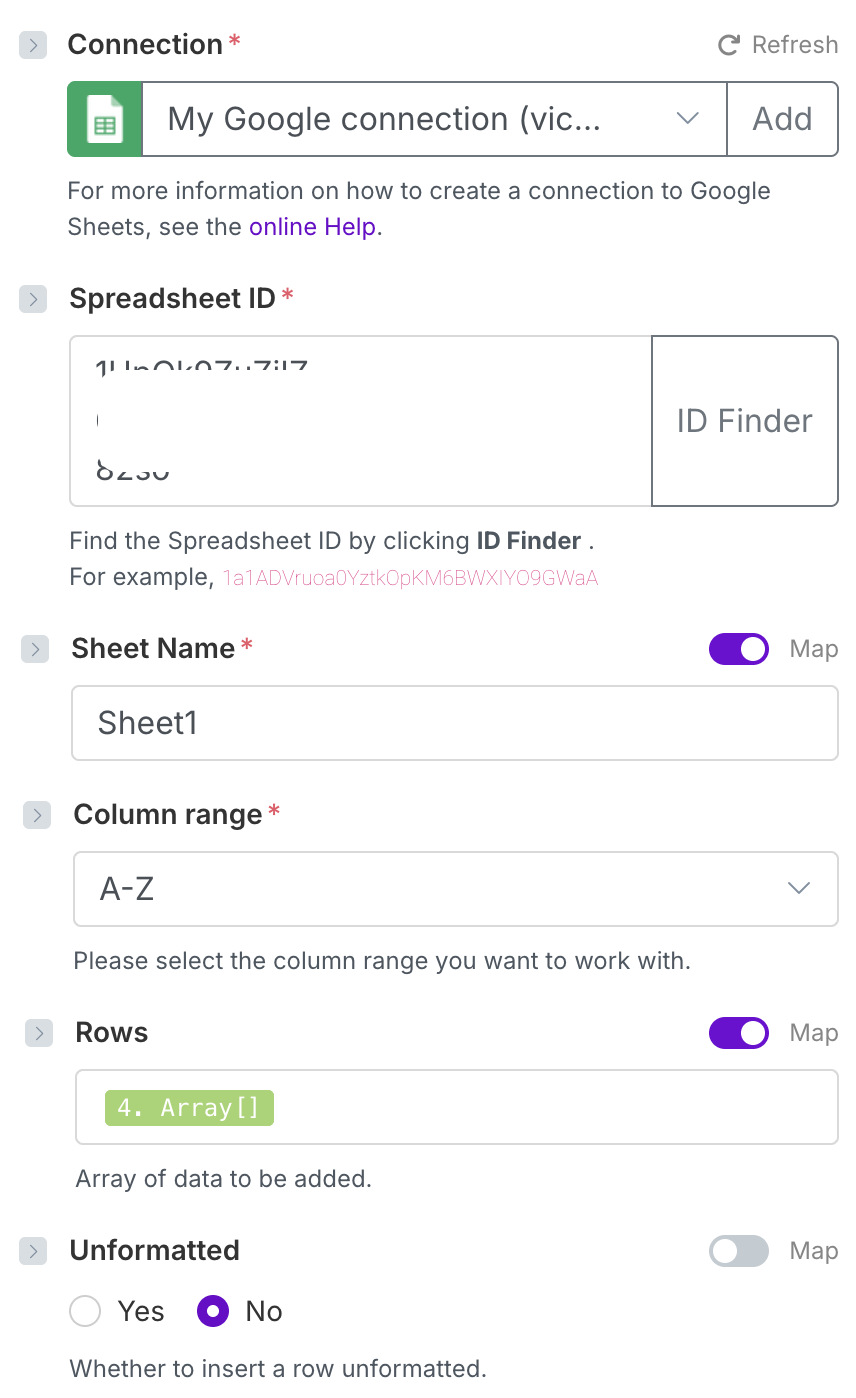
Then go back to the Google sheets module, add the id, fill out the sheet name, column range and map the aggregator array with rows:

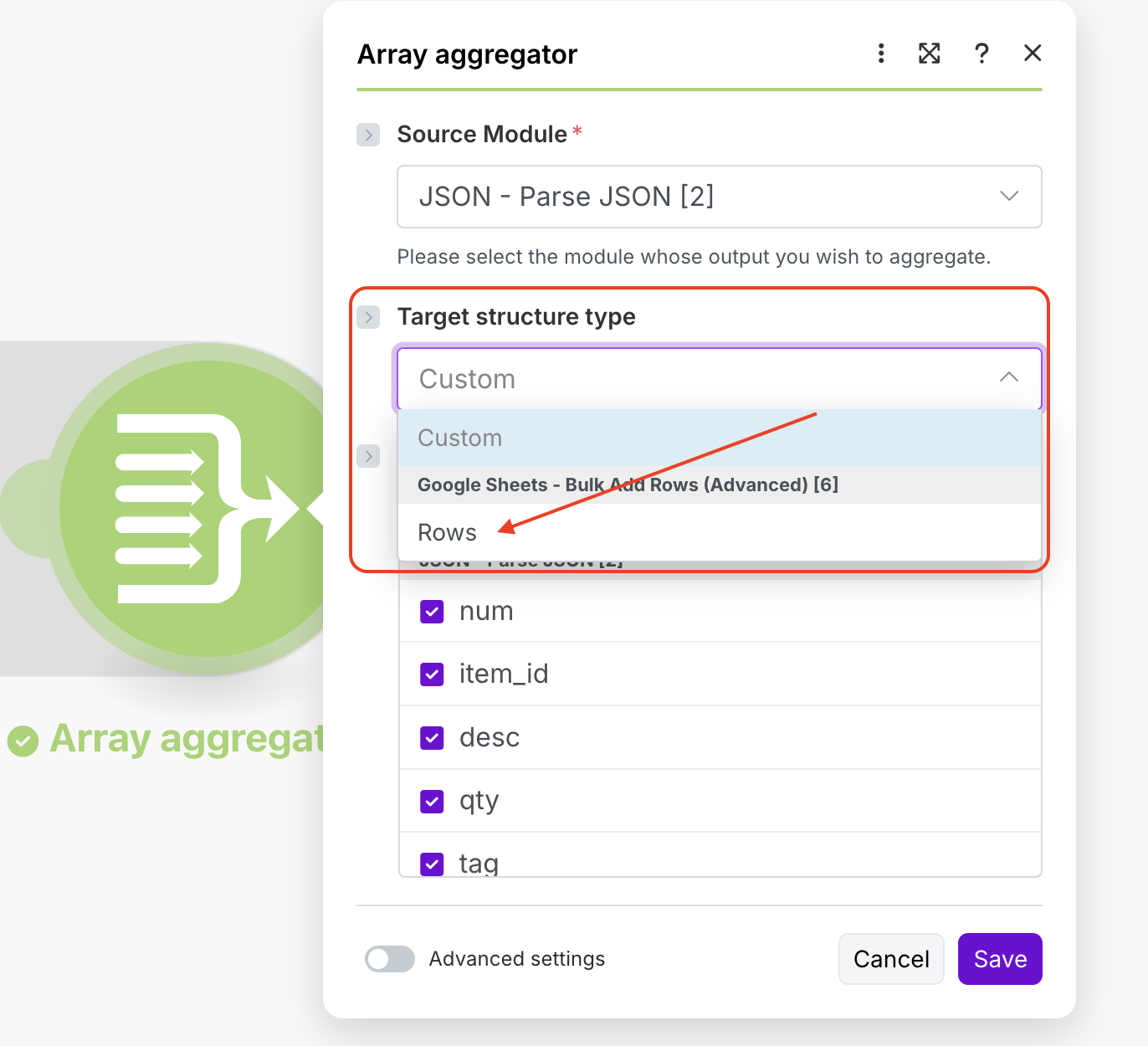
Now go back to the aggregator and choose the target structure - it’s how you make sure the array for the Google sheets module is properly formatted:

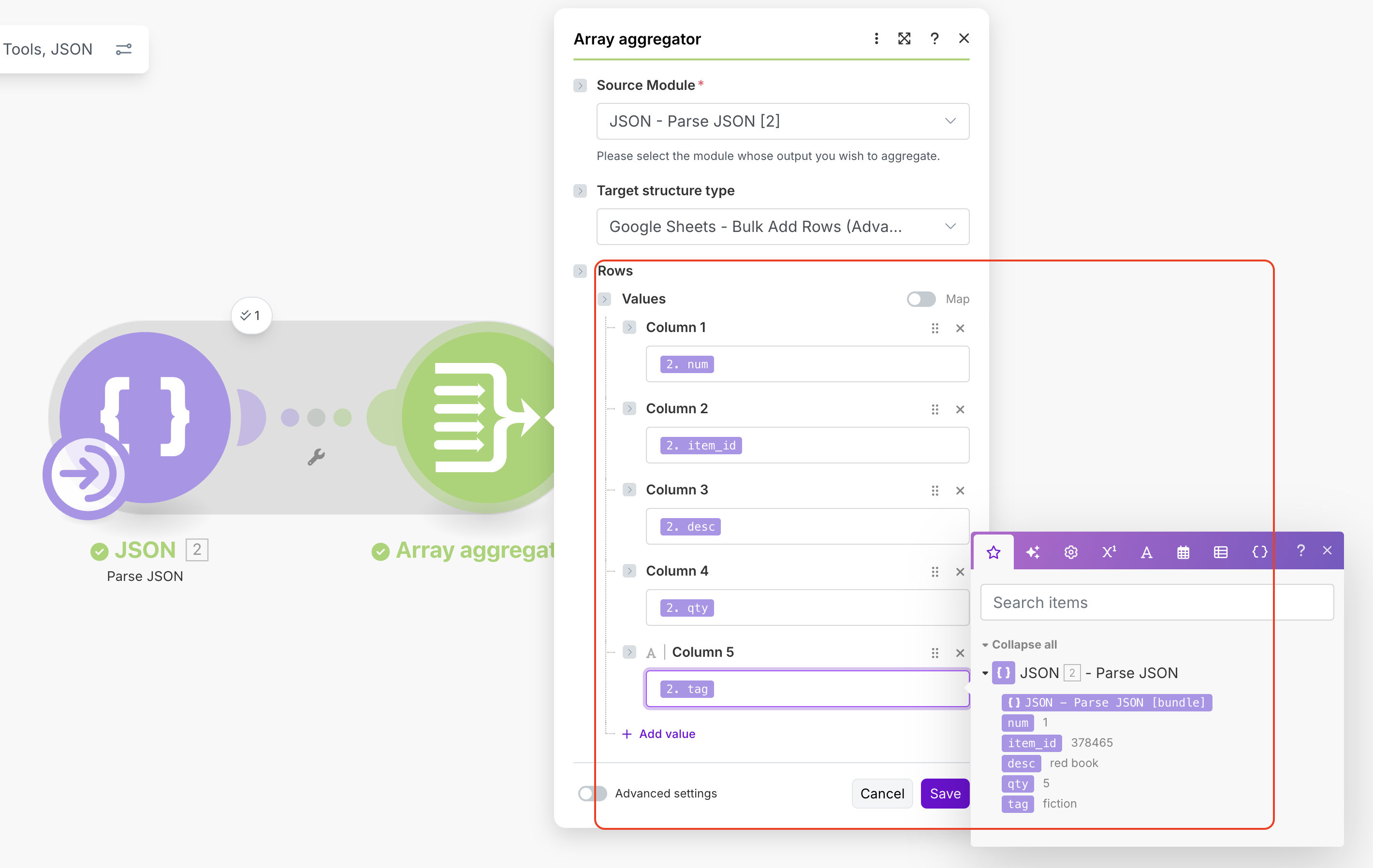
Map your source columns to the columns in the spreadsheet:

Here is the result. It took just 3 operations:

Hope it helps!

1 Like