While I am not totally sure if this is the issue you are facing, connecting a personal email to Make is a little bit different than a standard Make connection.
You will need to setup a new project in your Gmail account and connect Make’s URL to it.
Below is a blog post we created to explain the process of connecting an email account.
I hope this helps clarify the issue you are having.
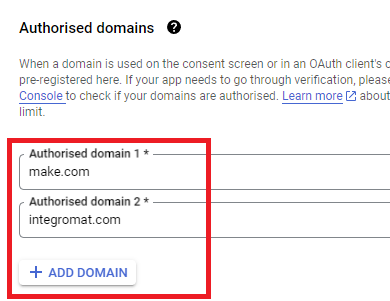
Here are some commonly-needed redirect URIs you need for your Google Cloud Console OAuth app. If you set these up, you can reuse the same GCP app for other Google apps and modules on Make.
You are also required to insert the legacy URLs below from the old Integromat system that not been migrated to Make yet (same as the above list, but replace “make” with “integromat”):
Note 1: Due to inconsistencies in Make’s implementation of the connections, there are two separate entries where has one is google and another ending in a forward slash google/ - you might need one or the other, so we have to use both!
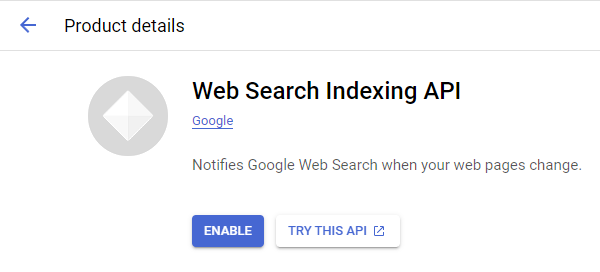
Note 2: Once you’ve set these up, you can use/reuse the same Google OAuth App ID + Secret for all the supported Google connections and modules on Make - you’ll just have to enable the relevant Google APIs!
4. Create New Connection (HTTP, or respective Google module)
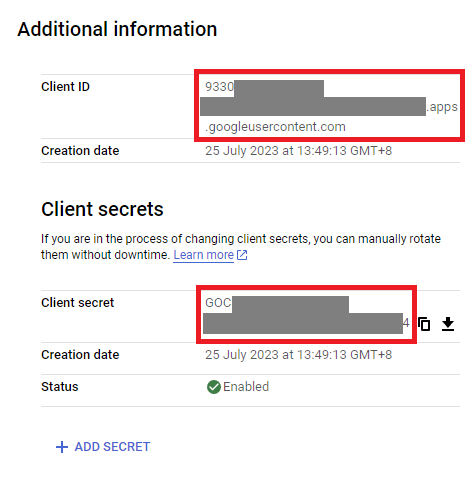
You can find the Client ID and Client Secret in the OAuth2 app you created in GCP, on the right-hand side of where you inserted the callback URLs in step 2:
To set up the Gmail connection in Make.com, please click the Online Help option available below the Connection panel, as shown in the screenshot provided.
This will guide you to the relevant documentation, and the documentation link is also shared below for your reference.
Kindly follow the steps outlined in the documentation to configure the Google connection. This should help you resolve the Google connection issue easily. If the issue persists, please feel free to share additional details so we can assist you further.
Best regards, Msquare Automation Platinum Partner of Make @Msquare_Automation
 What is your goal?
 What is the problem & what have you tried?
 Error messages or input/output bundles
 Screenshots (scenario flow, module settings, errors)