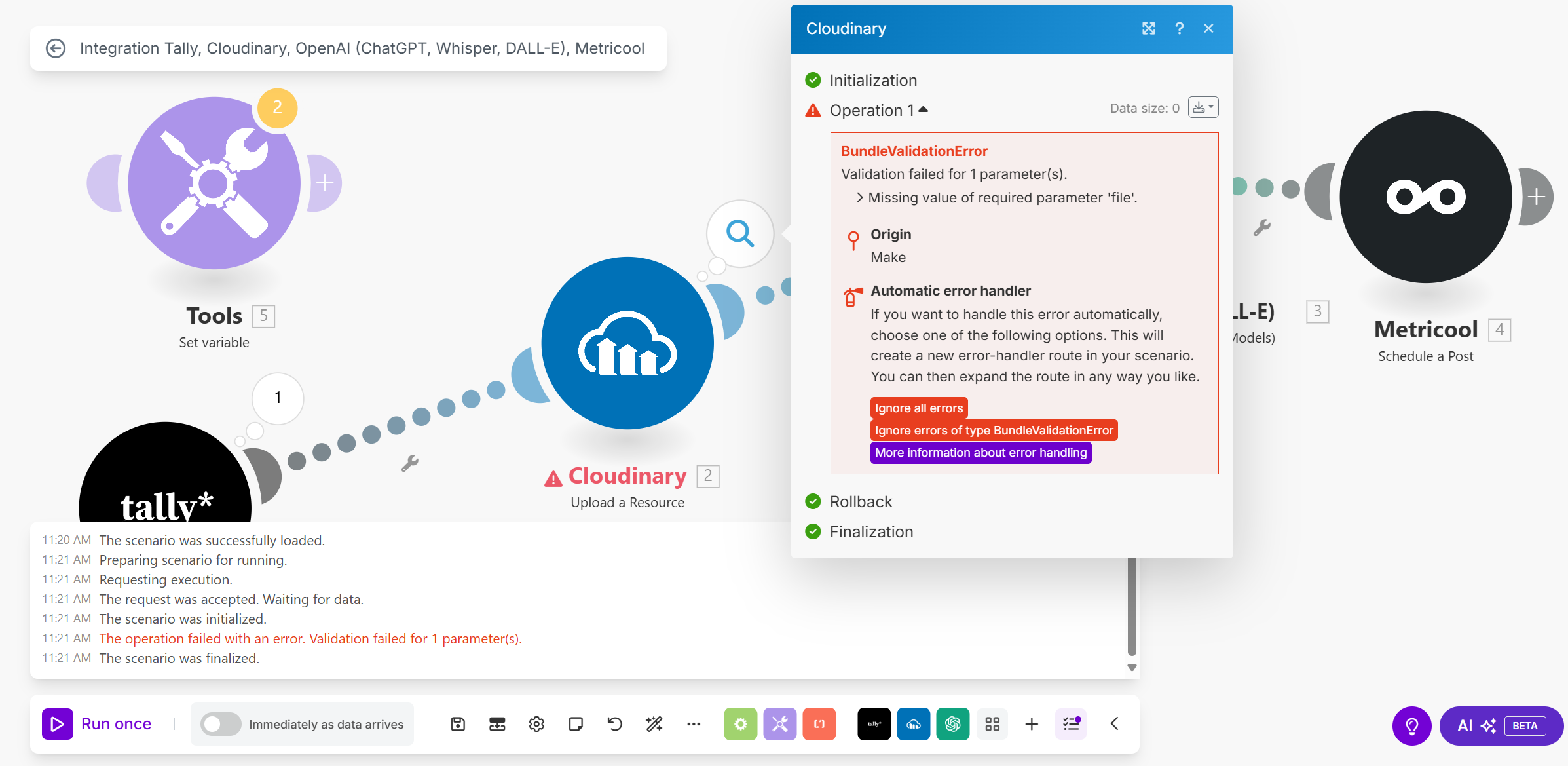
I have a custom home decor boutique and have been spending the past 2 days trying to get an automated process where I fill out a form with an image that then goes to ChatGPT and writes a description and then scheduling the post.
But I can’t get the image to share across to Instagram. I was using Google Drive but that can’t be used so I rebuilt it with Tally to Cloudinary to Chat to Metricool. But I keep getting an error on Cloudinary. I can’t get the image to move from Tally to Cloudinary. I am wanting the imagery all linked to the form because I don’t want one fabric picture to go to a different description. Is there an easier way to do it?
I’ve attached some screen shots of the errors I am getting. What am I doing wrong?
Hey Kelly,
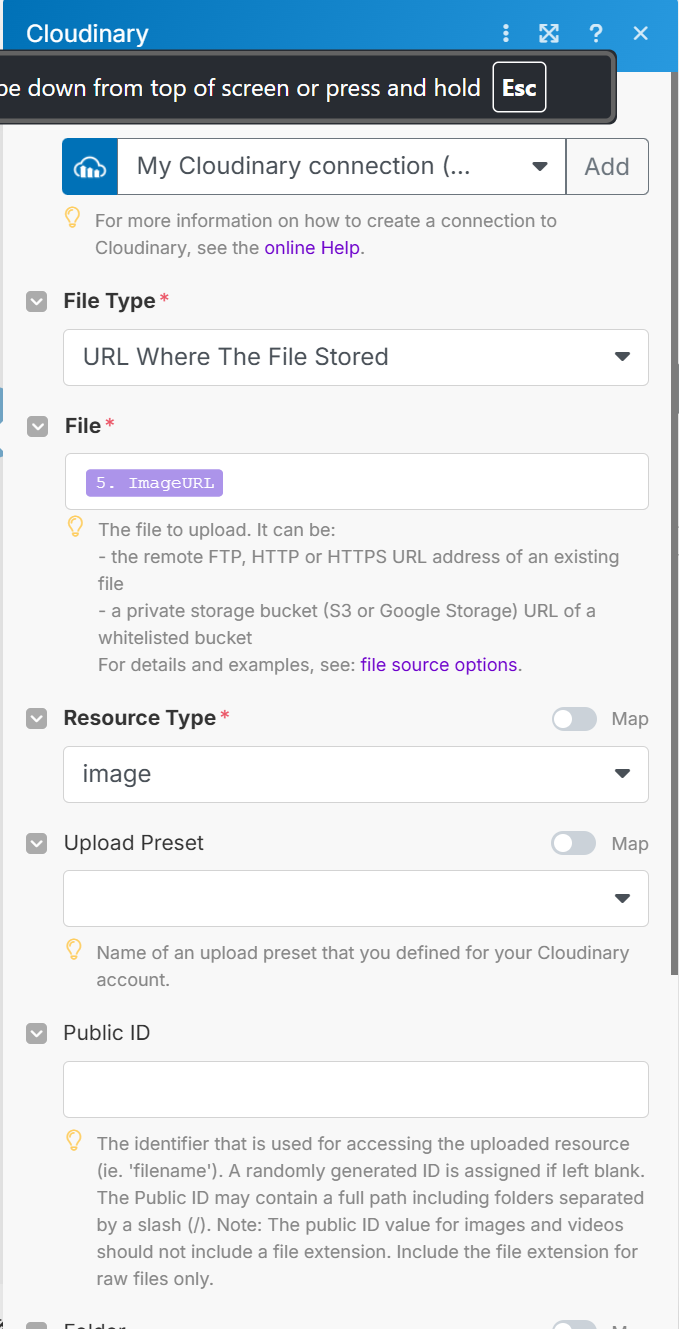
can you show a screenshot of the Cloudinary module setup and what you are passing as the file?
Here is the screen shot of the Cloudinary module. And I have went ahead an included the blueprint and see if you can help me figure out what setting i have wrong.
Integration Tally, Cloudinary, OpenAI (ChatGPT, Whisper, DALL-E), Metricool.blueprint.json (79.9 KB)
Sorry but in the first screenshot there is no tools module no. 5 can you show what its doing and what the output is?
We cant use the blueprints because we dont have the connections. So unless someone specifically asks for a blueprint, its better to share screenshots instead.
Sorry, that didn’t upload in order. That is the other part of the Cloudinary module. I couldn’t get it as one full screenshot.
Here are a few more screenshots.
Ok and what is the tools module doing and what is the output it is giving?
It was supposed to pull the image over to Cloudinary from the form I created on Tally. If there is a easier way to do this, I’m all for it.
I rebuilt the workflow. I added a few extra steps that I was trying to avoid but I have a system that works now. Thank you so much for the help!