I have an airtable with several tables - Itinerary, Itinerary Items, Airlines, Airports, People and Hotel Info. The Itinerary links to multiple flight records.

I want to generate a one sheet showing the details of each flight.
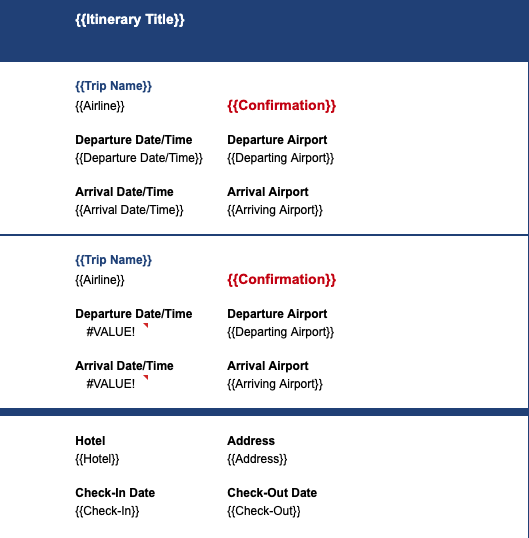
I’m able to accomplish the result with one flight but can’t figure out how to accomplish the same look with multiple flight records.
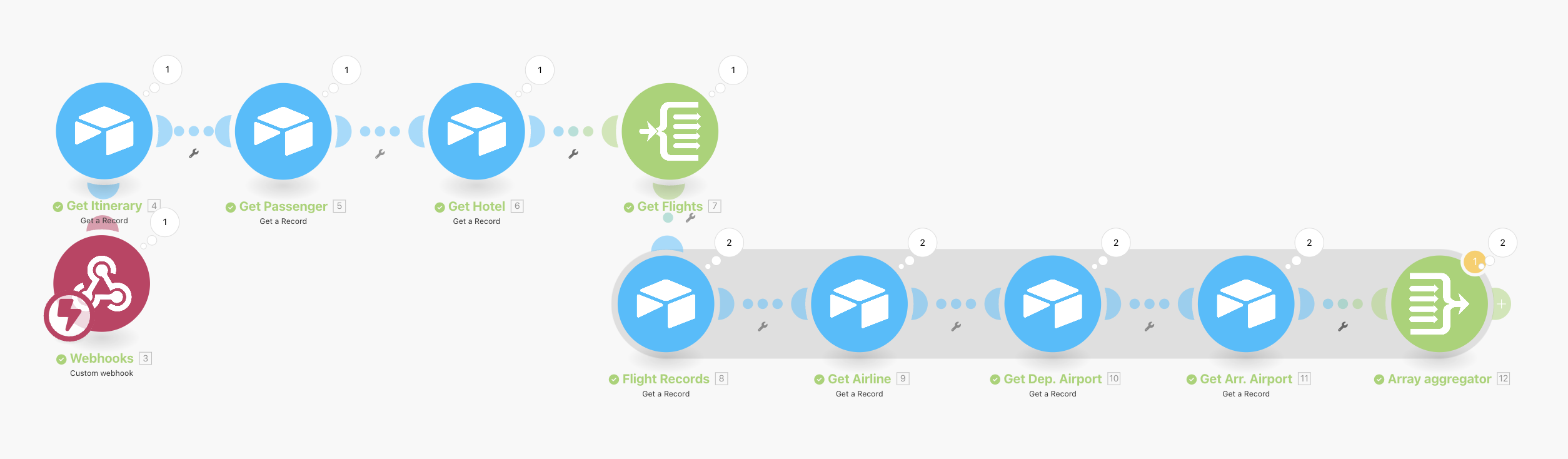
Here is my scenario so far (understanding that I still need a google sheets module)
Hi @Lindsey_Webb,
I think there are multiple ways to achieve your desired result (i.e. Set multiple variables + get multiple variables, using the Array Aggregator - as you started, …).
Before I go into details.. have you already solved your issue or is this still relevant? 
Best,
Richard
I stepped away from it so I would love to hear your thoughts!
Got it! Do you have a fixed number of flights or can it be any number of multiple flights?
It could be any number of multiple flights
I see. That makes it quite difficult as you conceptually need “a repeating group” which isn’t really easily done in GSheets nor in GDocs. If you were to limit the number of flights to e.g. max. 3, you could build appropriate templates and then use those.
What’s the goal here should this be completely automated or would be a forwarding to the GSheet and manual styling be okay? What’s the frequency the integration is being used and by how many different people?
To accomplish this kind of flexibility sometimes needs tools that are more flexible (and also more complex - like PDF Monkey for example).
If you’d be okay with manual styling I could yourself getting a way with a little math on “first flight information goes into row 4, second flight information goes into row 12, third flight information goes into row 20… - hotel information goes 4 rows below last flight” and then style manually… obviously not end-to-end automated 
Alternatively you could setup a HTML once and then create a complete Google Docs in one API Call…
I could manually format. The main objective is to not manually input the data over and over again to reduce the chance of human error.
I see! Again it’s not super trivial and it’s not a solution where it says “click here” and it’s done.
But my approach would be the following:
Your scenario gets a trigger (whatever that is business wise) and then you search the connected flights. The search module will give 1+ bundles (flights as a response).
You know that bundle 1 starts to insert data into row e.g. 6 (could be any starting row) and the last information goes into row 12. If there is a second bundle (everything >1) you go into row 6+(i-1)*7 (I = number of the current bundle) and start inserting the data into that row. You now need to add all the other information such as Departure Date/Time into row 7+(i-1)*7 and/or row 8+(i-1)*7 and/or row 9+(i-1)*7… and when you’re done you’ve got all the flights in.
Then you add the Hotel & Address information below with a similar formula or if you have the freedom, you place this information above the flights, then you don’t need a dynamic formula 
