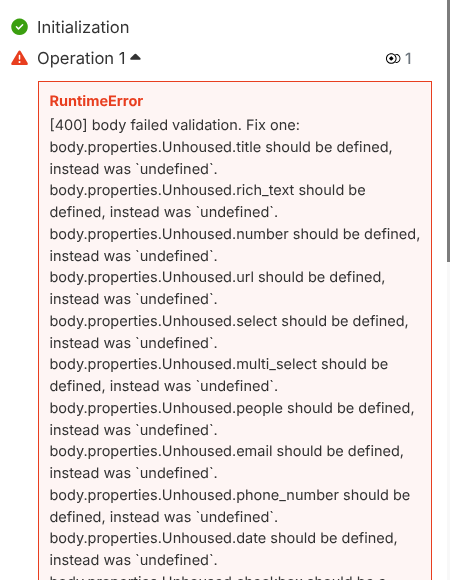
I am getting the following error message when I run my scenario:
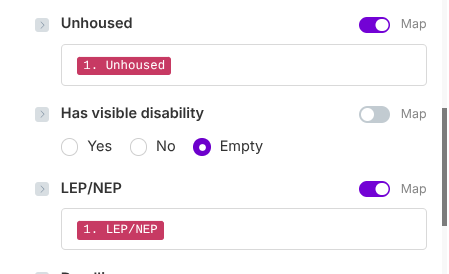
If I’m not mistaken, this is the type of error message that usually occurs when I’ve set up a filter with a data type mismatch (that is, I’ve left “Text:Equals” when I’m comparing dates, or the like), but this is a Notion module (create a data source item) rather than a filter, and I’m using “map,” not manually entering the data (that is, the first and third properties here, as opposed to the second):
Each of these is a checkbox property in the source application. The data comes through as true/false, rather than yes/no, but I think that’s okay, isn’t it?
Any ideas what I could be doing wrong?
Thanks!
Record new research interaction.blueprint.json (303.2 KB)
Hey there,
Check the raw value that the check box expects and see if you are sending the same.
If it expects Yes/No and you are sending True/False for example, it will not work.
I was afraid this was the answer. (And I thought that True=Yes and False=No, but that might just be a Notion thing and not carry back into Make.) The weirder thing though is that the raw data is text, even though it is coming from a checkbox:
(I have a separate module where I am putting the data in a Google Sheet, and there, it is showing as “TRUE,” while the output data in Make as showing as “true.” If the data really were of type text, shouldn’t it show in Sheets as “true” as well?)
Any ideas for a solution? I’m baffled.
Just check what it needs to be and use the switch() function to reformat it.
If it needs to be Yes for example, then it will be something like switch(1.Unhoused;True;Yes;No). Don’t copy paste this as it won’t work, select the function from the menu instead.
Thank you so much! I have never used switch() before so didn’t realize this was its purpose. I think I understand how it works now, and the scenario works perfectly.