hi
how to add the google calendar MCP in the AI Agent ?
hi
how to add the google calendar MCP in the AI Agent ?
I’m not aware that Google has an MCP Server for Google Calendar.
But that needn’t stop you. You can add any module from any Make app as a Tool in Make AI Agents.
Click “Add tools” and select “Module”:
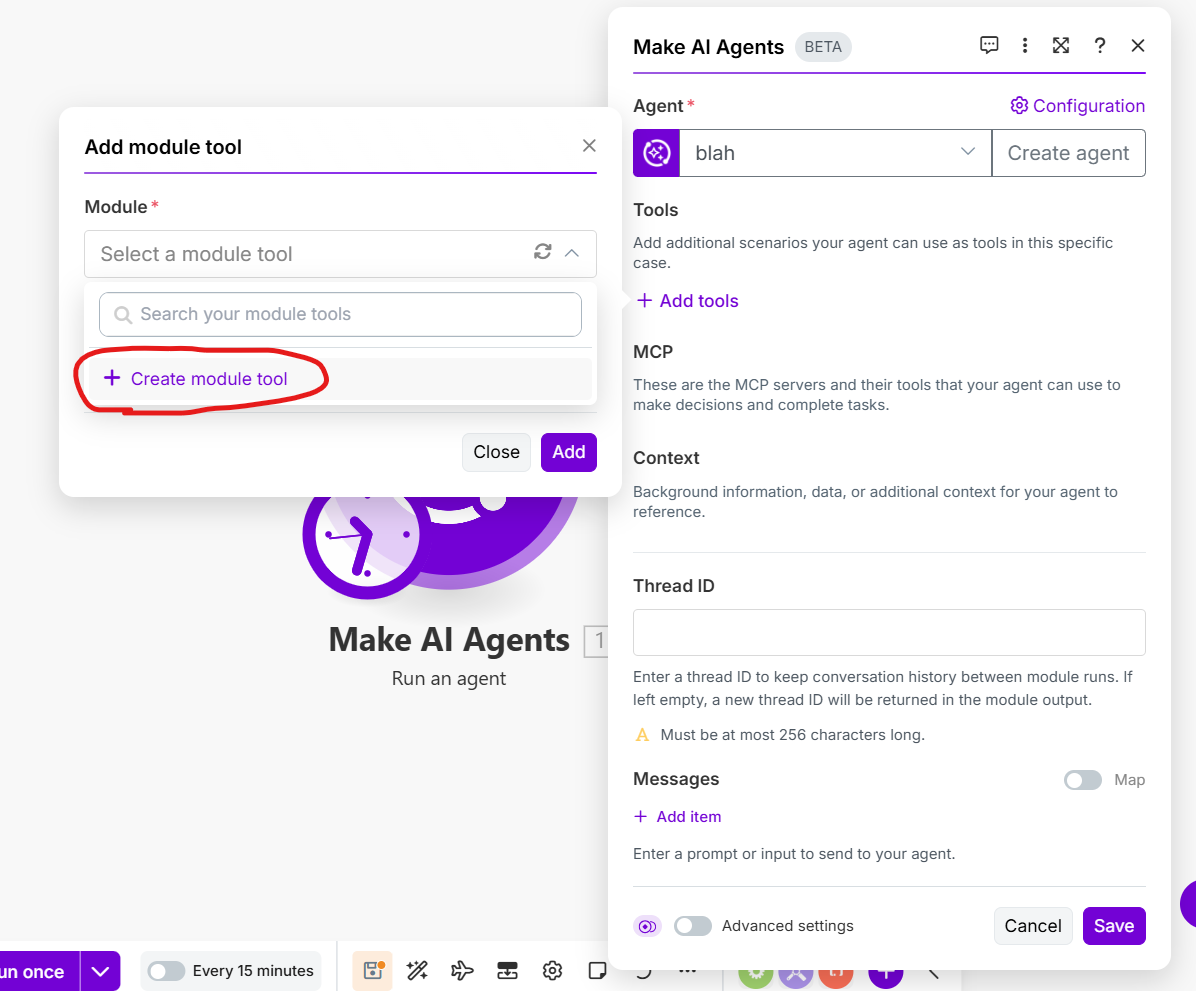
You don’t have any created yet, so select “Create module tool”:
Search for “calendar” and select Google Calendar:
Select the module you want to use as a Tool, eg Create an Event:
Now, set any hard-coded values (such as the selected Calendar ID). For things that you want the agent to select, check the “Let AI Agent decide” box. Click the “Add” button when you’re finished:
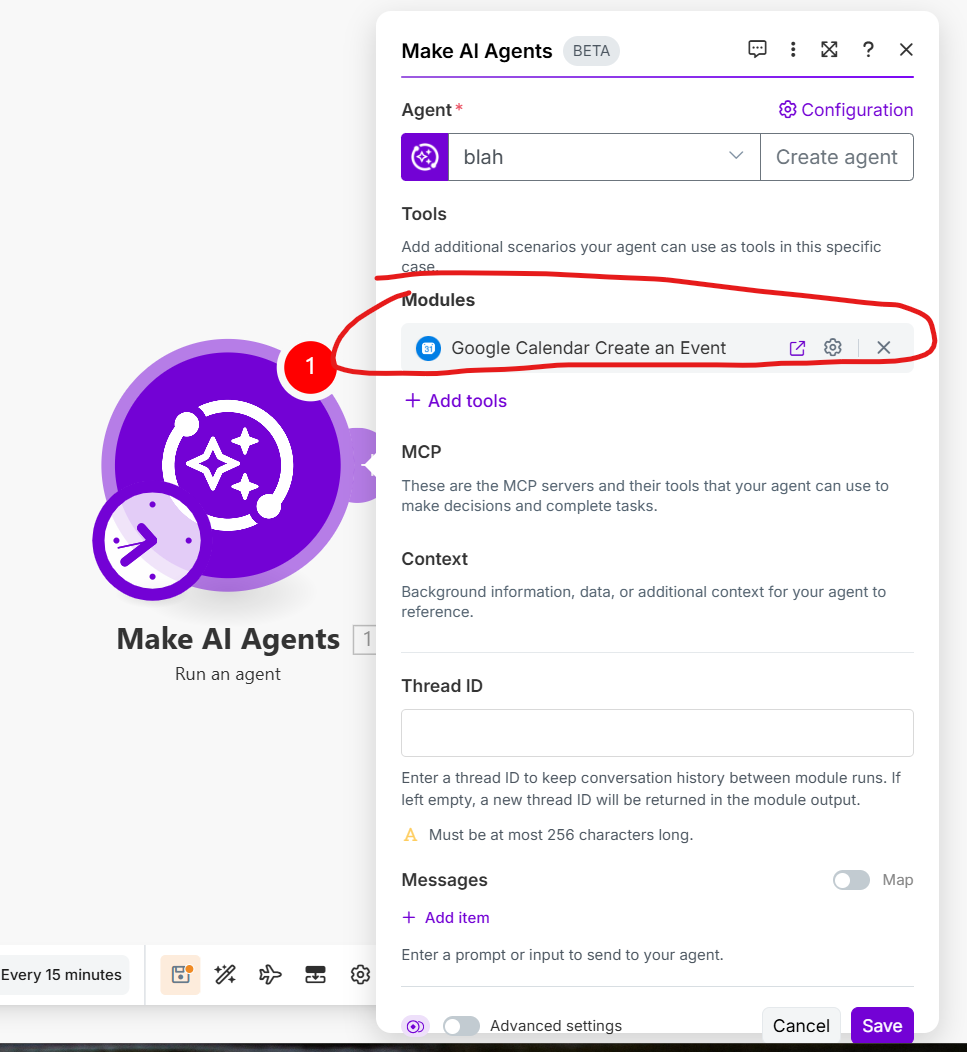
Congratulations! You now have a Module Tool created for your agent:
It’s possible that you might decide you want your Tool to do more. You can expand that Tool from a single module to being a full Make scenario. Click the expand button (next to the cog) for the module Tool to open your Module Tool in a new tab:
You’ll see that this module Tool is locked, meaning that you can’t (yet) edit it. To unlock it and add more steps in your Tool, click the Unlock button at the top right.
Full details in are in the help.
Using this method you can equip your agents with access to any module from any of the 3,000+ apps in Make, whether or not they have an MCP server. What’s more, you can easily expand them out into more fully fledged scenarios.
In general, it’s better for any agent to describe Tools in more detail. If you provide access to a large number of MCP endpoints and leave everything up to the agent to decide what order to do what steps in, there’s several downsides:
Thanks I will check this