What I’m trying to do
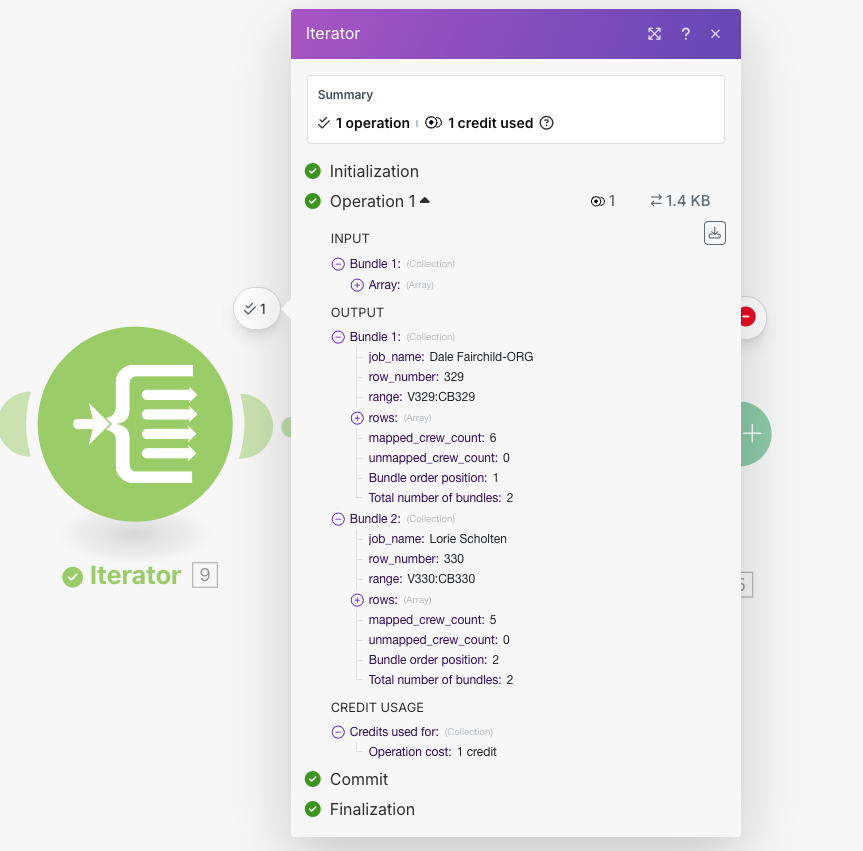
I have a webhook that sends an array of jobs. Each job payload includes:
-
sheet_name (tab name)
-
row_number (where the job lives)
-
range for the crew hours (e.g., V329:CB329)
-
rows → a 2-D array with the hours already aligned to the target columns.
Example (one row of hours, zero means no hours for that crew member):
“rows”: [
[0, 0, 12.32, 5.84, 0, 0, 0, 0, 15.22, 0, 0, 2.58, …]
]
Goal
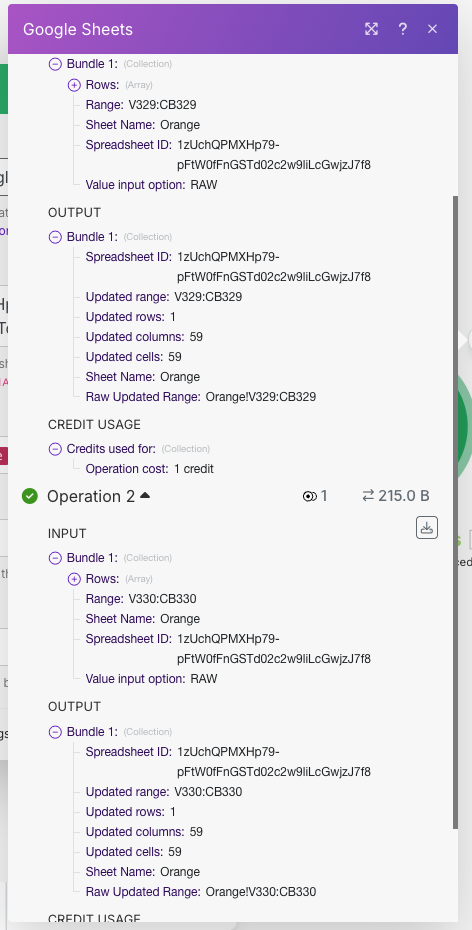
Write those hours into the sheet in one shot.
Module configuration
-
Google Sheets → Bulk Update Rows (Advanced)
-
Spreadsheet ID:
-
Sheet Name: mapped → {{1.sheet_name}}
-
Range: mapped → {{1.range}} (e.g., V329:CB329)
-
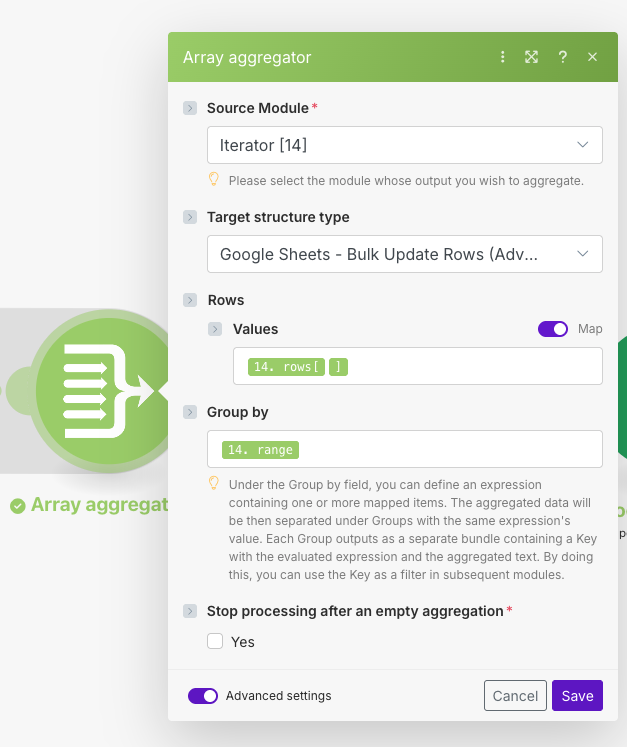
Rows: mapped → {{1.rows}} (I also tried {{1.rows[]}})
-
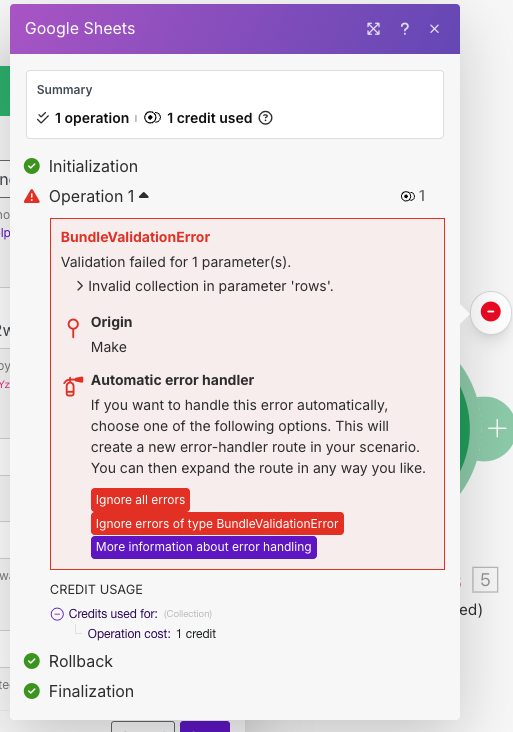
Im getting this error:
BundleValidationError
Validation failed for 1 parameter(s).
Invalid collection in parameter ‘rows’.
Expected behavior
Mapping rows (which is already [ [c1,c2,…,cN] ]) should be accepted by the module and write the values across the specified range.
Questions for the community
-
Is there any known quirk with Bulk Update Rows (Advanced) where the Rows field rejects a mapped 2-D array unless it comes from a specific module type?
-
Do I have to provide Rows as an array-of-arrays via items UI (i.e., Item 1 → {{1.rows[1]}}) instead of mapping the whole {{1.rows}} at once?
-
Any other gotchas (e.g., value types, localization of decimals) that could cause this BundleValidationError?
Screenshots
-
Webhook output (shows sheet_name, range, rows as a 2-D array)
-
Iterator output (same structure)
-
Google Sheets module config
-
Error panel
If someone has a minimal, known-good example of mapping a 2-D array directly into Rows for this module, that would be super helpful. Thanks!