I create a scenario to update my Memberstack user login redirect, but it will keep running nonstop.
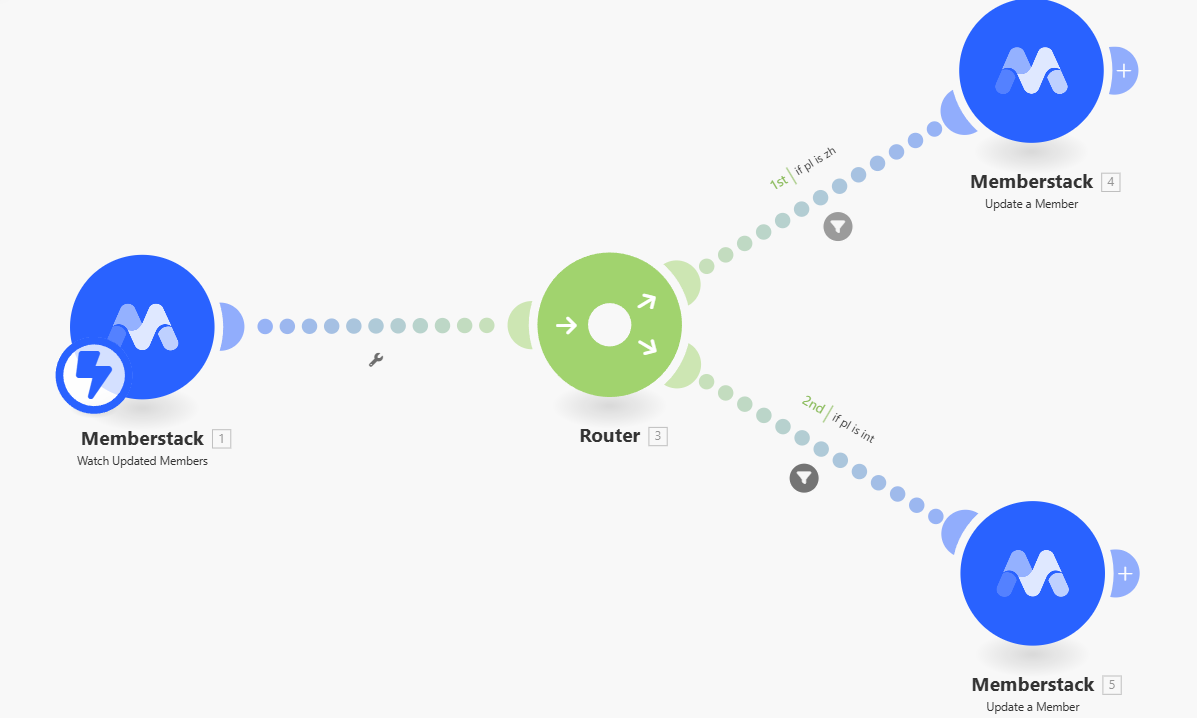
Trigger: When member updates(instent)
Router: Check user field (if A or B)
Do: Update their login redirect (depend on user field A or B)
It seems Make consider this “Do“ as a “Member update“, then keep running again.
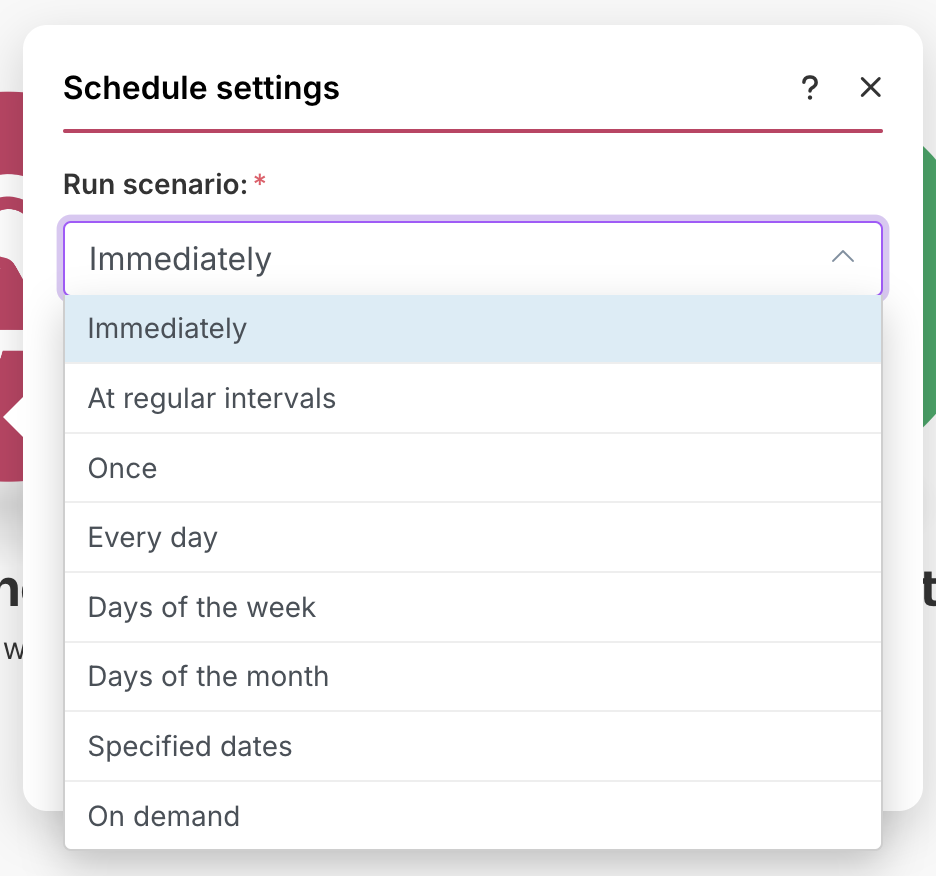
I did check up “schedule settings“, Immediately is the right trigger.
Because I do have a setting to help my users update their setting, when user update their setting, it should be reflect on their account “immediately“.
Thanks Max for your reply, here is what I’m trying to do.
I set up an automation to let my user setup their default Locale.
1 - User make choice on their user profile page.
2 - There is a Memberstack custom field to keep this record
3 - When this record updated, Make come in to update “Login Redirect“ field.
I need this automation run when user feels like to which is “Immediate“.
When I try this automation, it works, but run like mad. 300 times in 10 sec.
It appears that you have inadvertently created an endless loop, where one of the modules re-trigger the trigger module.
To avoid this, you’ll need to check whether the scenario has run before. This variable has to be stored somewhere outside of your scenario, like a custom field in the external service, or in a data store so that this scenario only runs once per user.
Here is an example of how your scenario could look like:
This is just an example. Your final solution may or may not look like this depending on your requirements and actual data.
You can also learn more about Data stores in these Make Academy units:
Alternatively, you should be using the “Watch NEW Members” instead of “Watch UPDATED Members” module, because “Watch NEW Members” only can run once per member.
As samliew mentioned above, since you are updating the member (the 2nd set of modules based on the filter) the trigger module will also get that update done as an event.
To avoid this loop, you can either take the approach that samliew shared above or link the webflow form where the user makes the choice to a custom webhook in Make. You can do so by creating a webhook module in Make scenario as the 1st module and pasting it’s webhook URL in the webflow form’s action settings.
In the make scenario you can have the 2nd module as update member in Memberstack (like you have it currently to update the login redirect field).
That way when you do update the login redirect for the member, it won’t trigger a loop and will just update the member in Memberstack and the scenario will trigger only when the user fills the form.