Welcome to the Make Community!
You’ll need to use an Iterator and a Text Aggregator module.
From your screenshot/output bundle, it appears that you have an ARRAY of items. What do you do when you have an array?
“Looping” Through Array Items
When you see an array in your module’s output, think of using an Iterator module.
In this example, this variable is an array of items (collections). You’ll want to map this array in an Iterator module.


Question: Have you tried mapping your array variable into an Iterator module, ran the scenario once, and view the output?
Next,
Combining Bundles Using Aggregators
Every result (item/record) from trigger/iterator/list/search/match modules will output a bundle. This can result in multiple bundles, which then trigger multiple operations in future modules (one operation per bundle). To “combine” multiple bundles into a single variable, you’ll need to use an aggregator of some sort.
Aggregators are modules that accumulate multiple bundles into one single bundle. An example of a commonly-used aggregator module is the Array aggregator module. The next popular aggregator is the Text Aggregator which is very flexible and can apply to many use-cases like building of JSON, CSV, HTML.
You can find out more about the other types of aggregator modules here:
- Array aggregator
- Text aggregator
- Numeric aggregator
- Table aggregator
- JSON aggregator
- CSV aggregator
- Archive (ZIP) aggregator
- other app-specific aggregators
Question: Which is the best aggregator do you think you’ll need for your use-case?
Example
Here is an example of how your scenario could look like:
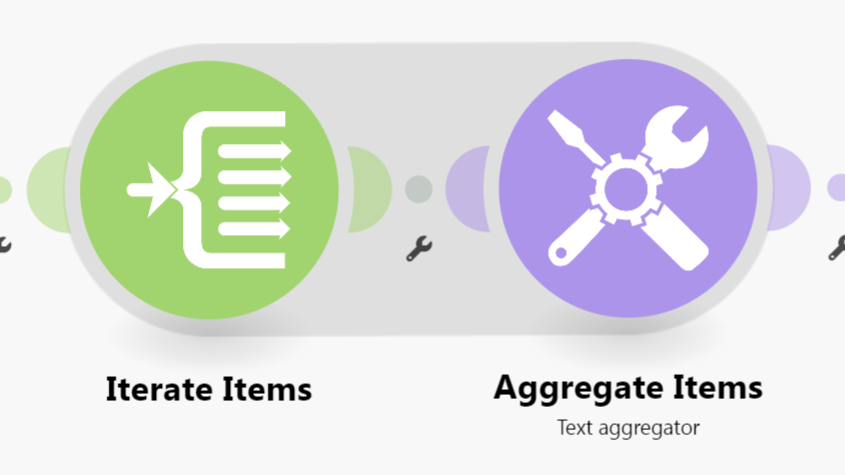
This is just an example. Your final solution may or may not look like this depending on your requirements and actual data.
For more information, see “Mapping with arrays” in the Help Centre. You should also do the Make Academy, which also covers the use of Iterators & Aggregators.
Here are some useful links and guides you can use to learn more on how to use the Make platform, apps, and app modules. I found these useful when I was learning Make, and hope they might benefit you too —
Learn Make
- Help Centre | Tutorials – Make’s “manual” - search for help here first
- Make Academy – Basics 101: Learn Make properly to get your money’s worth
- Mapping – What is mapping? What can I map?
- Mapping with arrays – How to map items in an array
- Date Format: tokens for
parseDate| tokens forformatDate - HTTP modules – Make a request, Get (download) a file
- Webhooks – Error Handling, Responding to webhooks
How-Tos
- Router Magic Formula - YouTube
- Error Handlers in Make - YouTube playlist
- Aggregate an array for mapping complex fields
- Getting started with OpenAI - How to setup and use OpenAI in Make
- Text Parser module - Use pattern matching to extract the text you want
- Webhooks – Make Academy - tutorial on how to use Webhooks
Useful to Know
 How to schedule scenario for first Monday next month (recurring)
- How to schedule scenario for the last day next month (recurring)
- How to Extract URL Query Parameters Into Variables
- Overview of Different Web Scraping Techniques in Make

- [Free] Use Groq AI to filter spam emails and form submissions!
 Automate Follow-Up of Email Leads a Week After
- How to group bundles in X amount of bundles (Chunking Arrays)
My Custom App — Absolutely Free!
Save headaches and operation credits with these utility modules:
- Chunk Text
- Chunk Array
- Chunk Words
- Multiple Find & Replace
- Collection to Array/String List
- Execute JavaScript
- Estimate Tokens
- Calculate Difference Between Two Dates
- List Upcoming Dates of Day of Week
… and more!
Hope this helps! Let me know if there are any further questions or issues.
— @samliew
P.S.: investing some effort into the tutorials in the Make Academy will save you lots of time and frustration using Make!