How to loop over an array and generate HTML with native functions?

Hi everyone,

I get an array of objects in Make (see simplified JSON below), and I’d like to build HTML directly inside the Body field of an email.
I want to: Loop over the array to generate a <ul><li> list using object properties.
Example input array:

[
  { "Name": "Apple", "Color": "Red" },
  { "Name": "Banana", "Color": "Yellow" },
  { "Name": "Kiwi", "Color": "Green" }
]

Desired HTML output

<ul>
  <li>Apple — Red</li>
    --divider--
  <li>Banana — Yellow</li>
    --divider--
  <li>Kiwi — Green</li>
    --divider--
</ul>

I thought body field should have look like this :


<ul>
 join(
  map(4.array; <li> 4.array.Name — 4.array.Color </li>
  );
  \n --divider-- \n
)
</ul>

I think don’t use join and map together the right way
help would be appreciated !

Welcome to the Make Community!

You’ll need to use an Iterator and a Text Aggregator module.

From your screenshot/output bundle, it appears that you have an ARRAY of items. What do you do when you have an array?

“Looping” Through Array Items

When you see an array in your module’s output, think of using an Iterator module.

In this example, this variable is an array of items (collections). You’ll want to map this array in an Iterator module.


Question: Have you tried mapping your array variable into an Iterator module, ran the scenario once, and view the output?

Next,

Combining Bundles Using Aggregators

Every result (item/record) from trigger/iterator/list/search/match modules will output a bundle. This can result in multiple bundles, which then trigger multiple operations in future modules (one operation per bundle). To “combine” multiple bundles into a single variable, you’ll need to use an aggregator of some sort.

Aggregators are modules that accumulate multiple bundles into one single bundle. An example of a commonly-used aggregator module is the Array aggregator module. The next popular aggregator is the Text Aggregator which is very flexible and can apply to many use-cases like building of JSON, CSV, HTML.

You can find out more about the other types of aggregator modules here:

Question: Which is the best aggregator do you think you’ll need for your use-case?

Example

Here is an example of how your scenario could look like:
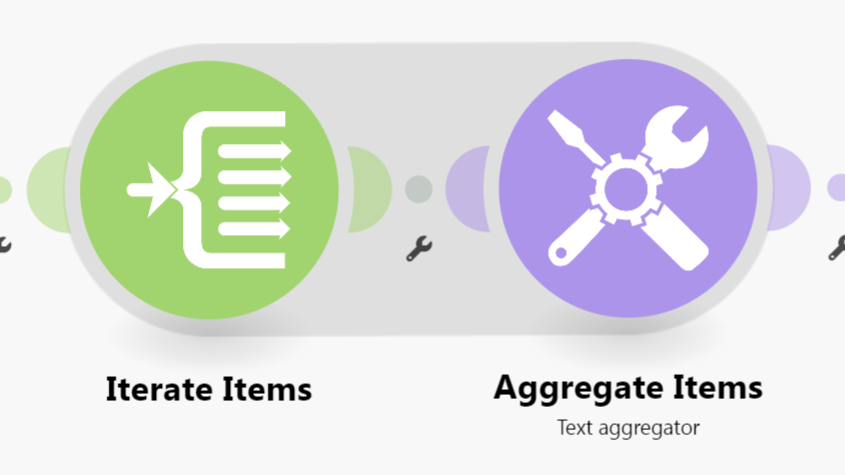
This is just an example. Your final solution may or may not look like this depending on your requirements and actual data.

For more information, see “Mapping with arrays” in the Help Centre. You should also do the Make Academy, which also covers the use of Iterators & Aggregators.

Here are some useful links and guides you can use to learn more on how to use the Make platform, apps, and app modules. I found these useful when I was learning Make, and hope they might benefit you too —

Learn Make

How-Tos

Useful to Know

My Custom AppAbsolutely Free!

Save headaches and operation credits with these utility modules:

  • Chunk Text
  • Chunk Array
  • Chunk Words
  • Multiple Find & Replace
  • Collection to Array/String List
  • Execute JavaScript
  • Estimate Tokens
  • Calculate Difference Between Two Dates
  • List Upcoming Dates of Day of Week
    and more!

Hope this helps! Let me know if there are any further questions or issues.

@samliew

P.S.: investing some effort into the tutorials in the Make Academy will save you lots of time and frustration using Make!

1 Like

Hello ! Thanks to you @samliew for your answer, that was exactly the result I was searching for. I should have known this.
Best aggregator was indeed “Text aggregator”. The iterator simply loop on the objects of the Array and build proper HTML repeated structure.

I do this :

<div style="border:1px solid #ccc; padding:8px; margin-bottom:8px; border-radius:4px;">
  <h2 style="margin:0 0 6px 0;">
    {{17.Name}}
  </h2>
  <p style="margin:4px 0;">
    <strong>Color:</strong> {{17.Color}}
  </p>
</div>

And get this

<div style="border:1px solid #ccc; padding:8px; margin-bottom:8px; border-radius:4px;">
  <h2 style="margin:0 0 6px 0;">
    Apple
  </h2>
  <p style="margin:4px 0;">
    <strong>Color:</strong> Red
  </p>
</div>

<div style="border:1px solid #ccc; padding:8px; margin-bottom:8px; border-radius:4px;">
  <h2 style="margin:0 0 6px 0;">
    Banana
  </h2>
  <p style="margin:4px 0;">
    <strong>Color:</strong> Yellow
  </p>
</div>

<div style="border:1px solid #ccc; padding:8px; margin-bottom:8px; border-radius:4px;">
  <h2 style="margin:0 0 6px 0;">
    Kiwi
  </h2>
  <p style="margin:4px 0;">
    <strong>Color:</strong> Green
  </p>
</div>


Then I build the body in the email module and pass the output of text aggregator.

Thanks :slight_smile:
M4x

No problem, glad I could help you with “How to loop over an array and generate HTML with native functions?

1. If anyone has a new question in the future, please start a new thread. This makes it easier for others with the same problem to search for the answers to specific questions, and you are more likely to receive help as newer questions are displayed higher on the forum’s “new” page.

2. The Make Community guidelines encourages users to try to mark helpful replies as solutions to help keep the Community organized.

This marks the topic as solved, so that:

  • others can save time when catching up with the latest activity here, and
  • allows others to quickly jump to the solution if they come across the same problem

To do this, simply click the checkbox at the bottom of the post that answers your question:
Screenshot_2023-10-04_161049

3. Don’t forget to like and bookmark this topic so you can get back to it easily in future!

I trust this clarifies things. If you have any more questions, just ask.

@samliew