
I have had a working automation with WordPress for months but suddenly the media item creation is not working. It will successfully upload the image to my Wordpress site, and I can see it in the library. But the output on the Make.com automation is completely blank. I have an identical automation for a different site and it works just fine. So it’s an issue with the connection with this particular site but no idea what is broken. Any help much appreciated!
Hi @Lewis3,
Welcome! Could you try to reconnect the connection or add a new connection with the same credentials? I saw that this resolved the same issue for other Makers. I’ll see if I can find the other post.
EDIT: Wordpress "Get a Media" failing, says "Missing value of required parameter ID" - #13 by Michaela
Cheers,
Henk
Brand new WordPress connection. Smae issue. Image is in the WordPress libarary again but Output on Make.com is completely blank
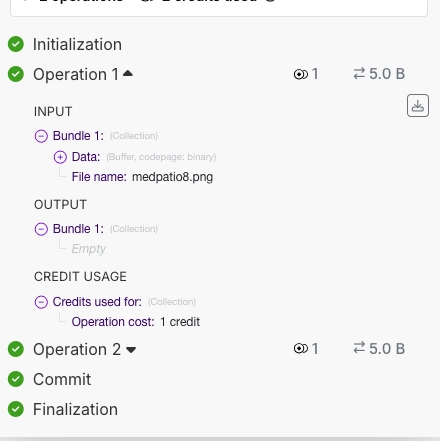
hmm, had hoped that would work.
Could you try to see if the Wordpress API actually sends something in the payload of the response? Then we can rule out if it is Make that doesn’t show it.
You can see the actual request and responses of your scenario via the Make DevTools:
Chrome Extension:
Make DevTool - Chrome Web Store
Tutorial:
Introduction to Make Chrome DevTool (formerly Integromat DevTool)
Cheers,
Henk
Yeah it is being sent but here is the working and non-working outputs from the Make.com dev tool. So identical automations but different Wordpress sites, first one is the one that is not providing any output

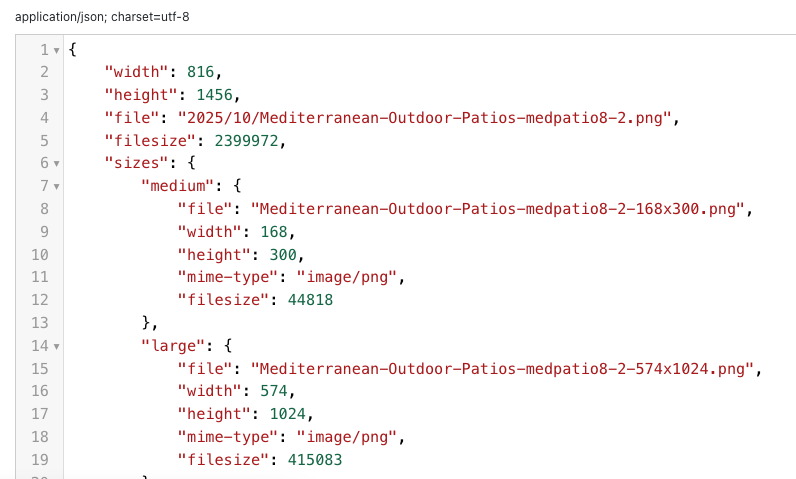
The payload seems the same, it is just stringified in the first image. Can you find the cause of the difference? Maybe in the API version that is used? is the request URL the same for both?
I am not sure how to help you, I am not a Wordpress user, so I’ll leave this post open for anyone to join that has more info.
Cheers,
Henk
Fixed (embarassingly!)
The Make.com connector plugin needed updating on WordPress
Well there you go, fixed! Nice to hear.
You can mark this thread as resolved by resolving any response.
Cheers,
Henk
@Lewis3 THANK YOU. Updating the connector plugin worked for me too. I could not figure out what was going on.. Seems like it should just work even without the plugin, but whatever. We’re working now!