Welcome to the Make community!
I would suggest completing the Make Academy before jumping into building a complete scenario. If you need specific assistance when you are building a scenario it’s easier to help you then.
We’d love to help, however, you have not provided sufficient information to demonstrate the problem that would allow us to reproduce the scenario and any issue/s and/or error/s.
To allow others to assist you with your scenario, please provide the following:
1. All Relevant Screenshots
We need to see what you’re working with to give you the best advice. Screenshots are extremely important because Make is a visual editor — a picture provides us with more context.
It would help us identify the issue by having screenshots of:
- the full scenario,
- any error messages,
- individual module fields,
- relevant filter settings (conditions), and
- each module’s output bundles
- any external services (spreadsheet headers, sample data, regex101.com, etc.)
You can upload images here using the Upload icon in the text editor:

We would appreciate it if you could upload screenshots here instead of linking to them outside of the forum. This allows us to zoom in on the image when clicked, and avoid tracking cookies from third-party websites.
2. Scenario Blueprint
Please export the scenario blueprint. Providing your scenario blueprint file will allow others to quickly recreate and see how you have set up the mappings in each module, and also allows us take screenshots or provide module exports of any solutions we have for you in return - this would greatly benefit you in implementing our suggestions as you can simply paste module exports back into your scenario editor!
To export your scenario blueprint, click the three dots at the bottom of the editor then choose ‘Export Blueprint’.

You can upload the file here by clicking on this button:

3. Module Output Bundles
Please provide the output bundles of each of the relevant modules by running the scenario (you can also get this without re-running your scenario from the History tab).
Click on the white speech bubbles on the top-right of each module and select “Download input/output bundles”.

A. Upload as a Text File
Save each bundle contents in a plain text editor (without formatting) as a bundle.txt file.
You can upload the file here by clicking on this button:
B. Insert as Formatted Code Block
If you are unable to upload files on this forum, alternatively you can paste the formatted bundles.
Here are some ways to provide text content in a way that it won’t be modified by the forum.
-
Method 1: Type code fence manually —
Add three backticks```in a separate line before and after the content, like this,``` text goes here ``` -
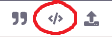
Method 2: Highlight and click the “preformatted text” button in the editor —
-
Method 3: Upload your file and share the public link —
(this method is only recommended for large files exceeding the forum upload limit)
Providing the input/output bundles will allow others to replicate what is going on in the scenario, especially if there are complex data structures (nested arrays and collections) or if external services are involved, and help you with mapping the raw property names from collections.
Sharing these details will make it easier for others to assist you.
Here are some useful links and guides you can use to learn more on how to use the Make platform, apps, and app modules. I found these useful when I was learning Make, and hope they might benefit you too —
Learn Make
- Help Centre | Tutorials – Make’s “manual” - search for help here first
- Make Academy – Basics 101: Learn Make properly to get your money’s worth
- Mapping – What is mapping? What can I map?
- Mapping with arrays – How to map items in an array
- Date Format: tokens for
parseDate| tokens forformatDate - HTTP modules – Make a request, Get (download) a file
- Webhooks – Error Handling, Responding to webhooks
How-Tos
- Router Magic Formula - YouTube
- Error Handlers in Make - YouTube playlist
- Aggregate an array for mapping complex fields
- Getting started with OpenAI - How to setup and use OpenAI in Make
- Text Parser module - Use pattern matching to extract the text you want
- Webhooks – Make Academy - tutorial on how to use Webhooks
Useful to Know
 How to schedule scenario for first Monday next month (recurring)
- How to schedule scenario for the last day next month (recurring)
- How to Extract URL Query Parameters Into Variables
- Overview of Different Web Scraping Techniques in Make

- [Free] Use Groq AI to filter spam emails and form submissions!
 Automate Follow-Up of Email Leads a Week After
- How to group bundles in X amount of bundles (Chunking Arrays)
My Custom App — Absolutely Free!
Save headaches and operations with these utility modules:
- Chunk Text
- Chunk Array
- Chunk Words
- Multiple Find & Replace
- Collection to Array/String List
- Execute JavaScript
- Estimate Tokens
- Calculate Difference Between Two Dates
- List Upcoming Dates of Day of Week
… and more!
You can also use the Hire a Pro category to request for private 1-to-1 assistance via video call/screenshare/private messaging/etc. This may help you get your issue resolved faster especially if it is urgent or contain sensitive information. It is important to post your request in the Hire a Pro category, as forum members are not allowed to advertise their services in other categories like here (even if it’s free/unpaid). Posting in the Hire a Pro category will allow other members to assist you over other forms of communication.
Alternatively, you can use the private messaging feature to directly reach out to other forum members. To do this, go to your profile, and click on the “New Message” button:

Hope this helps! Let me know if there are any further questions or issues.
— @samliew
P.S.: investing some effort into the tutorials in the Make Academy will save you lots of time and frustration using Make!