my overarching goal:
integrating data from a Jotform submission into a (OneDrive-hosted) MS365 Excel file.
The data from the (extensive) form needs to be filled into several sheets of that Excel file - on all sheets in the same Row ID.
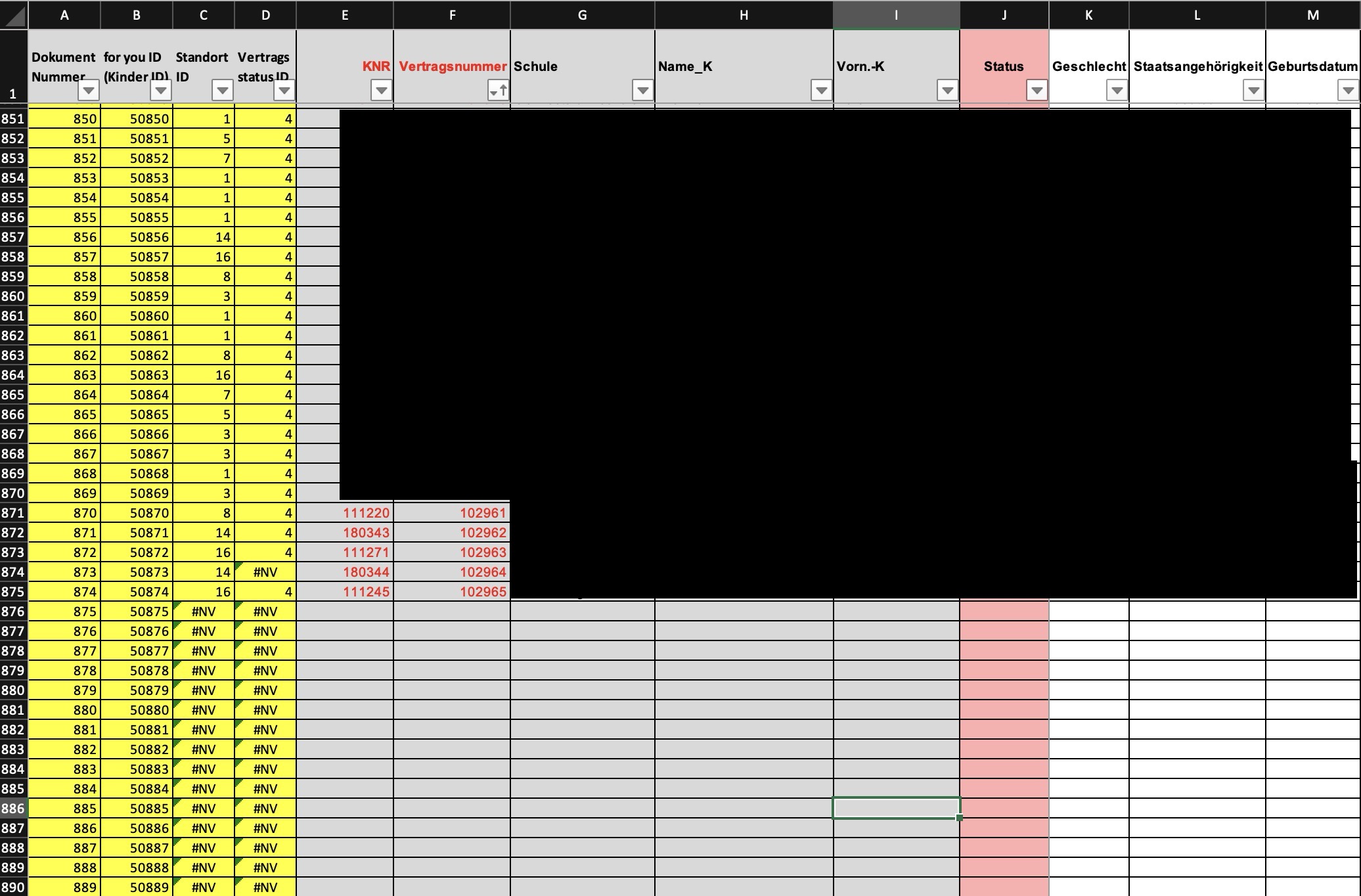
Starting situation of the Excel file:
As you can see on the screenshot, the table currently is already filled until row 875 while formatting and formulas are already filled out until row 1200. So, using the module “Add a new worksheet row” does not work, otherwise the data would be added in row 1201.
In this example the data needs to be added to row ID 876 - on several (likewise formatted) sheets on the same file:
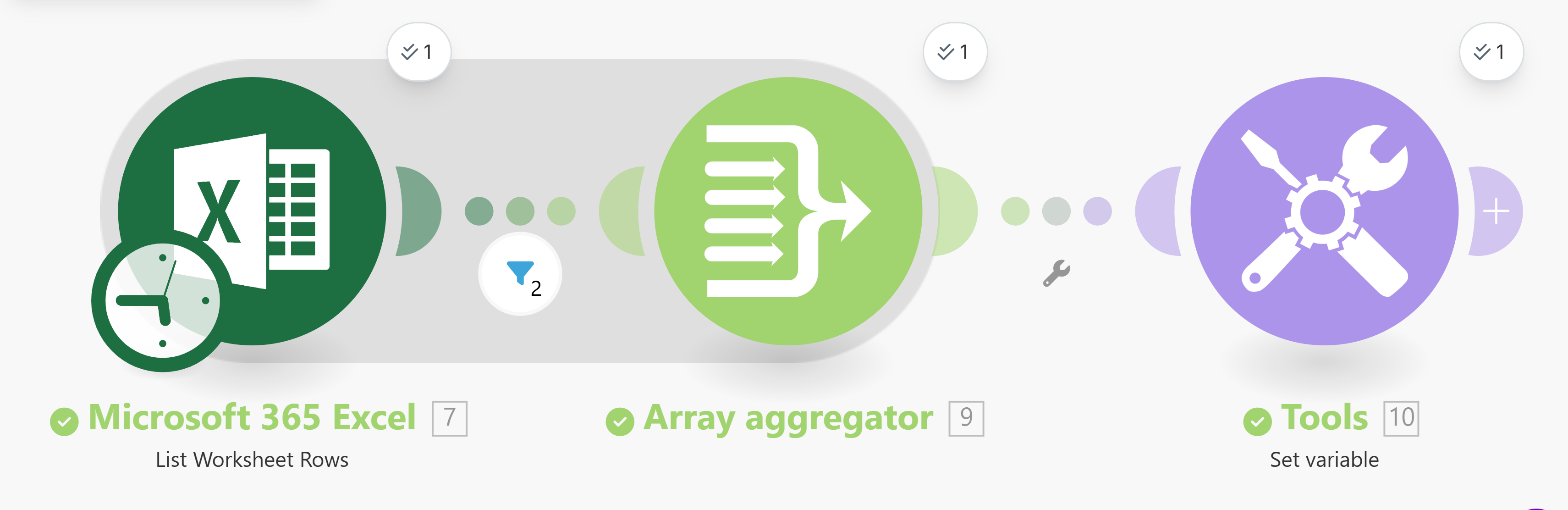
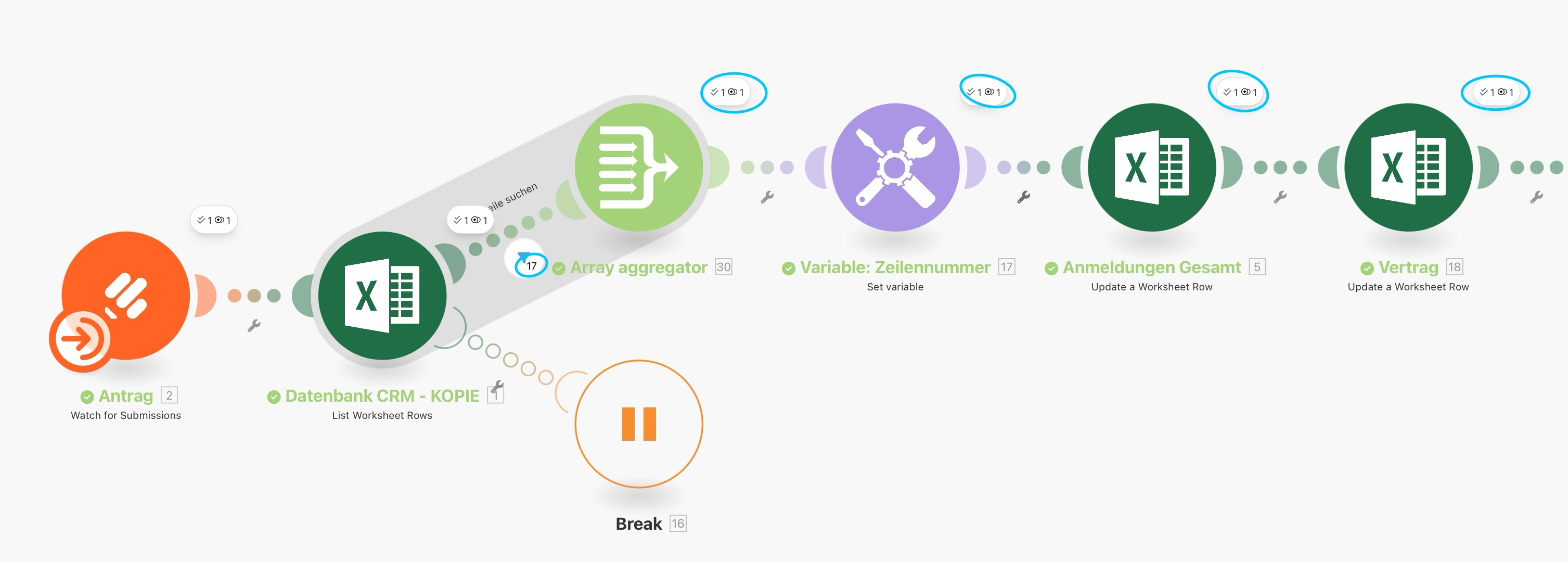
My current scenario:
I experimented now a lot with the built-in Make-AI-agent but it’s pretty useless. (Most of the time it does not even execute any changes, nor does it describe its suggestions properly.)
I also looked for some help using ChatGPT and did some 20-30 iterations now - trying Iterators, Array Aggregators, Filters, get(), map() and max() functions. But did not come to any reasonable working solution.
My latest ideas were:
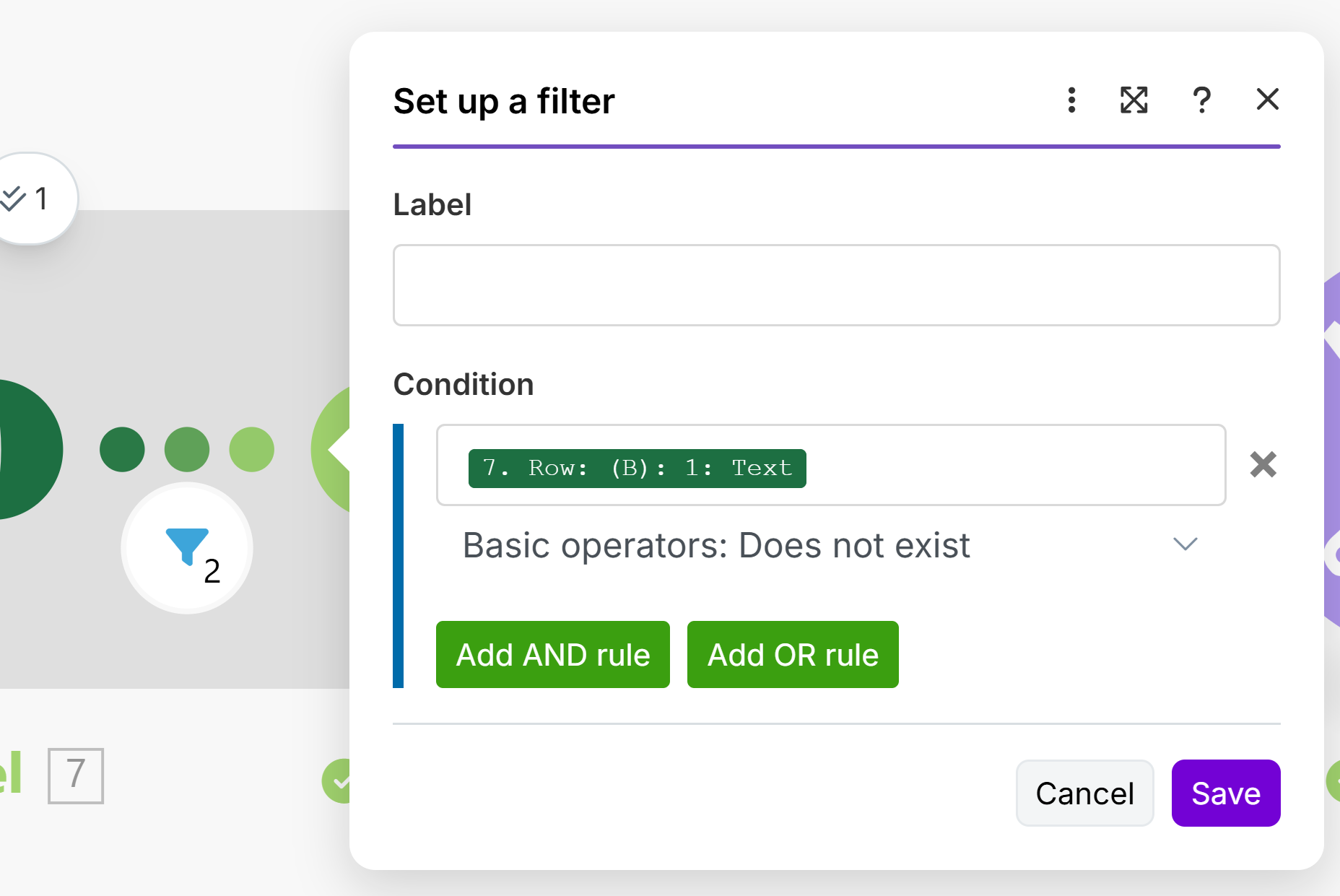
List all worksheet rows, filter for column F “contract number does not exist”, Set Variable for the resulting Row ID and Update Worksheet Row on exactly this Row ID.
=> Problem: It iterates on all rows where column F is empty (until 1200), not just once.
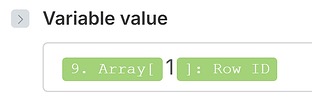
List all worksheet rows, Set Variable on the maximum of contract number, Set Variable on the resulting Row ID and increase this value by 1, Update Worksheet Row on this Row ID.
What would be your proper solution to identify the next “empty” row 876 (as shown in the screenshot)?
Alternatively: Once I have identified all bundles where column F (contract number) is empty, how can I make the path to be executed just once on the resulting Row ID of the first bundle - and not for all further rows?
I thought it’s a pretty straightforward scenario but it turns out it’s really causing headaches - at least for me. Thank you for your help in advance!
Mica
what you are doing is the correct way. Add new row module looks for the first empty row, and technically speaking those rows are not empty. Columns A, B, C and D all have values in them. So you need to use a search module to find the first row where the next column is empty.
Set that module to return only one value (or limit the filter to allow only the first bundle produced to pass through) and the rest should run only once.
Thanks, @Stoyan_Vatov!
Yes, technically speaking they aren’t empty. My main challenge is how to allow only the first bundle to be passed through.
For MS365 Excel, there is not search module available where a limit or filter could be set. And I have experimented already a lot with Iterators and Arrays.
Could you maybe advise how I exactly can return only the first Row ID value found?
I usually don’t reuse previously filled spreadsheet rows. I prefer to always insert a new row with all values or formulas needed. Maybe that could be an easier option for you.
If you absolutely must use the existing rows, retrieve all of them and add a filter to allow only the rows where the empty column (F) Does not exist.