Hello! I have the following scenario which purpose is the following. I have KPI’s in Airtable. I want that if I change the values of the KPI’s send those same values and update the cells in Sheets. However, if it gets more than 1 value it does not reach the final step and even if it does, it only updates in the same cell. It looks complicated, I created it using ChatGPT guidance but any insight would be highly appreciated.

Hey Cristina,
can you show the configuration of the Update a Cell module? Sounds like you hardcoded a specific cell to be updated instead of having it dynamic.
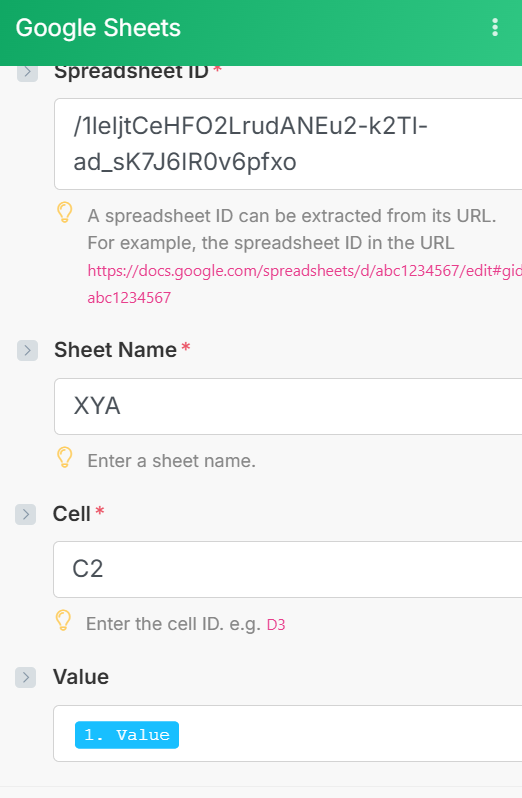
Well yeah. You are hard setting cell C2.
Which cells do you need to update?
The range of cells is from C2 to C6. However, something important to point out is that I want the cells to update only if they match the same values of the names of the KPIs in Airtable. For example, if I have Products, T-shirts, and Pants, but only Pants and T-shirts are updated in Airtable, then I only need those same values updated on the Google Sheet.
Ok and how do you determine which one needs updating? Is it dependent on the search module?
Yes, that is correct.
So if its the same row that the search module returns, then switch to Update a Row module and not update a cell.