Hi there! I am trying to build a scenario and found some closed threads on this but couldn’t figure it out… so here I am.
Scenario layout so far:
Module 1: triggered upon task creation (works)
Module 2: gets information from created task (works)
Filter: checks if new task has a parent task (works)
Module 3: gets information from parent task (works)
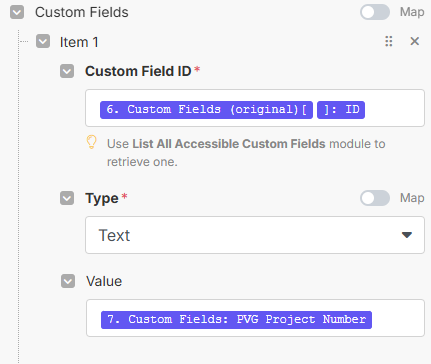
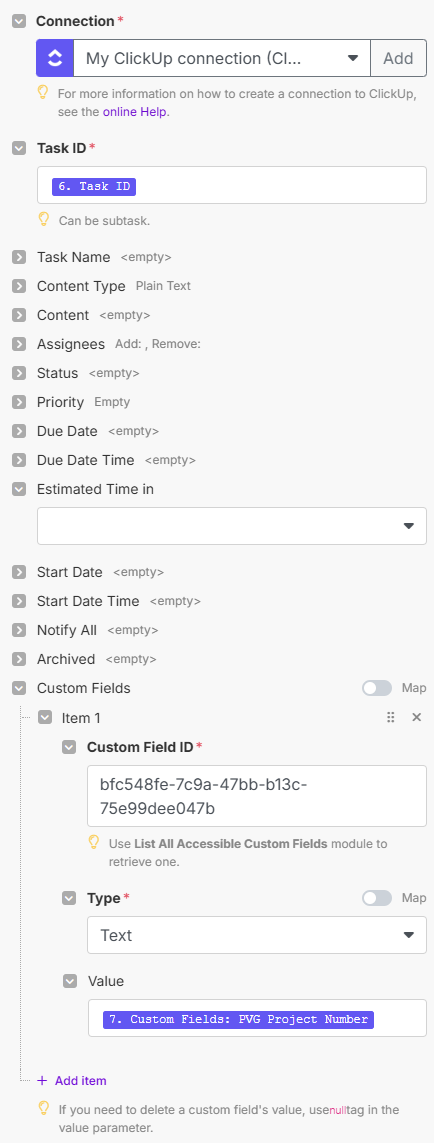
Module 4: takes value from custom field of parent task and applies it to custom field of subtask (does not work).
error I am getting:

Current layout of Module 4:

I’ve tried without the “=” sign, I’ve tried putting the “6. Custom fields: PVG Project Number” down in the “Custom Fields” before the “=” sign, etc. I’ve tried a variation of things. I’m a little stumped as to what the “Task ID” is supposed to be up top too..
I’d appreciate any support! Thank you!