What are you trying to achieve?
My goal is to create a connection, and for that I need to display the connection type drop-down menu. Because What I want is to select a provider for example: chatgpt, gemini, etc.
Steps taken so far
First, I clicked on the purple create agent button
Then this one asked me to put a name and I did
Then I try to select the agent name that I just created but it does not display the drop-down menu .
Screenshots: scenario setup, module configuration, errors
Hi @Oliver_Elias,
Welcome to the community! Are you sure that you clicked the Add button?
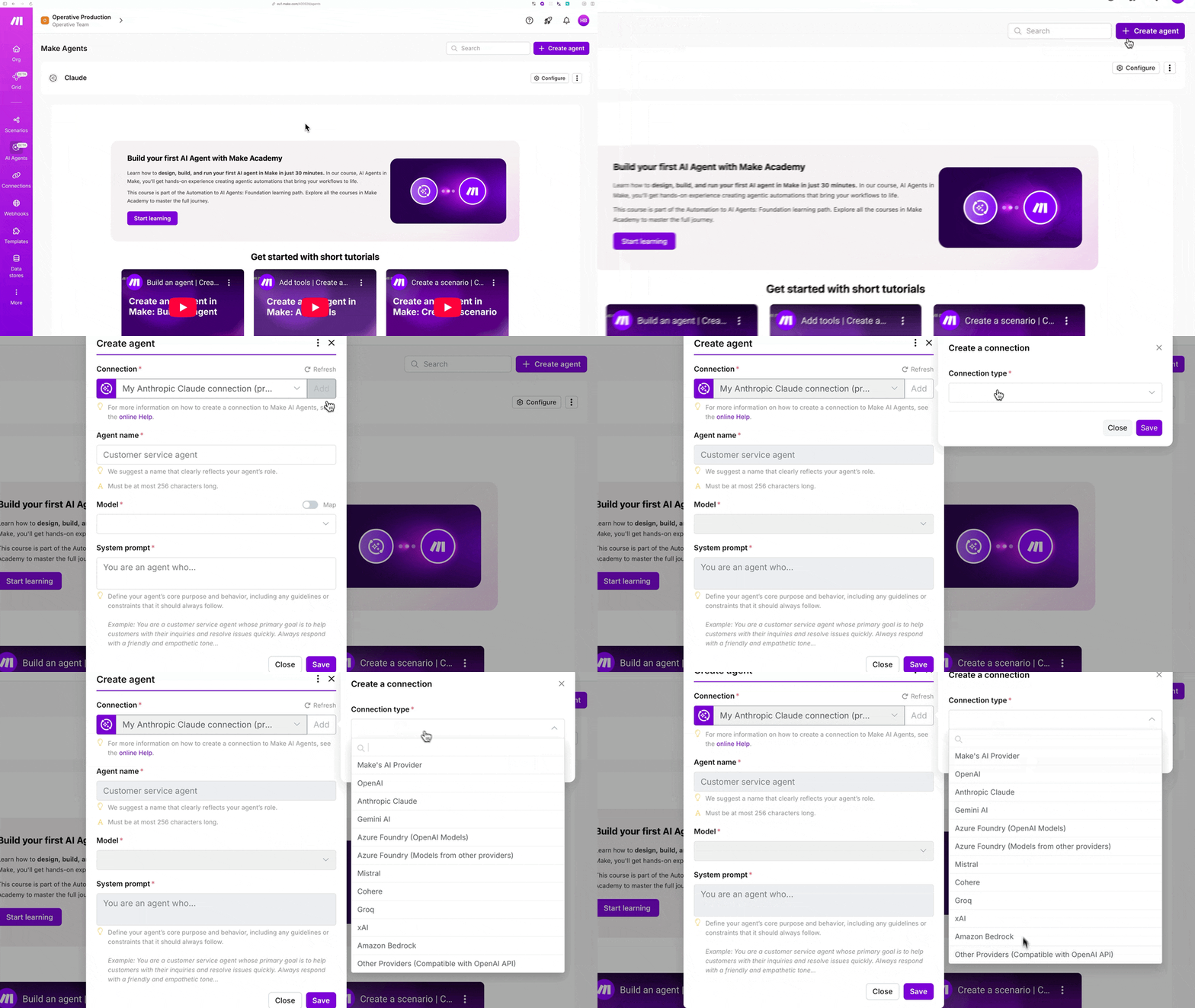
No, it doesn’t. And I do not know what is happening if I’ve done everything according to the rules  . May you help me please?
Mm, after some digging I found this (https://www.make.com/en/pricing):
I see you are on the free plan. Let’s work around this. If you create a new account via https://www.make.com/en/register?pc=operative, you get the PRO plan the first month for free.
There you can build agents with your own LLM, and they will persist even if you are automatically downgraded to free if you do not purchase a plan.
Cheers,
Henk

