I need help with an automation, transferring the JSON parse field obtained from OpenAI to the ACF repeater fields with my WordPress API call. I create normal ACFs without any problems, but I can’t get WordPress to collect the JSON with the data from the ACF Repeater.
Hey there,
can you show some screenshots of the setup you have so far and of what you are struggling with?
Hey Marta!
ACF Repeater fields need a specific structure for the WordPress REST API. Here’s the fix:
WordPress API Body Structure:
{
  "acf": {
    "your_repeater_field_name": [
      {
        "subfield_1": "value1",
        "subfield_2": "value2"
      },
      {
        "subfield_1": "value3",
        "subfield_2": "value4"
      }
    ]
  }
}
Key Requirements:
- Enable REST API in ACF: Field Group Settings → “Show in REST API” must be ON
- Use Field Names: Use the field name you see in WordPress, not the
field_xxxxxkey - Array Structure: Repeater must be an array of objects
Module Setup:
HTTP > Make a Request
Method: POST/PUT
URL: https://yoursite.com/wp-json/wp/v2/posts/{POST_ID}
Auth: Basic Auth (Application Password)
Content-Type: application/json
Body:
{
  "acf": {
    "team_members": [
      {
        "name": "{{openai.response.name}}",
        "role": "{{openai.response.role}}"
      }
    ]
  }
}
If OpenAI Returns Multiple Items:
Use Array Aggregator to build the structure:
OpenAI Parse → Iterator → Array Aggregator → WordPress HTTP
Troubleshooting:
- Set Parse Response: Yes to see WordPress error messages
- Test with static data first to verify ACF REST access
- Check field names match exactly (case-sensitive)
What error message are you getting from WordPress?
Sam @ Flow Digital
The problem is that with the WordPress API call, the JSON doesn’t reach WordPress. I don’t know if it’s due to a problem with my post type. I can bring the normal posts to WordPress, and the normal ACFs too. But I get the error “The path is not correct” (404), or the JSON is not valid, when I bring it from another module.
Can you share some screenshots of the current setup, the bundles you have and what you are mapping?


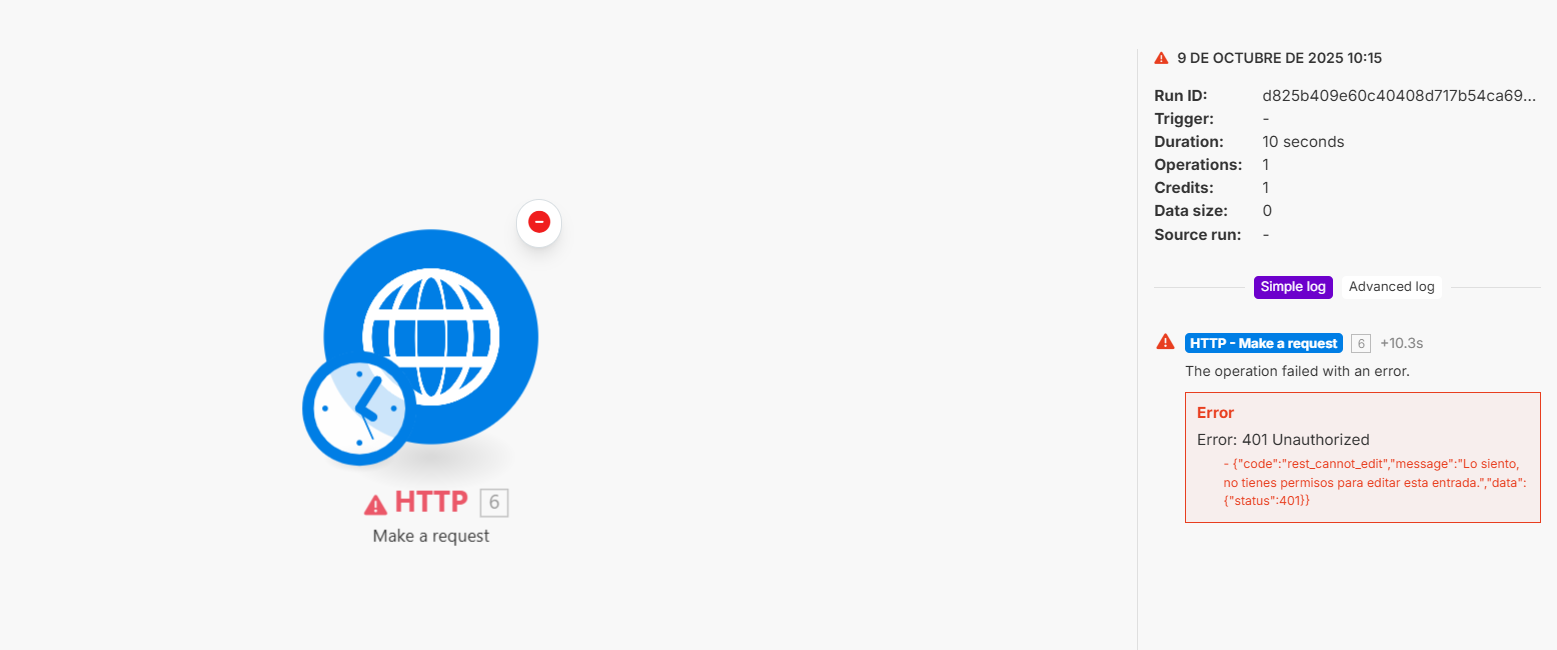
I’m also seeing that you indicate using the HTTP module make a request, is it Make a request or Make a basic Auth Request? I thought it would be the latter, but there’s no way to enter my WordPress username and password. I have the REST API activated in ACF. It’s an array, but the module told me that it gave a JSON error. I’ve tried two simple ones like the example and they didn’t work either. Do I need to enable something in my WordPress other than this REST API? In case it’s something I’m not familiar with outside of make.
I can email you the scenario, and we can even discuss how to complete the automation by hiring your service, but I’d like to avoid having to display data here that can’t be displayed. I know it is an important automation and that it will be very useful for my company. Could you send me email and send you all the information. Thanks

it worked in the end, but nothing is showing in the post.
 We finally solved it with a PHP script in WordPress. My posts are in a special format, and there was no way to post the verifications. Thank you all very much.
Finalmente lo hemos solucionado con un php en wordpress, mis post estan en un type especial y no habia forma de que se pudieran postear las verificaciones. Muchas gracias a todos