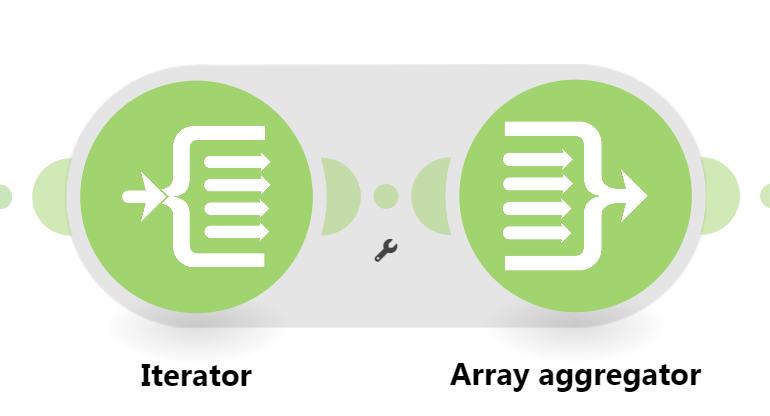
Aggregator not aggregating into one bundle after repeat module

Hi there!
I’m building a payment installment calculator. My current flow is set up like this:

Trigger → Set Variables → Repeater → Set Variables (per iteration) → Array Aggregator → HTTP Request

The Repeater is configured with Repeats = {{num_parcelas}} (e.g. 2) where num_parcelas represents the number of installments. Inside the loop, I calculate per-installment values (amount and due date), base on the purchase date and number of installments. The Array Aggregator is placed right after this scenario, with the Source Module set to the Set Variables after the Repeater.

Expected behavior:
The Array Aggregator should collect both bundles (one per installment from the repeater) and output a single bundle in one operation to the next module.

Actual behavior:
The Array Aggregator is NOT merging the bundles, treating each bundle from each repeater as a separate operation. The downstream HTTP Request module is being executed once per bundle (2 separate HTTP calls instead of 1 with the aggregated array), which means the aggregation is not happening.

What I’ve already checked:

  • The Array Aggregator is connected after the Set Variable module inside the loop
  • The “Source Module” in the Array Aggregator is set to the Set Variables module after the Repeater
  • The fields I want to aggregate are mapped correctly apparently

Question:
What is the correct way to configure the Array Aggregator in this case, in order to collect all bundles produced by a Repeater and pass a single array to the next module as one operation instead of two?

I’ve attached some screenshots. In the examples below consider the order value as 710 and the purchase date as today (21/05/2026) and 2 installments.

Thank you!

WRONG. I suggest going through the Make Academy, which also covers the use of Iterators & Aggregators.

See the “Setting the Correct Aggregator Source” section below.

Combining Bundles Using Aggregators

Every result/item from some module types (like Trigger / Iterator / List / Search / Match modules) can potentially and likely output more than one bundle. These multiple bundles will individually run subsequent modules once per bundle, which is not optimal in most cases:

  • one operation per bundle per module, which could lead to…
  • use of multiple credits per bundle per module (some modules use more than one credit)
View example screenshots

Aggregator Example

The “Search Rows” module runs one time, returning 999 results (999 bundles).

  • Without Aggregator: the tools module run 999 times (999 operations)


    (and if there are more modules, they run 999 times each)

  • With Aggregator: the tools module only runs 1 time (1 operation)

:warning: Warning: :police_car_light:
This can easily use your entire quota of credits if you are not careful or fail to understand this concept.

To “combine” multiple bundles into a single variable, so that you can process all of the items in a single operation, you’ll need to use an aggregator. Aggregators is a type of module that accumulates bundles and outputs one bundle (unless you are using “Group By”). An example of a commonly-used aggregator module is the Array aggregator module.

You can find out more about some other aggregator modules here:

Question: Which is the best aggregator do you think you’ll need for your use-case?

Setting the Correct Aggregator Source

You need to set the “Source Module” field of the aggregator to where the bundles are coming from. This is usually an iterator module, but can also be a search/list/repeater module, or even the trigger module!

Mapping a Complex (Collection) Structure Into an Array Field

The Array Aggregator module is very powerful because it allows you to build a new complex array of collections that matches a later module’s array field to map multiple items (collections) to it. Such fields initially may allow you to manually add individual items, but toggle the “Map” switch on, and you can map an array variable (from an Array Aggregator) containing multiple collections.

Simply select the respective “Target structure type” in an Array Aggregator module.

As you can see from the example above, the “Map” toggle on complex array fields are used when you have an array variable (like from an array aggregator).

:clipboard: Note: :light_bulb:
Other combinations of modules may also allow you to generate an array that matches a future module field’s array structure, like “Aggregate to JSON + Parse JSON”, or “Create JSON + Parse JSON”, but this is an advanced topic.

Question: Are you mapping your array into a field that accepts more than one item/collection?

Example

Here is an example of how your scenario could look like:

This is just an example. Your solution may or may not look like this depending on requirements and actual data.

For more information, see “Mapping with arrays” in the Help Centre. I also suggest going through the Make Academy, which also covers the use of Iterators & Aggregators.

@samliew

Hi Sam! Thanks for the reply. I’ve been through the academy before. Since then I’ve used the aggregator many times, but never with the repeater, and that’s where it got a bit confusing. I tried using the iterator but it didn’t work, as it wasn’t necessary because the repeater was already serving the purpose of iterating. Anyways, you helped me achieve my goal! You were right, all I had to do was use the repeater as the source for the aggregator, and I haven’t thought about that before. It worked like a charm! Now it’s down to one bundle and the array I generated is correctly set in the payload for my next module which is a HTTP request to an API. Thanks!