I am having issues performing activities as a bot in slack. When I create channels and sent messages into the channels, it keeps doing these activities as as myself and not the bot as it should. I have followed these steps: Slack - Apps Documentation which I thought would enable me to do what I was looking to do but I am still getting the messages come through via my name instead of the app I created. I’ve attched what my scenario looks like. Any help would be greatly appreciated.
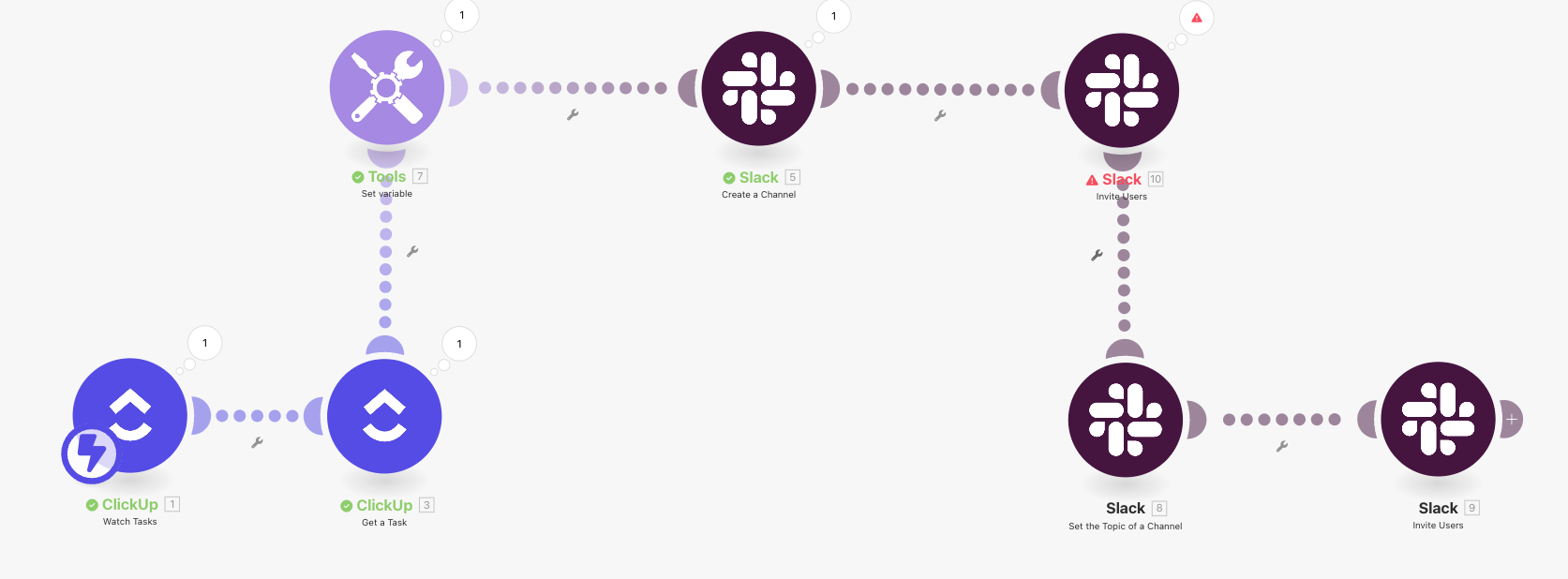
It sounds like the connection in Make is still tied to your personal Slack account rather than the bot’s credentials. Even if you’ve created the Slack app, if the modules are running under a user token, the actions will appear as you.
To post and create channels as the bot:
-
In your Slack app settings, make sure the Bot User OAuth Token (
xoxb-...) is being used — not a user token (xoxp-...). -
Add the necessary bot scopes in Slack (e.g.,
chat:write,channels:manage,groups:write). -
Reinstall the app to your workspace after updating the scopes.
-
In Make, reconnect to Slack using the bot token and select that connection in your modules.
Once that’s done, messages and channel actions should show up as the bot instead of your own profile.
Hi Mike, thanks for your reply, how do I make sure it is only the Bot User OAuth Token being used. In my app settings the User OAuth Token also shows up but I don’t have any user scopes in my settings. I also tried to only but the bot link in the Redirect URLs but the connection fails everytime I do that, it’s requiring me to have the two