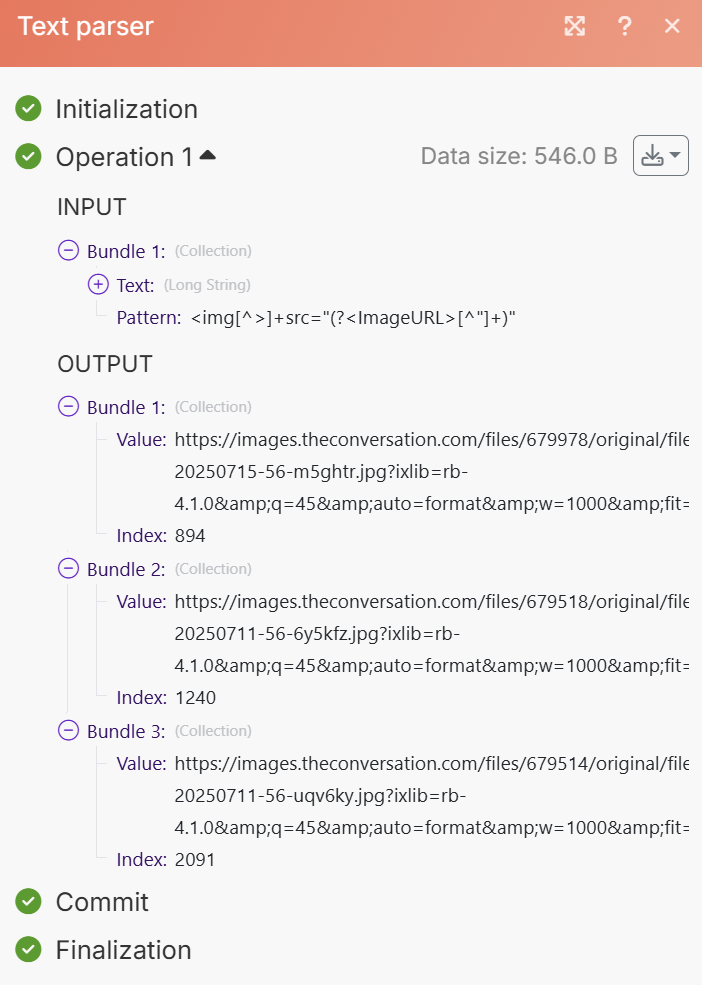
Hi, I’m struggling with trying to get images from Outlook emails and embedding them into Notion pages. I used a Match Pattern (Advanced) module to extract image URLs in separate bundles, then tried to put them into an Array Aggregator with the Target content structure set to the Notion Append Database Item module downstream. However the Array Aggregator doesn’t appear to have an option to select the actual URL variable, and the output does not show the URL. Then when I pass the output array into Append Database Item I get a bunch of ;undefined errors.
You could try using the “Create JSON” + Array Aggregator modules, before passing the results to a Notion “Make an API call” module that appends the page content.
Here is what appending multiple images as page content looks like in the body of the Notion API call. You can use this data structure in the “Create JSON” module. Attached is the request URL and method for the “Make an API call” module.
I haven’t tested your specific use case, so these are some thoughts I share based on experience