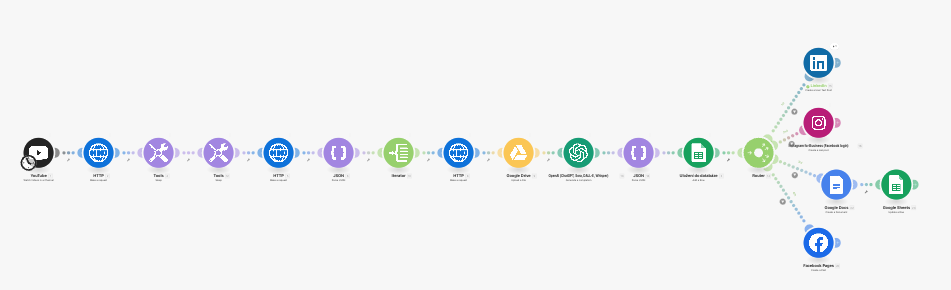
What is your goal?
My goal is to automatically publish Instagram Reels generated from my YouTube videos.
The automation downloads a video (from Google Drive or Vizard), sends it through an HTTP module to retrieve the file in binary format, and then uploads it to Instagram using the “Instagram for Business — Upload a Reel” module.
Everything should happen automatically after a new video is detected on my channel.
 What is the problem & what have you tried?
The Instagram module fails to upload the video and returns an error even though the file is successfully retrieved from Google Drive.
I have already tried:
Using both webViewLink and webContentLink from the Google Drive module
Converting the link to a direct download format (drive.usercontent.google.com/uc?id=...&export=download)
Adding an HTTP module to download the file as binary data (video/mp4)
Setting headers (Accept: video/mp4) and turning off “Parse response”
Adding a Sleep module between Google Drive and Instagram to ensure the upload is completed
The HTTP request returns a statusCode: 200 and binary data, but the Instagram module still fails to process the upload.
 Error messages or input/output bundles
{
“status_code”: “ERROR”,
“status”: “Error: Media upload has failed with error code 2207082”,
“id”: “17910621132270698”
}
{
“statusCode”: 200,
“headers”: {
“content-type”: “application/octet-stream”,
“content-length”: “29670”
},
“data”: “IMTBuffer(…binary…)”
}
 Screenshots (scenario flow, module settings, errors)