Help Needed: LinkedIn Carousel Post with Multiple Images via Make.com
Hi everyone,
I’m building a scenario in Make.com to post multi-image (carousel-style) posts to LinkedIn using their /rest/posts API.
 What I’m trying to do:
- Collect Google Drive links (screenshots) submitted via a form.
- Extract the file IDs, convert them to direct download URLs, and fetch each image using
HTTP > Get a file. - Upload each image to LinkedIn using
initializeUploadand aPUTrequest to the returneduploadUrl. - Store all asset URNs (like
urn:li:image:xxx) and publish a single post with all the images together (as a media group or carousel).
 Tools used:
- Text Parser (regex) to extract Google Drive file IDs.
- Iterator to loop through each ID and download the file.
- HTTP - Make a Request (PUT) to upload each image.
- Text Aggregator / Array Aggregator to collect asset URNs.
- LinkedIn Post API using
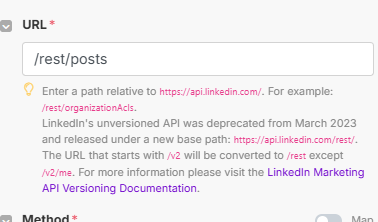
HTTP - Make a Requestto/rest/posts.
 The problem:
No matter how I aggregate the uploaded image URNs, I’m unable to send a proper media array to LinkedIn. The post either fails with:
400: Request body could not be converted to data map
Or it silently fails with an empty/unavailable post.
Even after using:
Text Aggregator→Parse JSON(tried both)- Making sure my final JSON body looks like:
"media": [
  {
    "status": "READY",
    "media": "urn:li:image:D4E10AQEXAMPLE1"
  },
  {
    "status": "READY",
    "media": "urn:li:image:D4E10AQEXAMPLE2"
  }
]
…it either gets stringified, breaks the JSON format, or results in separate post attempts.
 What I’ve tried:
Text Aggregatorwith and withoutGroup ByArray Aggregator→ still results in multiple bundles or stringified textParse JSONto parse the final array back → still doesn’t map as expected- Tried placing the aggregated object in raw
HTTPbody
 What I’m looking for:
- A step-by-step module config on how to:
- Upload multiple images to LinkedIn
- Collect the asset URNs correctly
- Format and post them in a single carousel-style post
- Preferably using only native Make.com modules (within the free tier)
 Additional Context:
- I’m using LinkedIn Personal Profile (not Company Page)
- I have working
initializeUploadandPUTupload logic - I already successfully posted single image and text-only posts
If someone has done this before or can point to a working example (or even a blueprint), I’d be super grateful! 
Thanks in advance for your time!
– Pratham