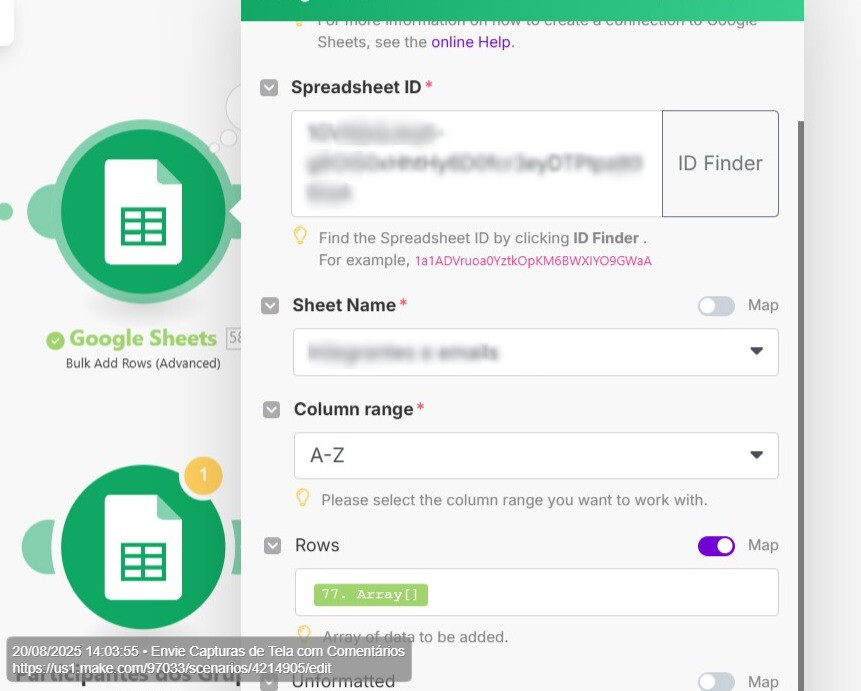
What are you trying to achieve?
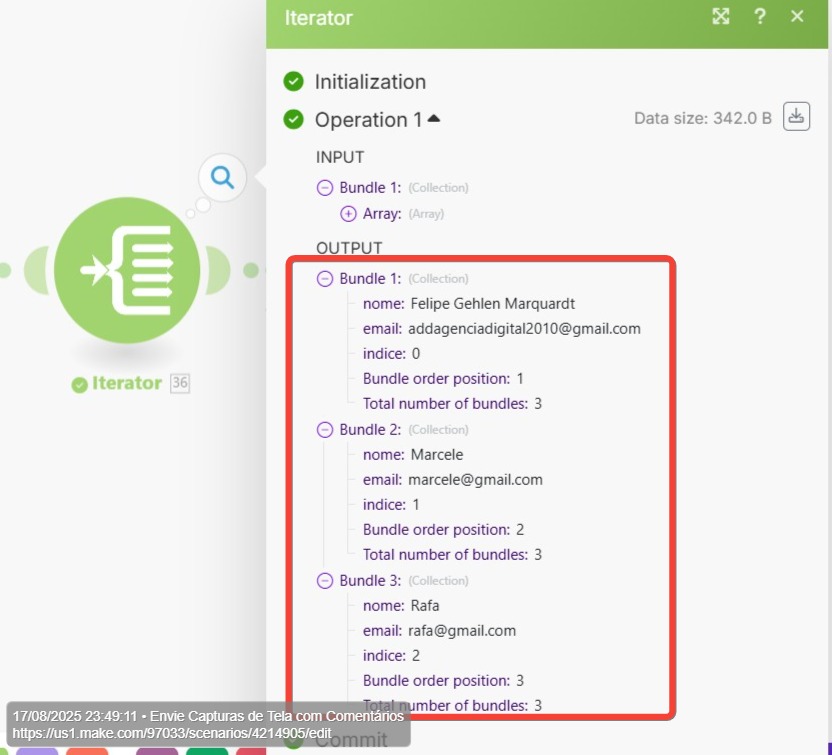
I have an Iterator with 3 bundles as outputs.
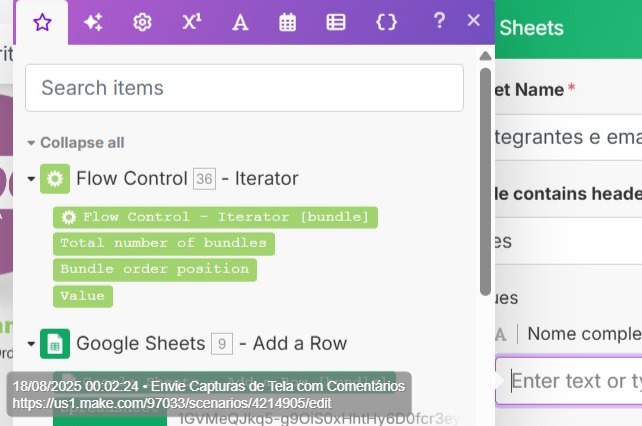
But the next module (Sheets) does not map those fields so to load them
I have an Iterator with 3 bundles as outputs.
But the next module (Sheets) does not map those fields so to load them
You can use inline functions to get the item. For arrays, you can use get() and map()
Hello. Trying but can´t make it work.
I have to get the names and emails from Meta data from Woocommerce Module to populate a Sheet.
The values come empty.
This is the value I have to get…
This is what I´m trying last without results…
@felipemarquardt I think you are on the right track using the iterator.
Please follow the steps below:
Alternatively, you can do the following:
You should be able to map the data from the iterator module after that.
Thank you for your reply @Probotic_Solutions but doing this steps did not changed the results of the iterator. There´re not results for the values I need.
Please take a look here Integração Cri2i - receibimento de dados de inscritos | Make - 18 August 2025 | Loom
Make.com support helped to solve and make this one work.
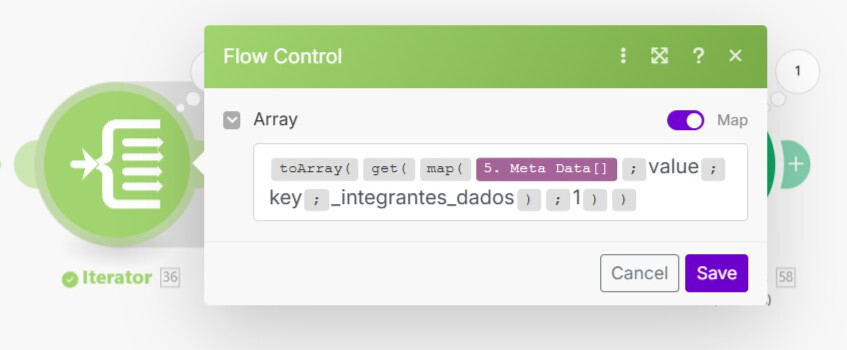
This is the fuction used in the Iterator module after woocommerce module.
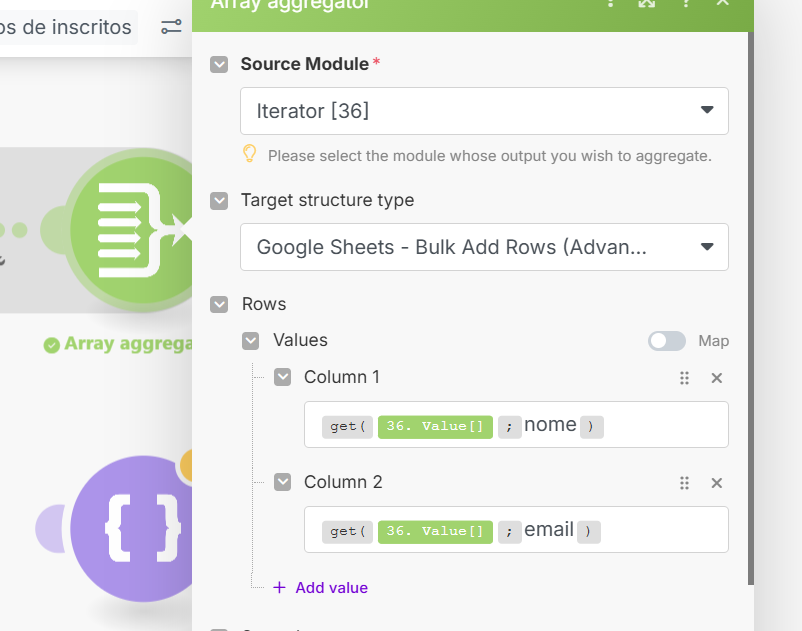
After the iterator, I have an Array Agreggator as bellow
And at last I have the Google Sheets Add row (bulk advanced)
Thanks for the support.
Hi @felipemarquardt, thank you so much for coming back and sharing the tip you received from the Customer Care team. This kind of knowledge-sharing helps everyone learn and makes the whole community stronger.