No right Output of a Set Variable tool

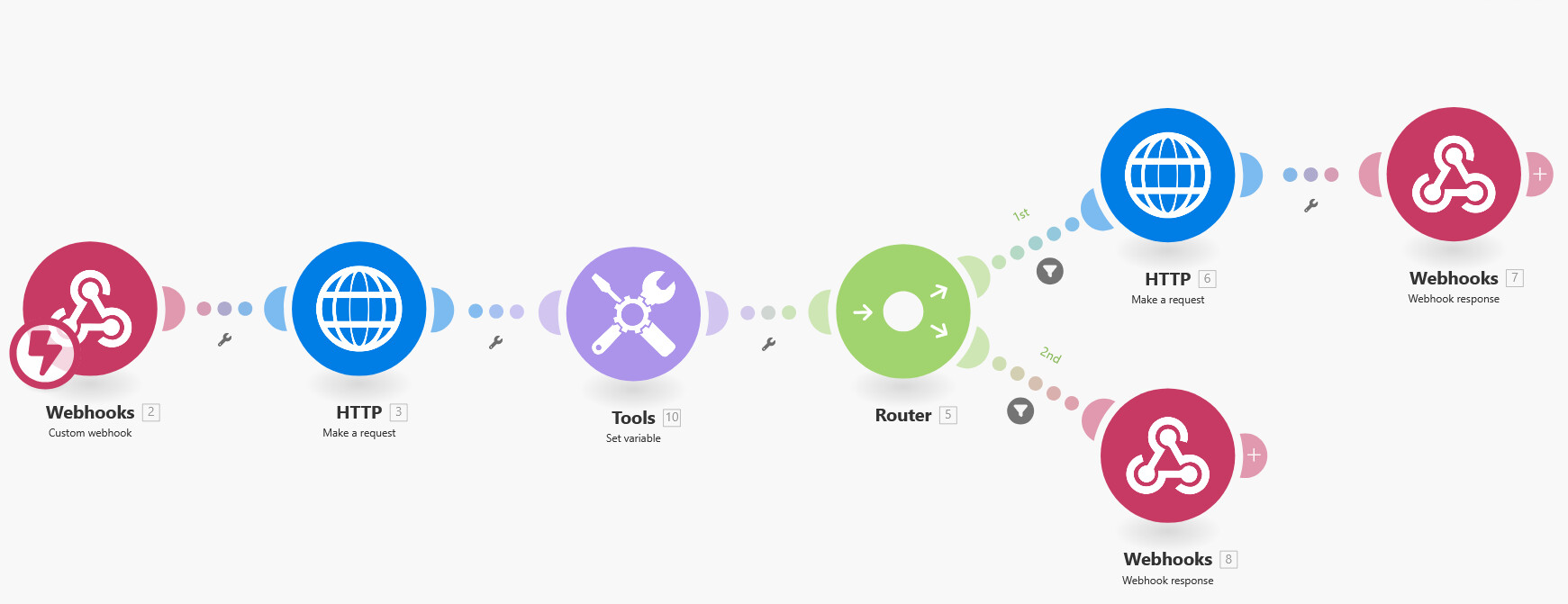
I have the following setup: make.com webhook–> http make a request → Set a Variable → http make a request → Webhook response. The first HTTP point should collect and output all appointments in my iCal calendar (linked to Outlook). The tool after that (Set Variable) should only find the appointment with the matching number in the HTTP output and then update the appointment.

Unfortunately, the tool outputs the entire content of the HTTP request again without filtering. Does anyone know why this is happening?

This is the setup for the Set a Variable:

Variable name: uid

 get(

     ( map
            filter( 
                   3.data; bookingFieldsResponses.phone = 2.args.phone or bookingFieldsResponses.attendeePhoneNumber = 2.args.phone ); 
  current.uid ); 1 )

Hey Max,

Can you share some screenshots of the setup and show the data you are trying to extract?

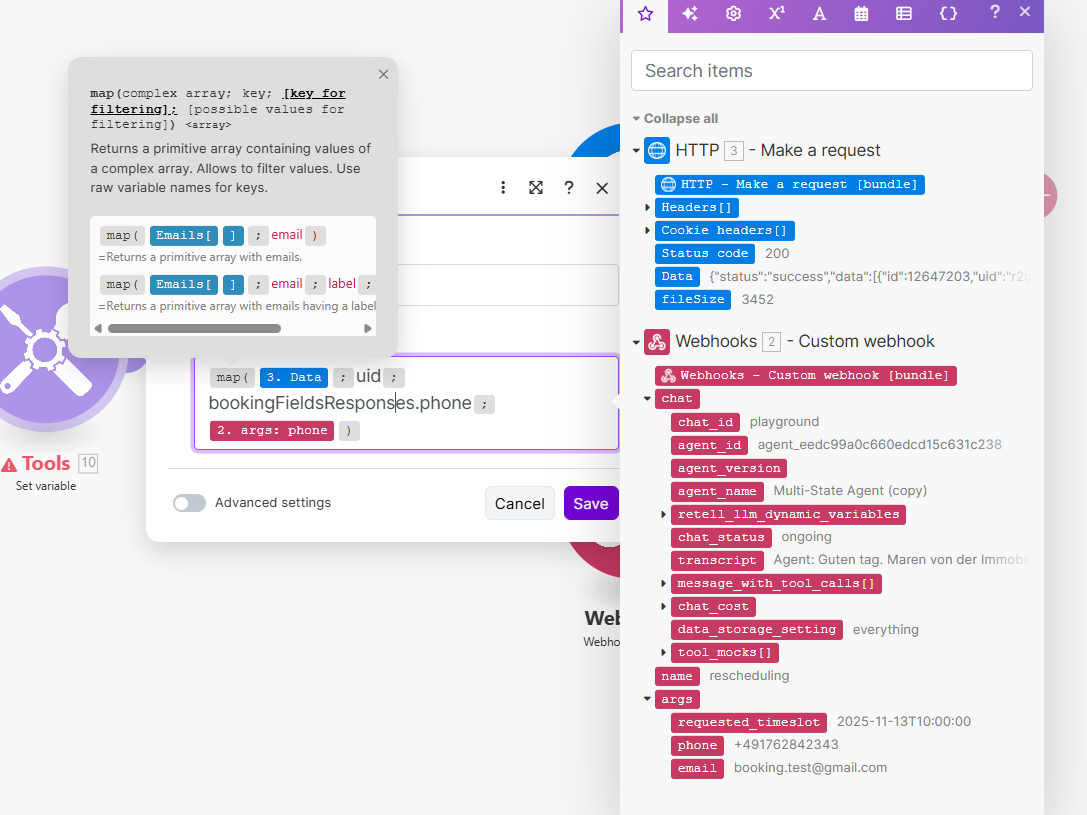
The pictures are from bottom to top. Tryd different things in the tool section. I also tryed map( 2.data ; uid; bookingFieldsResponses.phone ; 1.arg.phone)

The tool doesnt filter the uid right from the HTTP request. And because of that, the second HTTP request doesnt See only one UID. I hope u understand

In the screeshot of the tools module → those arent the functions, what you have is just text strings. Try selecting them from the menu instead to see the difference. Also there is no filter() function. You will need to rebuild this part and I suggest you do it manually and not with AI as they are clueless as to what Make can and cannot do.

1 Like

i also tryd this in the picture but the error code is something like invalid array. Could it be because the data set: “Data” is a complex data set and therefore cannot be filtered out?

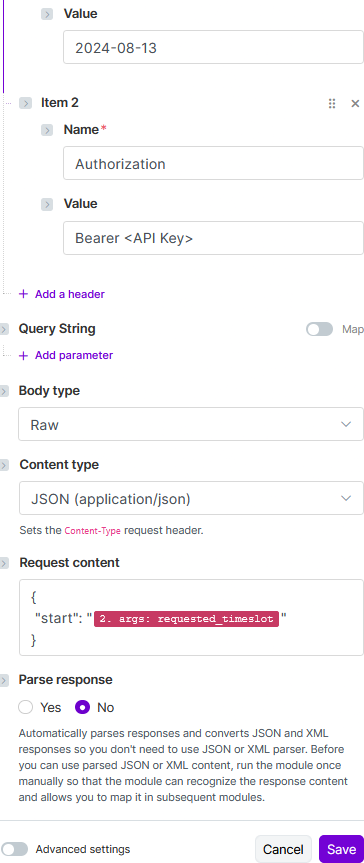
Ah ok, well that Data is a JSON, not an array. Try telling the HTTP module to automatically parse it so it gives you the output.

1 Like

Yeees. I think its finally working. Sometimes ist failing but i think its a Promt Problem. Thank u very much. Helped much.

last question. Is it possible when a Caller has more than one Appoinment, that the Tool only Reschedule the 1. Appointment?

Welcome to the Make community!

From your screenshot/output bundle, it appears that you have an ARRAY of items. What do you do when you have an array?

“Looping” Through Array Items

When you see an array in your module’s output, think of using an Iterator module.

In this example, this variable is an array of items (collections). You’ll want to map this array in an Iterator module.


Question: Have you tried mapping your array variable into an Iterator module, ran the scenario once, and view the output?

For more information, see “Mapping with arrays” in the Help Centre. You should also do the Make Academy, which also covers the use of Iterators & Aggregators.

Hope this helps! If you are still having trouble, please start a new thread.

@samliew

2 Likes