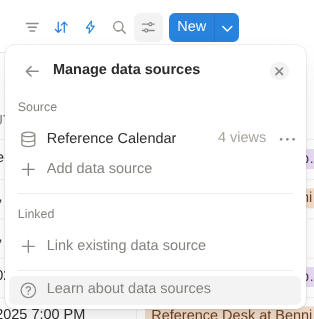
How can I get the new Database Source ID on Notion Watch Database?
I had this problem yesterday and found the answer in Notion documentation. Open your database, and then go to the database settings. Towards the bottom of the menu is “manage data sources.” Click on the arrow, then click on the three dots next to the data source, then click on “copy data source ID.”