Welcome to the Make community!
Combining Bundles Using Aggregators
Every result/item from some module types (like Trigger / Iterator / List / Search / Match modules) can potentially and likely output more than one bundle. These multiple bundles will individually run subsequent modules once per bundle, which is not optimal in most cases:
View example screenshots
Aggregator Example
The “Search Rows” module runs one time, returning 999 results (999 bundles).
 |
Warning: |
 |
|
This can easily use your entire quota of credits if you are not careful or fail to understand this concept. |
|
To “combine” multiple bundles into a single variable, so that you can process all of the items in a single operation, you’ll need to use an aggregator. Aggregators is a type of module that accumulates bundles and outputs one bundle (unless you are using “Group By”). An example of a commonly-used aggregator module is the Array aggregator module.
You can find out more about some other aggregator modules here:
Question: Which is the best aggregator do you think you’ll need for your use-case?
Mapping a Complex (Collection) Structure Into an Array Field
The Array Aggregator module is very powerful because it allows you to build a new complex array of collections that matches a later module’s array field to map multiple items (collections) to it. Such fields initially may allow you to manually add individual items, but toggle the “Map” switch on, and you can map an array variable (from an Array Aggregator) containing multiple collections.
Simply select the respective “Target structure type” in an Array Aggregator module.
As you can see from the above example, the “Map” toggle on complex fields are used when you have an array variable (like from an array aggregator).
 |
Note: |
 |
|
Other combinations of modules may also allow you to generate an array that matches a future module field’s array structure, like “Aggregate to JSON + Parse JSON”, or “Create JSON + Parse JSON”, but this is an advanced topic. |
|
Question: Are you mapping your array into a field that accepts more than one item/collection?
Example
Here is an example of how your scenario could look like:
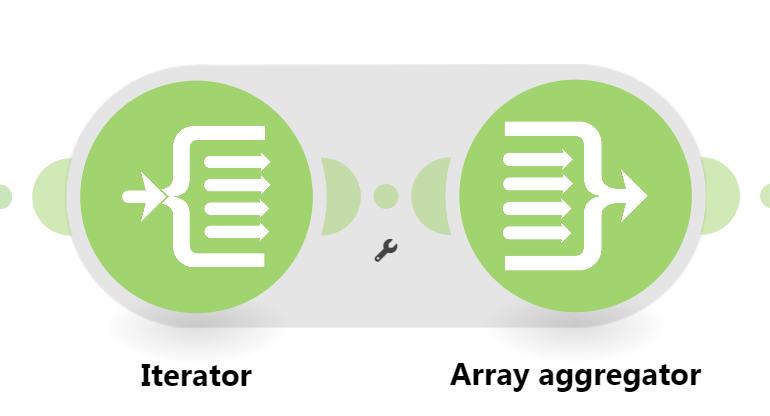
This is just an example. Your solution may or may not look like this depending on requirements and actual data.
For more information, see “Mapping with arrays” in the Help Centre. You should also do the Make Academy, which also covers the use of Iterators & Aggregators.
Hope this helps! If you are still having trouble, please provide more details.
— @samliew
P.S.: investing some effort into the tutorials in the Make Academy will save you lots of time and frustration using Make!
 What is your goal?
 What is the problem & what have you tried?

