Hello everyone, I can’t make Text Parser work in any way shape or form. I got an email in which I receive the data about a client (name, email, region etc.) and i need to extract each item from the mail. Chatgpt told me to use the parser and gave me several regex patterns like this: CRM URL:\s*(?.+)\n
Name:\s*(?.+)\n
Email:\s*(?.+)\n
Target Region:\s*(?.+)\n
Company:\s*(?.+)\n
Interested in:\s*(?.+)\n
Project Description:\s*(?.+)\n
Challenge:\s*(?.+)\n
Past Attempts to solve the Challenge:\s*(?.+)\n
Solution in place for the Challenge:\s*(?.+)\n
Potential Blockers:\s*(?.+)
But I get no output everytime. Instead when i tried (?\S+@\S+.\S+)
i got the email with
/ div attached to it. Im pretty sure I did everything I could and nothing works. Any other way? Or can someone help me with whats wrong or give some link to learn how to use parser?
Hey @andrei2, you’ve mapped HTML content in the Text Parser, which might be the reason it’s not working.
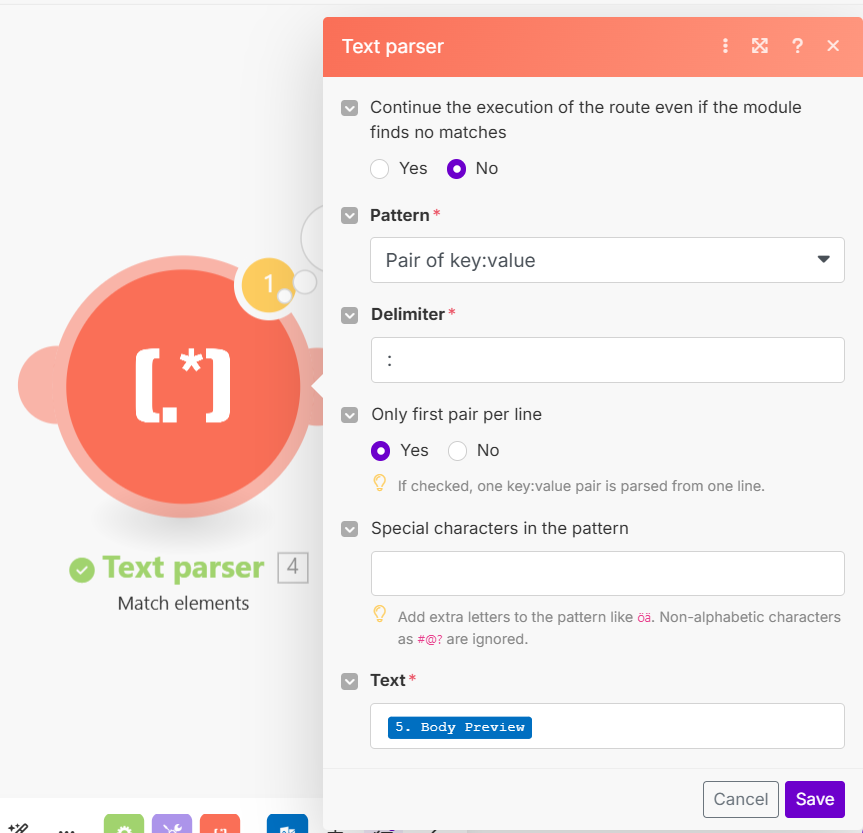
If your email contains data in the following format, like key and pair value:
Name: ABC
Email: [email protected]
URL: https://google.com
You can use the “Match Element” action in the Text Parser module and map the “Body Preview” field into the “Text” field.
I understand, thank you. After a couple of hours of not checking the community I’ve found a pattern that works for me. The problem is that the body preview was not fully shown and I thought it’s some kind of problem, that’s why I went for the HTML to text. Anyways it works now and I will try your solution for future projects, thanks!
Hello @andrei2 
Thank you for coming back and sharing the solution! I believe it might help other Makers in need.