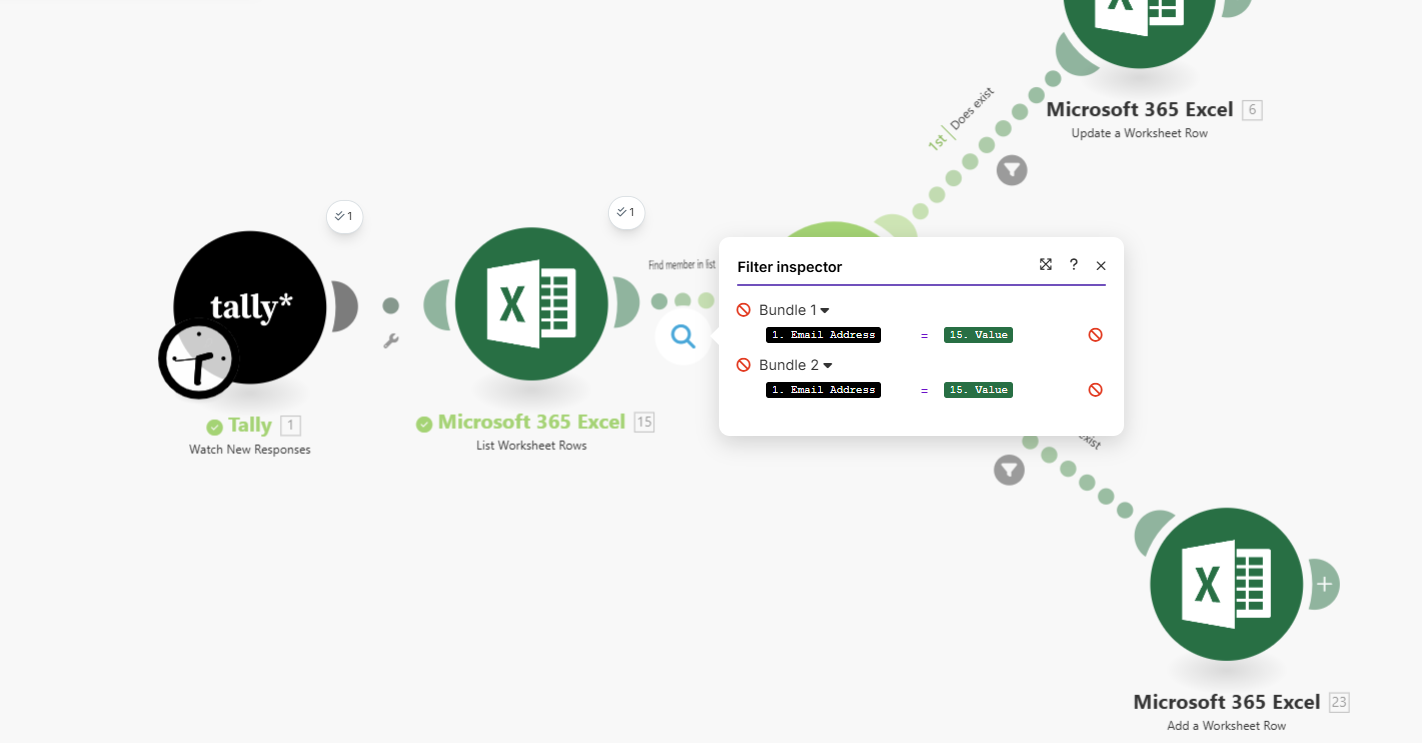
It was working yesterday - today it works to update a record, but I cannot get it to add a record - any help would be great.. I recreated the add a worksheet row .. still no success
Hi,
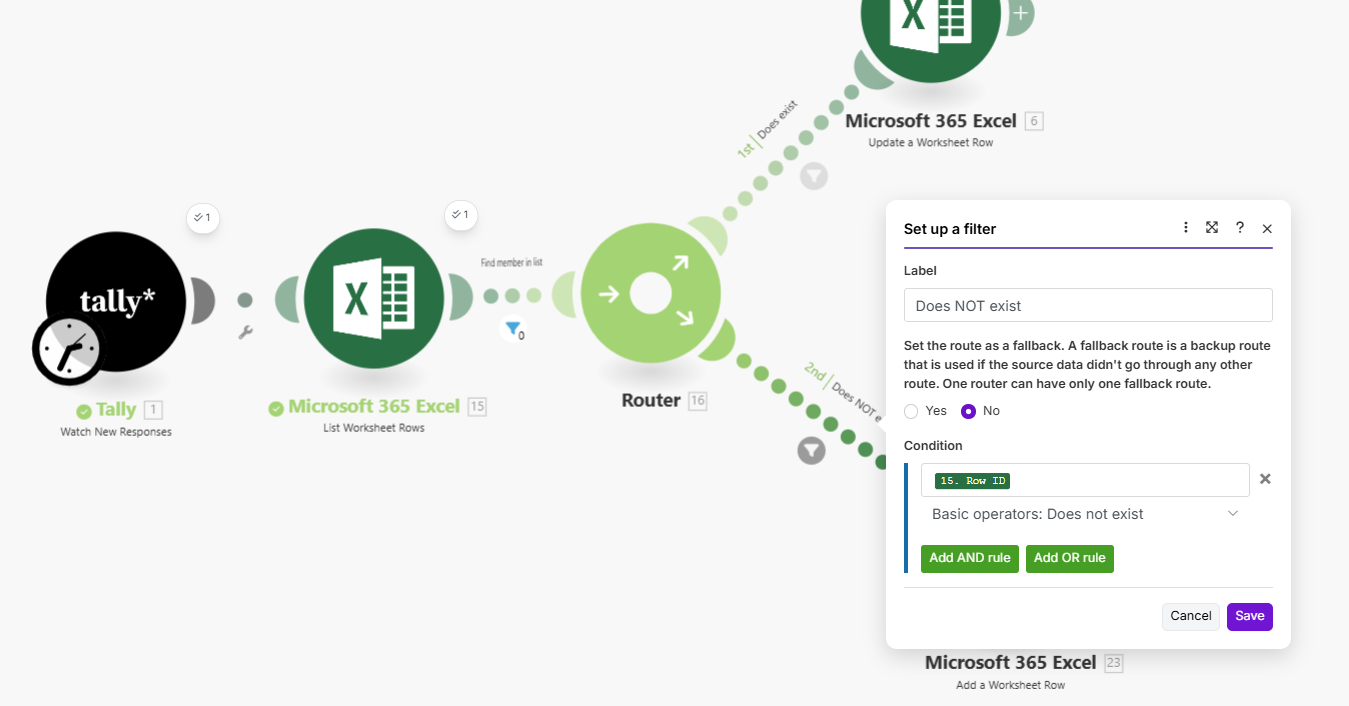
you can remove the filter and define this route as a fallback - it should work in your case.
Anyway, the problem is in the filter, as far as I understand, if #15 will return any data - the Row ID will exist, so the filter will not be passed.
Hopes it help,

Can you show the configuration of the List module? It looks like it didn’t find anything and the scenario stopped instead of continuing.
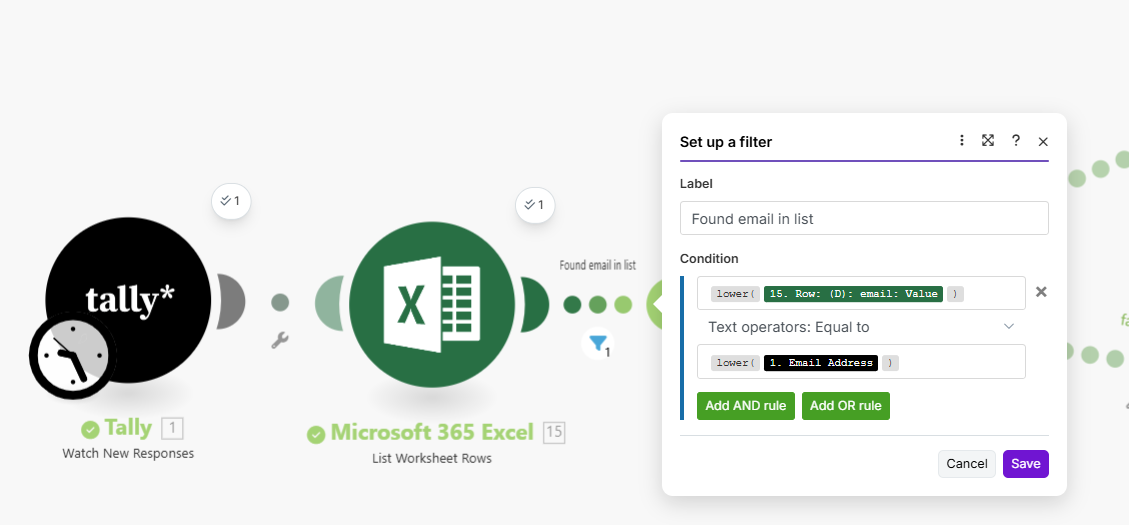
It seems that when the filter condition returns true, the scenario continues and the first route is executed, based on its own filter.
But when the condition is not met (the email does not match between the 1st and 2nd modules), the filter interrupts the execution.
Looks like the correct operation of the filter.
Remove the first filter and add its condition (email matches) for both routes. On the first one, use Equals to case insensitive. On the second one use Does not equal to case insensitive.
That should do it.