Data Store to Aggregator

:bullseye: What is your goal?

Hey everyone. Here’s my goal for this scenario:

  • Gsheets Watch New Rows module: Pull from new rows in google sheets, one of the columns which lists the relevant employees to a project
  • Set multiple variables: separates the names from the column (which is in the format “a, b, c” and creates individual objects “a”, “b”, “c”
  • Iterator which uses the individual objects as keys to access info from the data store
  • Data store which houses all of the employee information (slack id, gmail, etc)

Since it’s being done with an iterator, I want a way to compile ALL of the relevant slack ids in one variable, all of the relevant gmails in one variable, etc. I’ve tried combinations of array aggrators and text aggragators and things keep getting messier and messier.

:thinking: What is the problem?

My scenario runs successfully and the data store creates the correct amount of outputs according to the number of employees. Where I’m stuck is compiling those outputs into re-usable variables.

Here’s the bundle content from the data store:

[
    {
        "employees": [
            {
                "full_name": "Jane Doe",
                "role": "ID",
                "slack_user_id": "XXYYZZ",
                "gmail_address": "xxyyzz@company.com",
                "teamwork_id": "######"
            }
        ]
    }
]

:test_tube: What have you tried so far?

I have tried using array aggregators and set variables to try and compile all the gmail addresses or slack ids into a string but am heading into some errors of it still outputting the number of bundles as the number of employees. I’m sure there’s a very simple fix for what I’m missing. Still a beginner so would really appreciate guidance with this! Thank you again!

:camera_with_flash: Screenshots: scenario setup, module configuration, errors


Hey Artha!

Can you show me the configuration you are using for the iterator?

I think the issue might be that we are not describing the shape of what is being iterated, therefore you are not able to use it.

Absolutely. Thanks for jumping on!
So I have a set variables module right before the iterator that might be ruining my day.

I have a “set variables” module that specifically targets the column of assigned team members, using the following formula:

{{map(split(28.`14`; ","); trim("."))}}

That value is what I feed into the iterator.

{{26.teamMembers}}

Maybe input and output bundles will help?

Input bundles for set variables module:

[
    {
        "scope": "roundtrip",
        "variables": [
            {
                "name": "projectName",
                "value": "Official Project Name"
            },
            {
                "name": "clientName",
                "value": "Client Organization Name"
            },
            {
                "name": "budget",
                "value": "10000"
            },
            {
                "name": "startDate",
                "value": "12/1/2025"
            },
            {
                "name": "dueDate",
                "value": "12/5/2025"
            },
            {
                "name": "teamMembers",
                "value": [
                    "Aamir",
                    "Zainab"
                ]
            }
        ]
    }
]

Output bundle for set variables module:

[
    {
        "projectName": "Official Project Name",
        "clientName": "Client Organization Name",
        "budget": "10000",
        "startDate": "12/1/2025",
        "dueDate": "12/5/2025",
        "teamMembers": [
            "Aamir",
            "Zainab"
        ]
    }
]

Here’s the input bundle for the iterator:

[
    {
        "array": [
            {
                "value": "Aamir"
            },
            {
                "value": "Zainab"
            }
        ]
    }
]

Here’s the output bundle for the iterator:

[
    {
        "value": "Aamir",
        "__IMTINDEX__": 1,
        "__IMTLENGTH__": 2
    },
    {
        "value": "Zainab",
        "__IMTINDEX__": 2,
        "__IMTLENGTH__": 2
    }
]

Thanks so much with your help on this. :smiling_face_with_tear:

Welcome to the Make community!

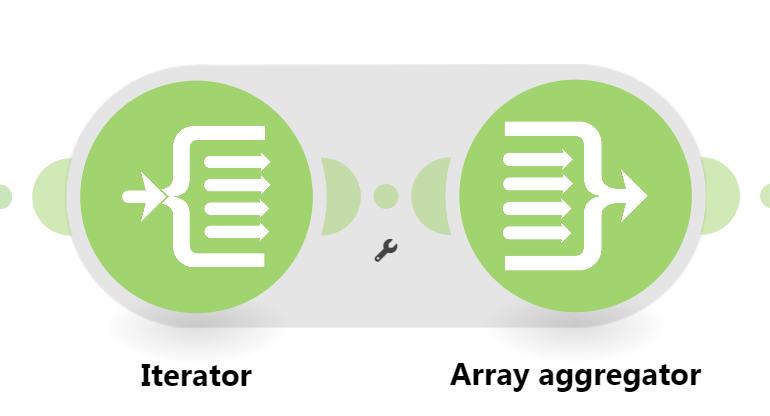
Looks like you aren’t aggregating from the Iterator module, where the bundles are being made.

Setting the Correct Aggregator Source

You need to set the “Source Module” field of the aggregator to where the bundles are coming from. This is usually an iterator module, but can also be a search/list/repeater module, or even the trigger module!

Combining Bundles Using Aggregators

Every result/item from some module types (like Trigger / Iterator / List / Search / Match modules) can potentially and likely output more than one bundle. These multiple bundles will individually run subsequent modules once per bundle, which is not optimal in most cases:

  • one operation per bundle per module, which could lead to…
  • use of multiple credits per bundle per module (some modules use more than one credit)
View example screenshots

Aggregator Example

The “Search Rows” module runs one time, returning 999 results (999 bundles).

  • Without Aggregator: the tools module run 999 times (999 operations)


    (and if there are more modules, they run 999 times each)

  • With Aggregator: the tools module only runs 1 time (1 operation)

:warning: Warning: :police_car_light:
This can easily use your entire quota of credits if you are not careful or fail to understand this concept.

To “combine” multiple bundles into a single variable, so that you can process all of the items in a single operation, you’ll need to use an aggregator. Aggregators is a type of module that accumulates bundles and outputs one bundle (unless you are using “Group By”). An example of a commonly-used aggregator module is the Array aggregator module.

You can find out more about some other aggregator modules here:

Question: Which is the best aggregator do you think you’ll need for your use-case?

Mapping a Complex (Collection) Structure Into an Array Field

The Array Aggregator module is very powerful because it allows you to build a new complex array of collections that matches a later module’s array field to map multiple items (collections) to it. Such fields initially may allow you to manually add individual items, but toggle the “Map” switch on, and you can map an array variable (from an Array Aggregator) containing multiple collections.

Simply select the respective “Target structure type” in an Array Aggregator module.

As you can see from the above example, the “Map” toggle on complex fields are used when you have an array variable (like from an array aggregator).

:clipboard: Note: :light_bulb:
Other combinations of modules may also allow you to generate an array that matches a future module field’s array structure, like “Aggregate to JSON + Parse JSON”, or “Create JSON + Parse JSON”, but this is an advanced topic.

Question: Are you mapping your array into a field that accepts more than one item/collection?

Example

Here is an example of how your scenario could look like:

This is just an example. Your solution may or may not look like this depending on requirements and actual data.

For more information, see “Mapping with arrays” in the Help Centre. I also suggest going through the Make Academy, which also covers the use of Iterators & Aggregators.

Hope this helps! If you are still having trouble, please provide more details.

@samliew
P.S.: investing some effort into the tutorials in the Make Academy will save you lots of time and frustration using Make!

1 Like

Thanks for your detailed response, Sam!

After spelunking a little I realized that one of the issues was that my aggregator wasn’t being pointed to the iterator, which was causing an issue. I then had to figure out the right “shape” of the object I wanted to reuse.

Here’s a snapshot of the solution.

Here I’m using the JSON aggregator module. I then use a parse to json module, a router, and a text aggregator to extract the lists that I need. I’m not sure if this is the correct sequence of modules, but I tried all types of aggregators and combinations, and this one seems to be the one that’s working the best for me. With this, I’m able to record all of the employees’ Slack IDs, gmails, and Teamwork IDs to reuse in different routes of the automation. I really appreciate your help!!

No problem, glad I could help with your question: "Data Store to Aggregator"   :slight_smile:

1. Which was the most helpful post in this thread?

The Make Community guidelines encourages users to try to mark helpful replies as solutions to help keep this forum organised. :folded_hands:

This marks the topic as solved, so that others can:

  • save time when browsing the latest activity on the forum, and
  • quickly jump to the solution in this topic (from the top)

To do this, simply click the checkbox at the bottom of the post that is the most helpful in answering your question.

a screenshot of post menu options at the bottom of each post
Note: :light_bulb:
:link: Here’s a magic link to a list of your other “unsolved” topics— status:unsolved

2. Have you learnt something new?

Do bookmark this topic so you can easily find and return to this topic in future.

a screenshot of bookmark link at the bottom of the topic

Note: :light_bulb:
:link: Here’s a magic link to a list of your bookmarks— /my/activity/bookmarks

3. Have a different question? Start a new topic.

Do you have a question that is not about "Data Store to Aggregator"? Please start a new topic.

Creating a new topic for each question makes it easier for others with the same problem to search for answers. You are also more likely to receive help sooner as new topics are displayed first on the forum’s “new” page!

@samliew