I basically want to use a form to trigger the automation.
Form Webhook → HTTP Request Download File → Upload a Spreadsheet to Google Drive → Somehow get the google sheet id → work with it to fire off some other automations.
I basically want to use a form to trigger the automation.
Form Webhook → HTTP Request Download File → Upload a Spreadsheet to Google Drive → Somehow get the google sheet id → work with it to fire off some other automations.
Welcome to the Make community!
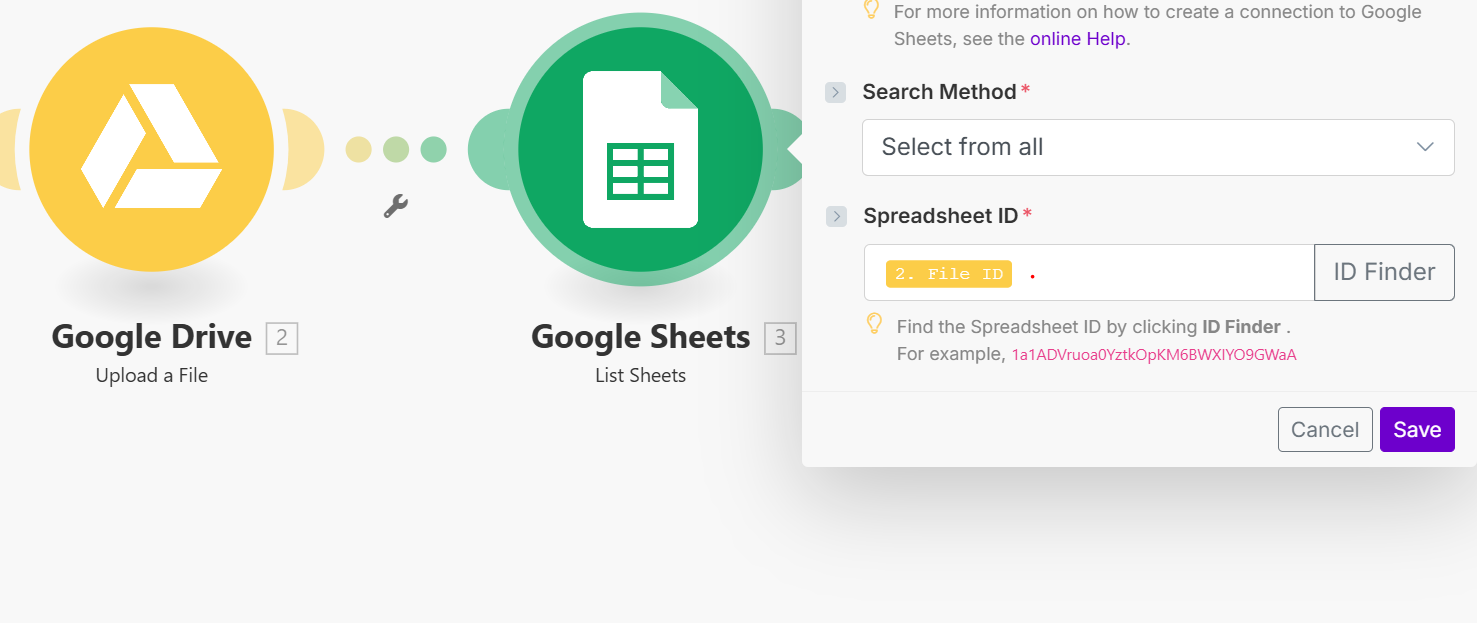
The Google Drive “Upload a file” module should output a File ID when it’s successful.
You can simply map this id variable into a subsequent module.
I would suggest completing the Make Academy before jumping into building a complete scenario. If you need specific assistance when you are building a scenario it’s easier to help you then.
Here are some useful links and guides you can use to learn more on how to use the Make platform, apps, and app modules. I found these useful when I was learning Make, and hope they might benefit you too —
parseDate | tokens for formatDate How to schedule scenario for first Monday next month (recurring) How to schedule scenario for the last day next month (recurring)
 Automate Follow-Up of Email Leads a Week After
Hope this helps! If you are still having trouble, please provide more details.
— @samliew
P.S.: investing some effort into the tutorials in the Make Academy will save you lots of time and frustration using Make!
Hi @ImAlexStorey ,When you upload a file to Google Drive, it returns a File ID, which serves as your Sheet ID. You can use this ID in the next module to reference the specific sheet.
If you also need to handle subsheets dynamically, you can use the “List Sheets” module and pass the Drive File ID — this will return all the subsheets within that file. In the following step, you can then use both the File ID and Sheet Name to update or search records using the appropriate sheet module.
Thank you.