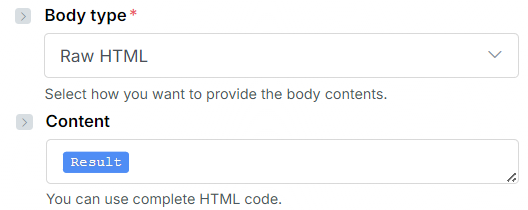
Based on what I can see, this is a BUG with the module itself.
The boundary is not complete, as it is missing -- at the end.
--boundary_1761236498
For more information, see Why is email displaying mime boundary in body
Contact Make Support
For technical issues or bugs like this, contacting Make support by creating a ticket is the only official option available to paid Make customers. If you are a free customer, I recommend that you get a free Pro plan to get quicker support via the ticketing system.
Make support has access to your specific account details, scenario, execution history, server-side logs, and has internal tools to investigate the issue further. If the issue is with a custom app, Make support will also be able to reach out to the developer. Also, you might need to share potentially sensitive information about your account, organisation, scenario, and execution history logs, which is not advisable here on this public forum.
Search for Updates First
Before creating a support ticket, do try to look around if others are facing the same problem too. Here are some things you can do —
-
Check the Make Status page to see if it is an ongoing network-wide issue/outage, and view any updates of internal investigations (example).
-
Search this Make forum to see if there are any discussions, updates, and workarounds. Here are some possible search terms you can use:
tags:error bug "not working"
How to Create a Support Ticket
If you are logged-in, you can head to the new ticket page to submit a ticket. (If you are unable to login to your main account, it is advised to create a free Pro account to access this page.)

After submitting your support ticket, you should receive a confirmation email with the subject “Ticket Created” together with a summary of what you submitted. If you do not receive this automated reply within minutes, try creating a ticket again.
Example of email subject: [#1234567] Ticket created | Technical challenge
Priority of Tickets
If you do not receive a response from Make support, simply be patient. Make support receives thousands of tickets daily, therefore they have to prioritise tickets based on the organisation’s subscription plan. For more information about the different levels of customer support, refer to the “Support” section on the Pricing page, or on your organisation’s Subscription tab. If you are a free customer, I recommend that you get a free Pro plan to get quicker support via the ticketing system.
Resolution
When your issue is resolved one way or another, we’d love to hear more details about the cause, and how you managed to solve it (including use of workarounds). By sharing your findings and solutions, we are contributing to this knowledgebase to enable others to search for answers to similar problems.
Hope this helps! If you are still having trouble, please provide more details.
— @samliew
P.S.: investing some effort into the tutorials in the Make Academy will save you lots of time and frustration using Make!