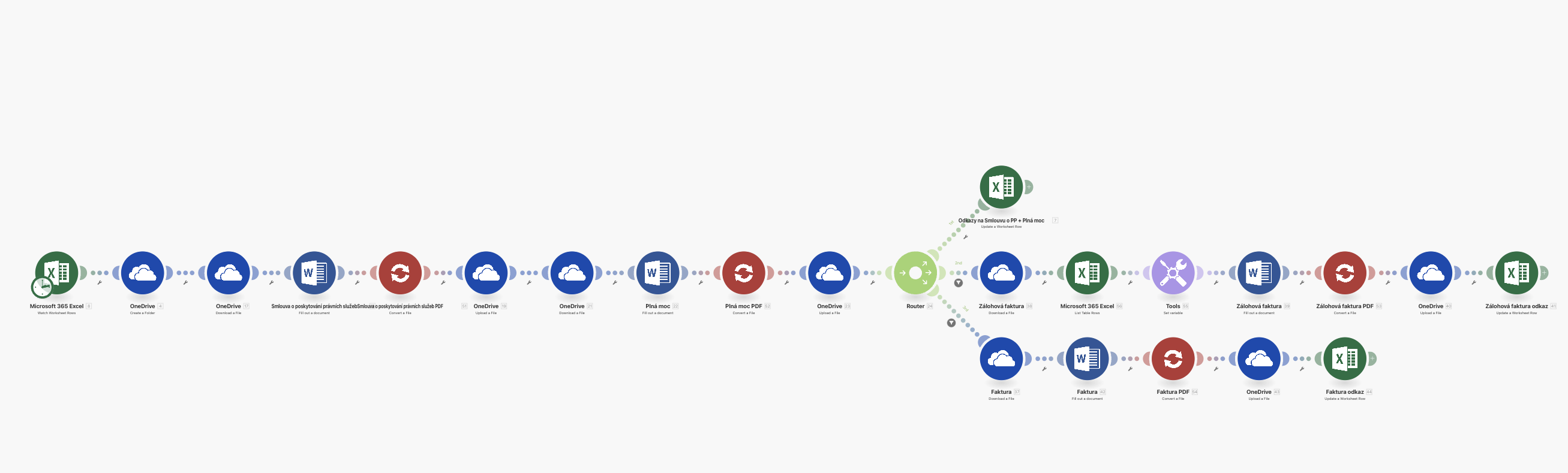
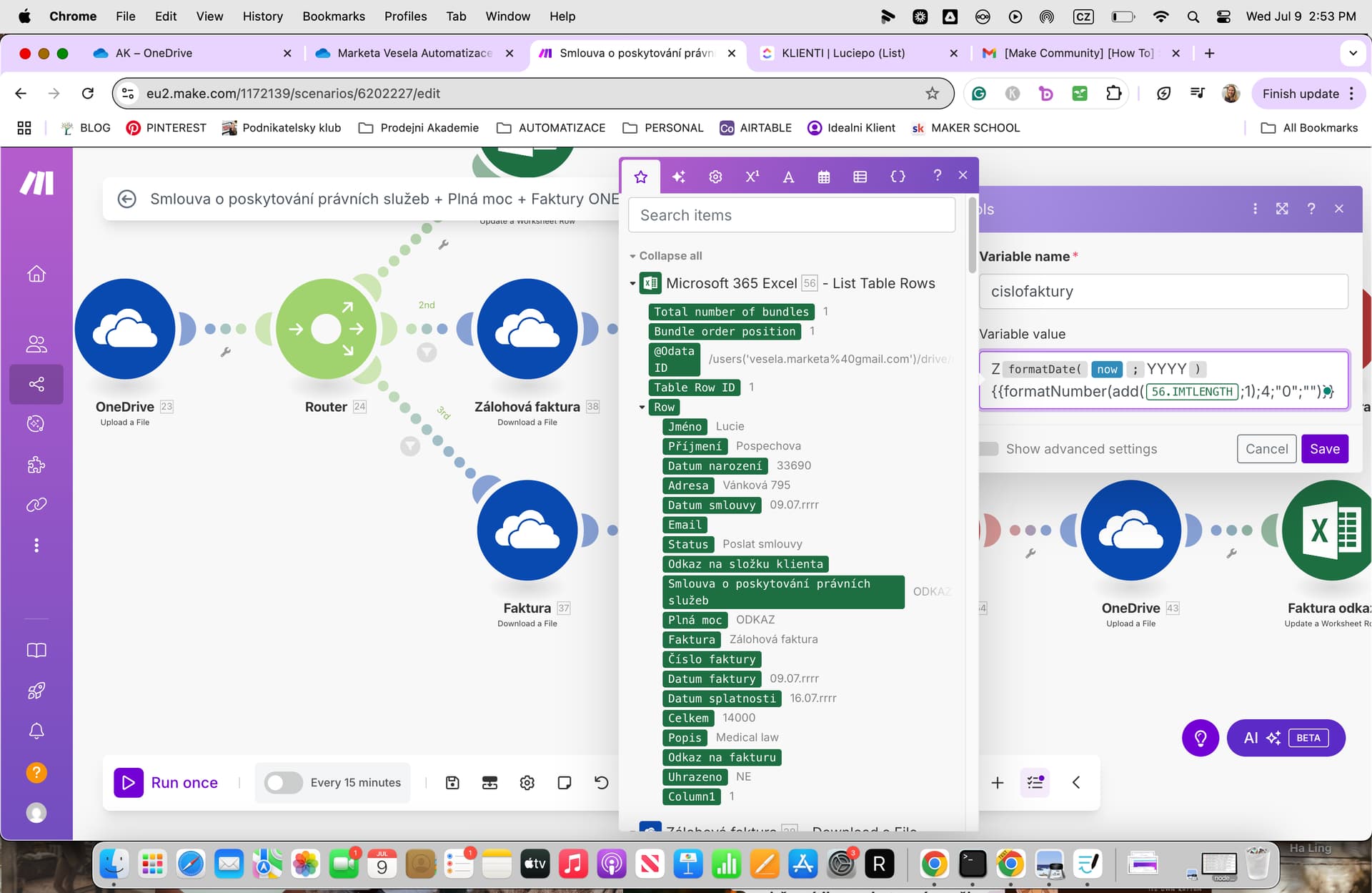
Hi,
I have been struggling with creating an automatic numbered row which needs to be in this format as it serves as an invoice number: ZYYYYYXXXX where YYYY is the current year and XXXX is the numbers itself starting from 0001, then 0002, 0003 etc (so the max number will be a four digit one).
I have tried to do this through the set variable module through this function but i still cannot get the right format.
Function used: “Z” &
formatDate(now; “YYYY”) &
formatNumber(
add(
{{56.__IMTLENGTH__}};
1
);
4;
“0”;
“”
)
Can you help me please?
Thank you
correct function:
“Z” & formatDate(now; “yyyy”) & formatNumber(add({{56.IMTLENGTH}}; 1); 4; “0”; “”)
Thank you, but I don’t have the IMTLength value that I could map to the Set variable module. If there is any better way of how to do it or you can help me to understand how to get this value, i would be more than grateful. Thank you.
Have you set the Set Variable module to create the invoice number:
“Z” & formatDate(now; “yyyy”) & formatNumber(add({{56.IMTLENGTH}}; 1); 4; “0”; “”)
Since you don’t have the IMTLENGTH value available, let’s find a way to get the count of your existing invoices (or rows) from your Excel module, and use that dynamically in your Set Variable module.
How to get the length/count of rows in Make.com
- Locate the module where you list your invoices (like your Excel “List rows” module — looks like module 56 in your case).
- This module outputs an array of rows or bundles.
- You want to count how many rows it returns. In Make.com, you do this with the
length() function applied to the array variable.
Step-by-step guide
- Go to your Excel List rows module (module 56).
- Run the scenario once or look at the output of that module in the scenario run history.
- Look for the name of the array of rows it returns. It might be called something like
Bundle, Rows, Table Rows or similar.
- Use this array name inside
length() function.
Example
Suppose your Excel List rows module outputs an array called Bundle.
Then inside your Set Variable module, use this formula:
“Z” & formatDate(now; “yyyy”) & formatNumber(add(length(Bundle); 1); 4; “0”; “”)
length(Bundle) counts how many rows are currently in your invoice list.- You add 1 to generate the next invoice number.
- Format it with leading zeros to 4 digits.
How to find the exact array variable name?
When you open the variable picker in the Set Variable module, it should show you the available outputs from previous modules.
Look carefully for the array variable returned by module 56 — it usually has a countable name or plural name.