I want to send emails from Make.com using my personal Gmail account with a custom Google OAuth app/client ID and client secret created in Google Cloud Console.
What is the problem & what have you tried?
I created a Google Cloud project and configured OAuth 2.0 for Make
i completed all steps but still gmail not connecting with make
However, when trying to connect Gmail in Make.com, I receive these errors:
Access blocked: This app’s request is invalid
and
[401] Request is missing required authentication credential.
Expected OAuth 2 access token, login cookie or other valid authentication credential.
Error messages or input/output bundles
I am using a personal Gmail account (@gmail.com), not Google Workspace.
I want to know:
Is custom Gmail OAuth no longer supported for personal Gmail accounts in Make.com?
Do I need Google Workspace?
Should I use SMTP with App Password instead?
Is there any workaround for restricted Gmail scopes with personal Gmail accounts?
For personal Gmail, restricted scopes are the usual blocker. If your Google OAuth app isn’t verified for Gmail scopes, Google can block the consent flow even if the redirect URI looks right. For sending only, SMTP + app password can be simpler, but that depends on whether 2FA/app passwords are enabled. I’d first confirm the exact Gmail module/scopes Make is requesting, then decide between verified OAuth, Workspace, or SMTP
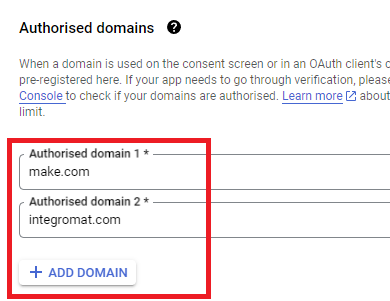
Here are some commonly-needed redirect URIs you need for your Google Cloud Console OAuth app. If you set these up, you can reuse the same GCP app for other Google apps and modules on Make.
You are also required to insert the legacy URLs below from the old Integromat system that not been migrated to Make yet (same as the above list, but replace “make” with “integromat”):
Note 1: Due to inconsistencies in Make’s implementation of the connections, there are two separate entries where has one is google and another ending in a forward slash google/ - you might need one or the other, so we have to use both!
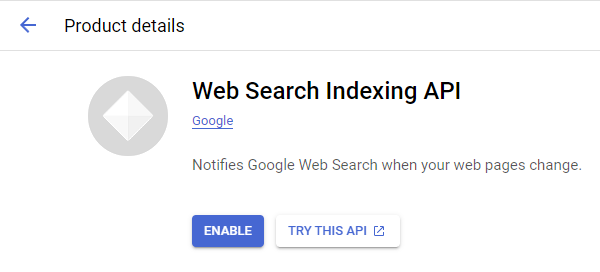
Note 2: Once you’ve set these up, you can use/reuse the same Google OAuth App ID + Secret for all the supported Google connections and modules on Make - you’ll just have to enable the relevant Google APIs!
4. Create New Connection (HTTP, or respective Google module)
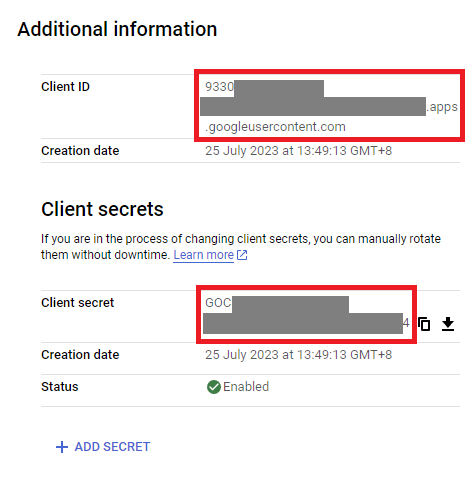
You can find the Client ID and Client Secret in the OAuth2 app you created in GCP, on the right-hand side of where you inserted the callback URLs in step 2:
 What is your goal?
 What is the problem & what have you tried?
 Error messages or input/output bundles