Why can't i get my email to be formatted properly?

:bullseye: What is your goal?

I send an email somewhere special, with a venue name in the subject heading, and this triggers a bunch of modules, which eventually should send me an email with a list of dates of films that are happening in that venue.

:thinking: What is the problem & what have you tried?

The resulting email I get is all a jumble. like this:
join( map( {“cc”:null,“id”:“19af34af3cd3cafc”,“to”:[{“name”:“”,“email”:“xx@x”}],“bcc”:null,“col1”:“132300”,“col2”:“”,“col3”:“The Man Who Invented Christmas”,“col4”:“Mon 8th Dec”,“col5”:“19:30”,“col6”:“19:30”,“col7”:“2025-12-08-19-30”,“col8”:“The Edge Arts Centre”,“col9”:“William Brookes SchoolFarley RoadMuch Wenlock”,“data”:{“type”:“Buffer”,“data”:[239,187,191,73,68,44,77,97,105,108,44,69,118,101,110,116,32,84,105,116,108,101,44,68,97,116,101,44,83,116,97,114,116,44,69,110,100,44,68,97,116,101,32,40,115,111,114,116,97,98,108,101,41,44,86,101,110,117,101,44,65,100,100,114,101,115,115,44,67,111,117,110,116,121,44,80,111,115,116,99,111,100,101,44,68,117,114,97,116,105,111,110,44,78,105,99,107,110,97,109,

I have tried all sorts of things in the content box of the final module. I have asked chatgpt, but after 3 hours i have met my match.

:clipboard: Error messages or input/output bundles

The parser modules, returns over 600 bundles which is correct. the filter on venue name and future dates returns 16 rows which is correct. so it is just getting a list of them in an email that is the problem.

Any help or tips would be warmly welcomed!

:camera_with_flash: Screenshots (scenario flow, module settings, errors)

Welcome to the Make community!

That is not valid HTML, and also not valid built-in functions as you’ve inserted them as plain text.

Your brackets, operators, functions, or special variables were not selected from the Variables Panel.

Try selecting it again from the Variables Panel, or type curly brackets like these {{ }} so that it ends up with a background color:

  • {{ ( }}

  • {{ / }}

  • {{ + }}

  • {{ = }}

etc.

I also suggest doing this Make Academy, as it covers selecting brackets, operators, functions, or special variables from the Variables Panel.

For more information, see:

Hope this helps! Once this is resolved, if you are still having trouble, please provide more details.

— @samliew

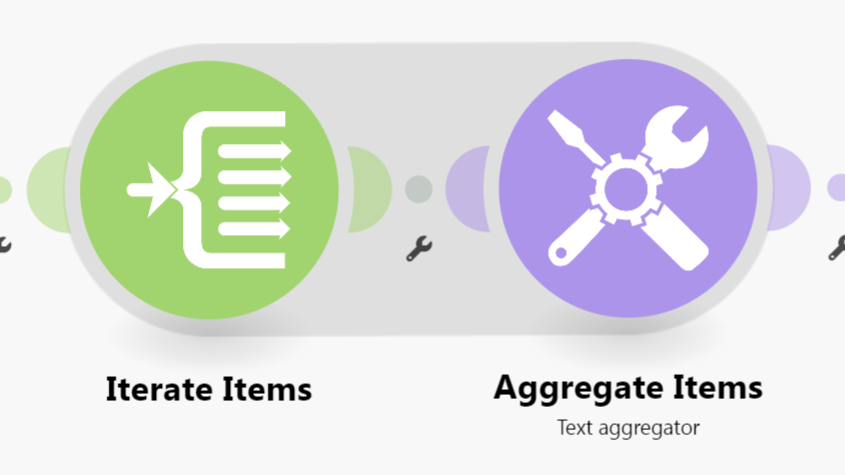
Also, you might be using the wrong type of aggregator. As you require it to be in HTML, which is a TEXT format, you should probably be using a Text Aggregator module.

Combining Bundles Using Aggregators

Every result/item from some module types (like Trigger / Iterator / List / Search / Match modules) can potentially and likely output more than one bundle. These multiple bundles will individually run subsequent modules once per bundle, which is not optimal in most cases:

  • one operation per bundle per module, which could lead to…
  • use of multiple credits per bundle per module (some modules use more than one credit)
View example screenshots

Aggregator Example

The “Search Rows” module runs one time, returning 999 results (999 bundles).

  • Without Aggregator: the tools module run 999 times (999 operations)


    (and if there are more modules, they run 999 times each)

  • With Aggregator: the tools module only runs 1 time (1 operation)

:warning: Warning: :police_car_light:
This can easily use your entire quota of credits if you are not careful or fail to understand this concept.

To “combine” multiple bundles into a single variable, so that you can process all of the items in a single operation, you’ll need to use an aggregator. Aggregators is a type of module that accumulates bundles and outputs one bundle (unless you are using “Group By”). An example of a commonly-used aggregator module is the Array aggregator module.

You can find out more about some other aggregator modules here:

Question: Which is the best aggregator do you think you’ll need for your use-case?

Example

Here is an example of how your scenario could look like:

This is just an example. Your solution may or may not look like this depending on requirements and actual data.

For more information, see “Mapping with arrays” in the Help Centre. I also suggest going through the Make Academy, which also covers the use of Iterators & Aggregators.

Hope this helps! If you are still having trouble, please provide more details.

— @samliew

Thanks so much for replying Sam, much appreciated.

That whole HTML thing was a rabbit hole that chatGpt too me down - it didnt feel right at the time.

Thanks too for the tip doing the academy, I have been taking a look.

i added an iterator, and a Text aggregation and now the emails come through just as i need!

So many thanks Sam. It may have taken my hours, but now i know what to do…

Best wishes

Ian

1 Like

No problem, glad I could help with "Why can’t i get my email to be formatted properly?"! :slight_smile:

If you need further assistance with HTML formatting, do start a new thread and I’ll do my best to assist!

1. Which was the most helpful post in this thread?

The Make Community guidelines encourages users to try to mark helpful replies as solutions to help keep this forum organised. :folded_hands:

This marks the topic as solved, so that others can:

  • save time when browsing the latest activity on the forum, and
  • quickly jump to the solution in this topic

To do this, simply click the checkbox at the bottom of the post that is the most helpful in answering your question.

a screenshot of post menu options at the bottom of each post

:link: Here’s a magic link to a list of your other “unsolved” topics: status:unsolved

2. Have you learnt something new?

Do bookmark this topic so you can easily find and return to this topic in future.

a screenshot of bookmark link at the bottom of the topic

:link: Here’s a magic link to a list of your bookmarks /my/activity/bookmarks

3. Have a different/follow-up question? Start a new topic.

Creating a new topic for each question makes it easier for others with the same problem to search for answers. You are also more likely to receive help sooner as new topics are displayed first on the forum’s “new” page!

If you have a follow-up question, please start a new thread. Thanks!

— @samliew