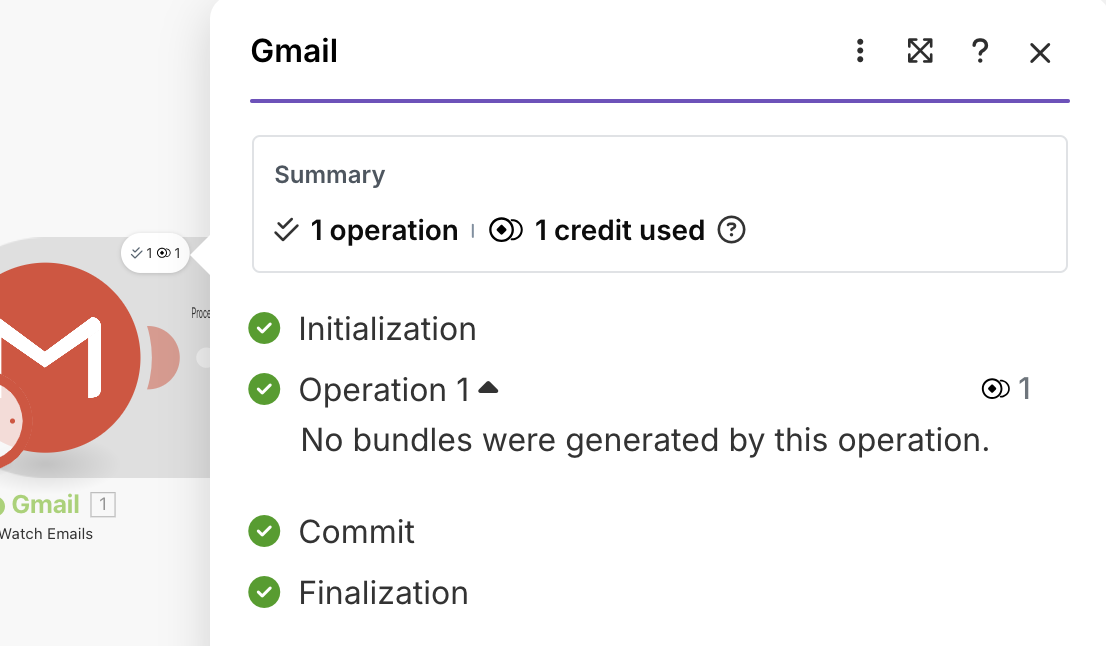
I’m trying to stop this scenario from running the array aggregator and the “run a scenario” step when the time-triggered Gmail “watch emails” step returns no bundles. I’ve tried so many different filters, right after the gmail step and right before the array aggregator step, but nothing has worked so far.
add a filter after the aggregator and have it check if the Total Number of bundles is not equal to 0. Then the next step will execute only if there are items that have been aggregated.
On the other side → you can switch to a mailhook module to get instant triggers when a new email arrives instead of the polling trigger right now. This way it will only process one email at a time and also save on operations.
Thanks @Stoyan_Vatov I know I can set the array aggregator to stop if the array size is 0 - I’m trying to avoid having it trigger at all.
And the problem with using a mailhook module instead of the gmail module is that this scenario is designed to run once per day and process a whole batch of emails, not just one. Using a mailhook that processes the emails individually would vastly increase the number of credits used.
Thanks @samliew - Won’t that treat each item in the queue as a separate trigger operation, though? This scenario and its pair are already heavy on operations/credits, and with the gmail module it’s just one operation with as many bundles as there are emails.
If it is scheduled (instead of “Immediately”), then no. It would function almost exactly the same. For simplicity you could just keep your scenario as it is.
Another potential option is to have a scheduled trigger and then search for every email in the past day or so but I think the scheduling option should work just fine.
3. Have a different/follow-up question? Start a new topic.
Creating a new topic for each question makes it easier for others with the same problem to search for answers. You are also more likely to receive help sooner as new topics are displayed first on the forum’s “new” page!




 Here’s a magic link to a list of your other “unsolved” topics: