Hi, could you help me connect Acuity to Google Contacts? I’d like new appointment details to automatically be added to our Google Contacts.
The “Watch Appointments” module isn’t providing me with the first name, last name, email address, or phone number.
samliew
September 25, 2025, 7:47am
4
Welcome to the Make community!
You can get details of the appointment by using a module to fetch the appointment details.
To do this, you can try using the Acuity Scheduling “Get Appointment ” module —
Gets an appointment by ID.
For more information about the Get Appointment module and Acuity Scheduling app, see the corresponding Integrations page and the Help Centre documentation .
Hope this helps! Let me know if there are any further questions or issues.
— @samliew P.S.: investing some effort into the tutorials in the Make Academy will save you lots of time and frustration using Make!
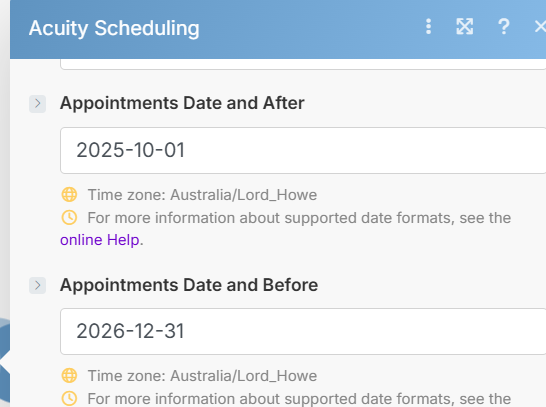
Hi! How can I access the contact details for all upcoming appointments? At the moment, I can only see information from past bookings.
samliew
September 25, 2025, 9:15am
6
To do this, you can try using the Acuity Scheduling “List Appointments ” module —
Gets a list of appointments currently scheduled for the authenticated user.
For more information about the List Appointments module and Acuity Scheduling app, see the corresponding Integrations page and the Help Centre documentation .
Hope this helps! Let me know if there are any further questions or issues.
— @samliew P.S.: investing some effort into the tutorials in the Make Academy will save you lots of time and frustration using Make!
Is this correct? Also, when I connect to Google Contacts, it shows one error for the email address. I can’t get it right.
Validation failed for 1 parameter(s).
Invalid email address in parameter ‘value’.
samliew
September 25, 2025, 9:22am
8
Ela_Gold:
No, this is not a valid variable.
Ela_Gold:
The dates are in text format, you’ll need to convert them to a date format.
According to the Tokens you can use to parse a string, you can use YYYY-MM-DD.
e.g.:
{{ parseDate(1.date; "YYYY-MM-DD") }}
For more information, see Date Format links below.
Here are some useful links and guides you can use to learn more on how to use the Make platform, apps, and app modules. I found these useful when I was learning Make, and hope they might benefit you too —
Save headaches and operation credits with these utility modules:
Chunk Text
Chunk Array
Chunk Words
Multiple Find & Replace
Collection to Array/String List
Execute JavaScript
Estimate Tokens
Calculate Difference Between Two Dates
List Upcoming Dates of Day of Weekand more!
Hope this helps! Let me know if there are any further questions or issues.
— @samliew


 How to schedule scenario for first Monday next month (recurring)
 Automate Follow-Up of Email Leads a Week After